TL;DR
To build an Instagram bot in 2026, switch to a Business or Creator account, then pick one of three routes: Meta Business Suite's free Inbox automations, a no-code tool such as InstantDM that connects with Instagram login, or the Instagram Messaging API if you have a developer and a few weeks. All three run on Meta's official platform, and that is the only kind of Instagram bot that stays inside the rules. What such a bot can do is on our Instagram automation page.
- A chatbot that answers comments, DMs, and story replies on Meta's official API is allowed. A growth bot that follows, likes, or comments for you is not.
- Meta's numbers: one private reply per comment, within 7 days; the 24-hour window opens only if the person replies; the reply lands in their Inbox if they follow you and in Requests if they don't.
- InstantDM connects with Instagram login and needs no Facebook Page. ManyChat's setup guide links a Page first, because it uses the Facebook Login path.
- Time: about 10 minutes in Business Suite, 20 to 30 minutes for a no-code bot with lead capture, weeks on the API.
- Cost as of August 2026: Business Suite free; InstantDM free plan (500 automations/month), Legend Pro $9.99/month, Trendsetter $24.99/month; ManyChat contact-based from $14/month; the API costs developer time.
Full disclosure: this is InstantDM's blog, so weigh the InstantDM steps accordingly. InstantDM is an official Meta Business Partner. That is a partnership-program status; it does not mean Meta endorses this article or any tactic in it.
Instagram features and policies change and roll out by region and account type. Labels and limits below are accurate as of August 2026.
Key takeaways
- Every route needs a professional account. Meta's developer docs say app users "must have an Instagram professional account".
- The bot's first DM to a commenter has to carry the link or the answer. There is no second message unless the person writes back.
- Business Suite's keyword rules take up to five keywords, match case-sensitively, and send after 15 minutes. Its "Comment to message" template fires on hashtags.
- Accounts get restricted for velocity, identical messages, cold outreach, and tools that log in with your password. A reply bot needs none of those.
What is an Instagram bot, and which kind can you legally build?
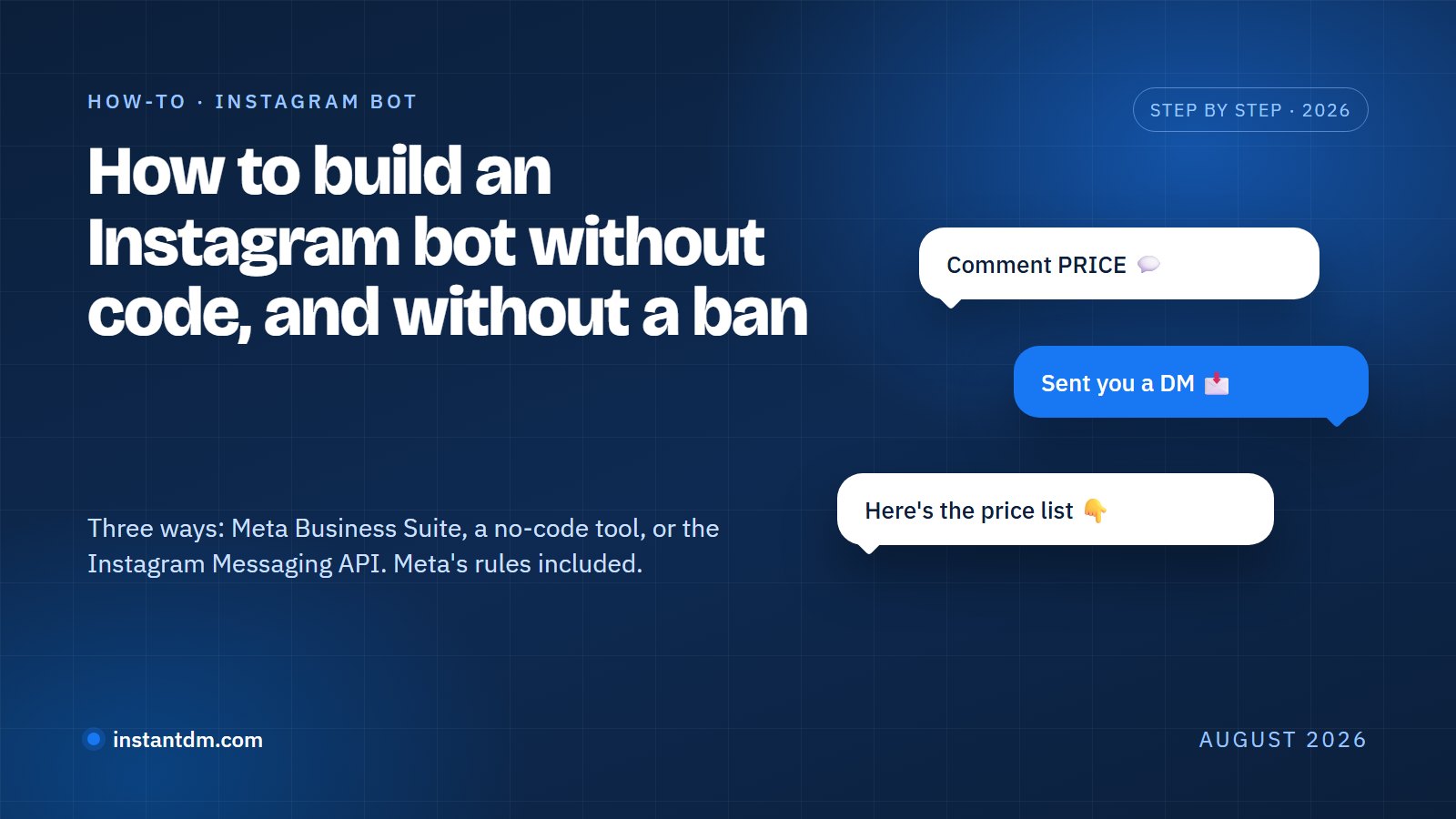
An Instagram bot is software that acts on an Instagram account without a person typing. The kind you can build legally is a messaging bot: it waits for someone to comment, reply to a story, or send a DM, and answers through Meta's official Instagram platform. The kind you cannot build is a growth bot, which follows, likes, comments, and scrapes on your behalf, usually by logging into the app with your password.
A reply bot waits. Nothing happens until a real person does something first. A growth bot manufactures activity that only looks like a person. Meta ships the first kind inside Business Suite and builds action blocks to catch the second. If you came here for follow-for-follow software, read what happens to accounts that use Instagram growth bots first.
Most people build one of five allowed bots:
- Creators: "comment LINK" on a Reel and the bot DMs the link. This is the comment-to-DM bot most people mean.
- Shops: a keyword bot that answers "price", "stock", and "shipping" at 11pm.
- Coaches: a welcome message that points at a booking link and asks one qualifying question.
- Local businesses: hours, menu, and "do you take walk-ins", on repeat.
- Course sellers: the download goes out the moment someone replies to a story with the word.
A rule-based bot handles all five with keywords and fixed replies. A bot that holds a conversation rather than matching words is an AI agent, a different build covered in how to build an Instagram AI agent without coding. The limits of a plain DM bot are in our Instagram DM bot explainer.
Are Instagram bots legal?
Messaging bots built on Meta's Instagram platform are allowed. Growth bots are not. Meta's own documents draw the line.
Meta publishes an Instagram Platform with a messaging API, reviews the apps built on it, and ships automated replies in Business Suite. Nobody publishes an API for following strangers.
The banned side is written into two documents. Instagram's Terms of Use, section 4.2, say "You can't attempt to create accounts or access or collect information in unauthorized ways", which covers scrapers and password-based tools. Meta's spam policy, which applies to Instagram, prohibits "posting, sharing, engaging with content or creating accounts, Groups, Pages, Events or other assets, either manually or automatically, at very high frequencies" and "selling, buying, or exchanging for engagement, such as likes, shares, views, follows, clicks". That is a growth bot's feature list, item by item. The Terms add that Meta "can remove or disable your account" for violations. Meta does not publish the thresholds.
Meta does publish numbers, and they shape every legal bot:
| Rule | Meta's wording (August 2026) | Source |
|---|---|---|
| Account type | App users "must have an Instagram professional account" (Business or Creator) | Instagram Platform overview |
| Private reply to a comment | "Only one message can be sent to the Instagram user who commented"; "within 7 days of when the comment was created"; on a live, "only during the live broadcast" | Private Replies |
| Where it lands | "Inbox folder, if the Instagram user follows the Instagram professional account, or to the Instagram user's Request folder, if the Instagram user does not follow the account" | Same page |
| 24-hour window | "Only when the Instagram user responds to the private message can you continue the conversation within the 24-hour messaging window"; a Human Agent tag lets a person reply manually within 7 days | Same page; Messaging policy overview |
| Pace | 750 private replies per hour per professional account on posts and Reels | Instagram Platform overview, rate limits |
The longer version, including what Instagram has and hasn't cracked down on, is in is Instagram automation allowed.
What do you need before you build an Instagram bot?
A professional Instagram account, a way to build (Business Suite, a tool, or a developer), and a Facebook Page only if your route uses Facebook Login.
- A Business or Creator account. In the Instagram app: Settings, then Account type and tools, then Switch to professional account. Free, under a minute, and your followers and posts stay put. Personal accounts have no API access.
- A Facebook Page, maybe. Meta's Instagram Platform page lists the Instagram API with Instagram Login as working for Business and Creator accounts with no Page, while the Instagram API with Facebook Login requires the account to be "linked to a Facebook Page". InstantDM connects on the Instagram Login path, so it needs no Page for Instagram. ManyChat's guide, last updated March 2021, sends you to link a Page first. If you don't have a Page, that is a 30-to-60-minute detour.
- The content: three to five trigger words, one link, and the one-line answer. Plus a second account or a friend to test from; you cannot trigger your own bot from the account that owns it.
Which is the best way to build an Instagram bot: Meta Business Suite, a no-code tool, or the API?
Business Suite if you want one keyword rule for free and can live with hashtags and a 15-minute delay. A no-code tool if you want comment-to-DM with variants, a public reply, buttons, lead capture, and a follow-up, in about half an hour. The API only if you are shipping a product and need the bot inside your own system.
| Meta Business Suite | No-code tool (InstantDM) | Instagram Messaging API | |
|---|---|---|---|
| Cost, August 2026 | Free | Free plan (500 automations/month); Legend Pro $9.99/month; Trendsetter $24.99/month | Developer time |
| Comment trigger | Hashtag ("Comment to message") | Keywords with variants, or any comment, per post or Reel | Anything you code against the comments webhook |
| DM keyword trigger | Up to five keywords, case-sensitive, 15-minute delay | Unlimited keywords, case-insensitive, instant | Anything you code against the messages webhook |
| Public reply paired with DM | No | Yes | Yes, two API calls |
| Buttons, lead capture, follow-ups | No | Yes (follow-ups on Trendsetter) | Yes, you build the state machine |
| Facebook Page needed | Account connected to Business Suite | No (Instagram login) | No on Instagram Login; yes on Facebook Login |
ManyChat and Chatfuel belong in the middle column too; they add WhatsApp and price differently. The dated, seven-tool comparison is in the best Instagram chatbots compared for 2026.
How do you build an Instagram bot in Meta Business Suite for free?
Open Meta Business Suite on a desktop browser, go to Inbox, click Automations, pick a template, fill in the keywords or hashtags and the reply, and save. Ten minutes. Meta's help pages on automated responses in Inbox and setting up Inbox automations on desktop are the source for the labels and limits below.
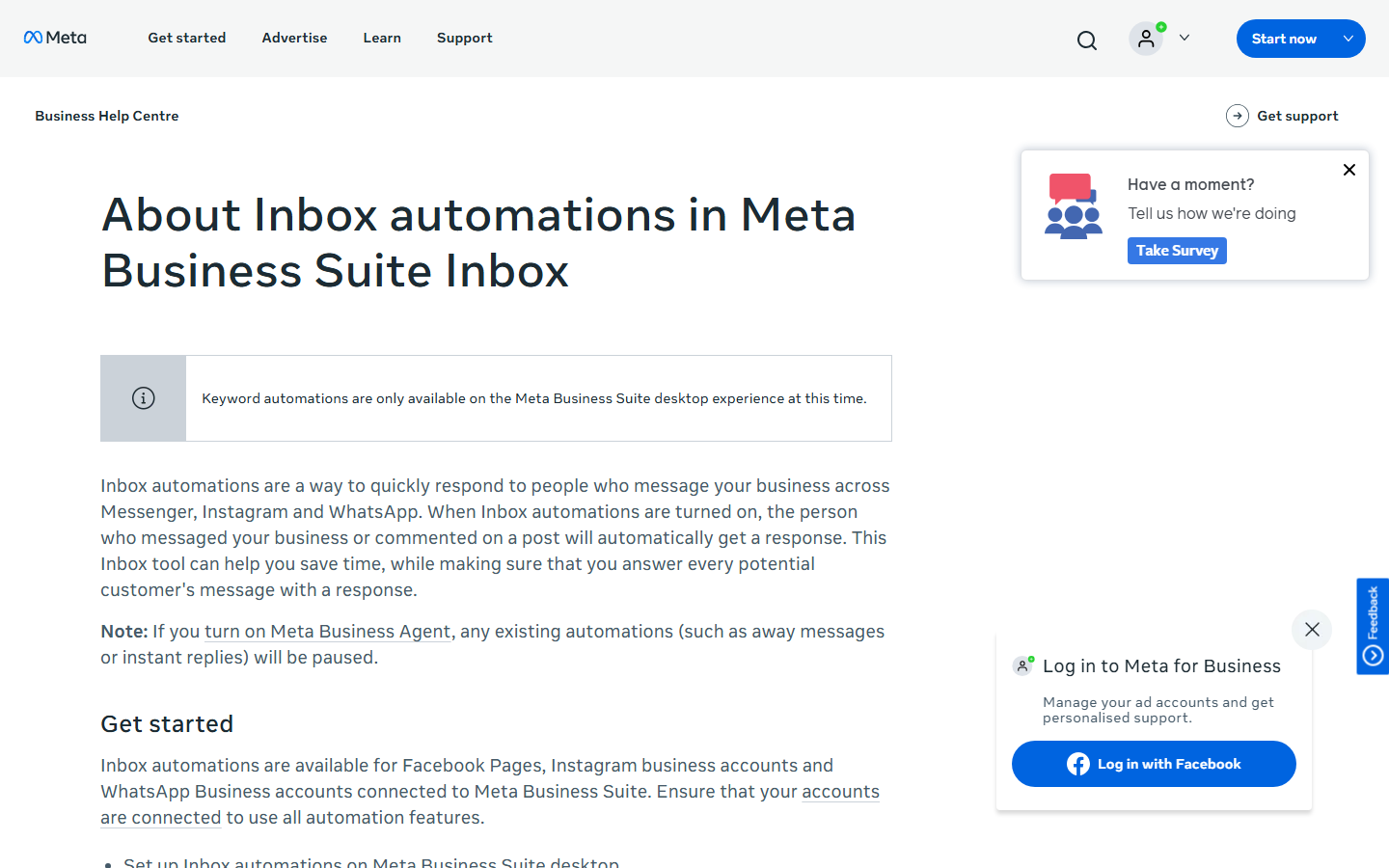
Step 1: Open Business Suite on a computer and pick the Instagram account (1 minute)
Go to business.facebook.com and select the business with your Instagram account connected. Meta lists both "Custom keywords" and "Comment to message" as desktop only.
Step 2: Open Inbox, then Automations (1 minute)
The Automations screen lists the templates: Instant reply, Away message, Frequently asked questions, Location, Contact information, Hours, Custom keywords, Comment to message, and Identify unanswered messages.
Step 3: Choose "Custom keywords" for a DM bot, or "Comment to message" for a comment bot (3 minutes)
Custom keywords answers a message that contains a word you set. Comment to message is described by Meta as "Reply to a comment that contains specific hashtags", so the trigger has to be a hashtag rather than a plain word. Put "#price" in your caption so people copy it exactly.
Step 4: Write the reply (3 minutes)
One message. Put the link or the answer in the first line and finish with a question, since the conversation can only continue if the person replies.
Step 5: Save, confirm the toggle is on, and test from another account (2 minutes)
Send the keyword from your second account and wait. Meta's rules for the keyword template: up to five keywords per rule; case-sensitive, and "an automated message will not be sent unless the keywords match exactly"; one rule per keyword; the reply goes out after 15 minutes unless you answer first; template automations such as Instant reply take priority.
The free path won't fire on a plain comment keyword, pair a public reply with the DM, add buttons, collect an email, trigger on story replies, or follow up. If none of that bothers you, stop here. It's free and it's Meta's.
How do you build an Instagram bot with a no-code tool?
Connect with Instagram login, pick a trigger, write the public reply and the DM, add a button and a lead capture question, set a follow-up, test from a second account, and switch it on. Twenty to thirty minutes in InstantDM the first time; other tools follow the same order with different labels.
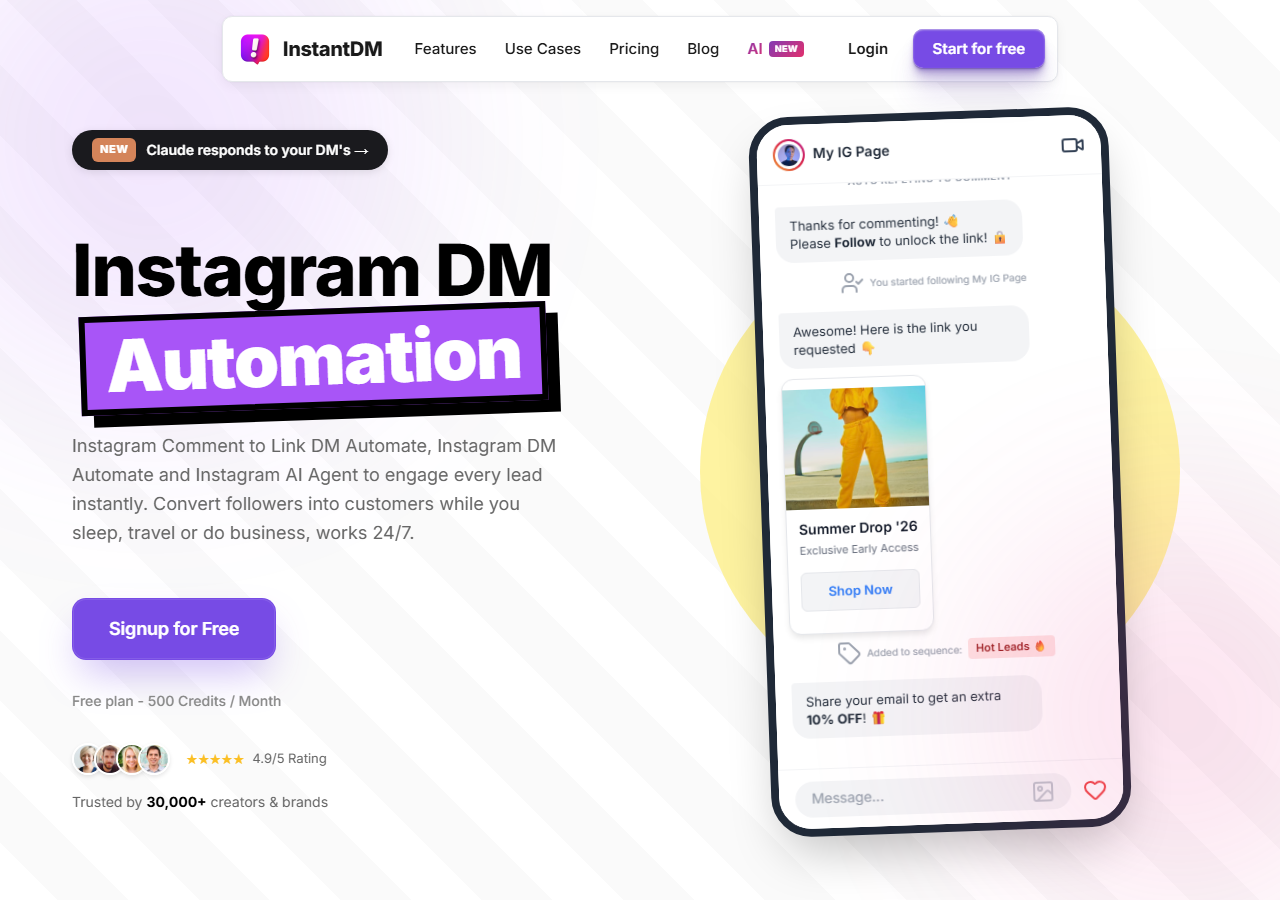
Step 1: Connect the account with Instagram login (3 minutes)
Sign up at app.instantdm.com, open Settings, and click "Connect Instagram". An Instagram login window opens. Sign in with the Business or Creator account and approve every permission it lists. A partial grant is the most common reason a bot later fails silently. No Facebook Page is involved. Back in Settings, the username shows with a green status.
Step 2: Choose the trigger (2 minutes)
Four triggers cover nearly every bot. Comment keyword: open "Instagram DM" in the sidebar, click a post or Reel, and type trigger words separated by commas. Any comment: the same screen, every comment, for giveaways. Story reply: the Story Automation tab, with All Stories or one story, and keywords or "Automate All". DM keyword: "Inbox Automation" in the sidebar, "Create Automation", and the "Message Includes" field. Add the variants people type anyway: "price?", "pricing", "cost".
Step 3: Write the public reply and the DM (5 minutes)
Two boxes. The public reply goes under the comment; keep it to one line and say "check Requests if you don't follow me", since Meta routes the DM there for non-followers. Toggle "Reply Comments" on and add two or three variants, which InstantDM rotates. The DM is the one private reply Meta allows per comment, so the link goes in the first sentence. Templates are two sections down.
Step 4: Add a button or a link (2 minutes)
Switch the DM type from Text to Buttons. You get a card with a title, a description, and up to three buttons, each either a web link or a "postback" that fires the next step. Taps are tracked. Details are on our comment-to-DM link feature page. To gate the link behind a follow, turn on "Ask audience to follow you before sending link/reply" on the same screen.
Step 5: Add lead capture (4 minutes)
Open the same automation in Quick DM or the Flow Editor and add a question step: name, email, phone, or a custom question. The answer is stored against the contact, which you can tag ("waitlist") on the spot. Ask one question in the first exchange. Every extra one loses people.
Step 6: Set a follow-up (3 minutes, Trendsetter)
Follow-up messages send a second message after a delay in seconds, minutes, or hours. The catch is Meta's window: a follow-up can only go out inside the 24 hours after the person last replied, so two hours is fine and three days is not.
Step 7: Test from a second account (3 minutes)
Toggle the automation on, open Instagram on your second account, and comment the trigger word. The public reply and a DM should arrive within seconds. Test once as a follower and once as a non-follower, since the second lands in Requests. Answer the DM and check the question and follow-up fire. If nothing arrives, open Dashboard, then Recent Automation Log, and skip to troubleshooting.
Step 8: Turn it on and watch the first 100 sends (10 minutes over the first day)
Post the Reel with the trigger word in the caption, then check the log a few times that day. Look for comments the bot ignored ("cost?" when you only set "price") and add the variants. Four safety features are on for every plan with no setup: DM Queue, Super Slow Mode, Rate Limit Controller, and Flood Control (the safety page labels them Safety Limit, DM Safety Queue, Slow-Down Mode, and Comment Flood Controller). They hold sends as Meta's per-hour limit approaches and release them as it resets.
Keep your account safe: send automated DMs only as replies to actions people take, meaning comments, story replies, and DMs, never cold blasts. Stay inside Instagram's rate limits and Meta's messaging policy; tools built on the official API exist to keep you inside those lines, not around them.
How do you build an Instagram bot with the Instagram Messaging API?
You register a Meta app, subscribe to the comments and messages webhooks, receive events on your own HTTPS server, and call the Send API and Private Replies API back. It is the most flexible route and the slowest: the code is days, App Review and Advanced Access are weeks, and you own the uptime afterwards.
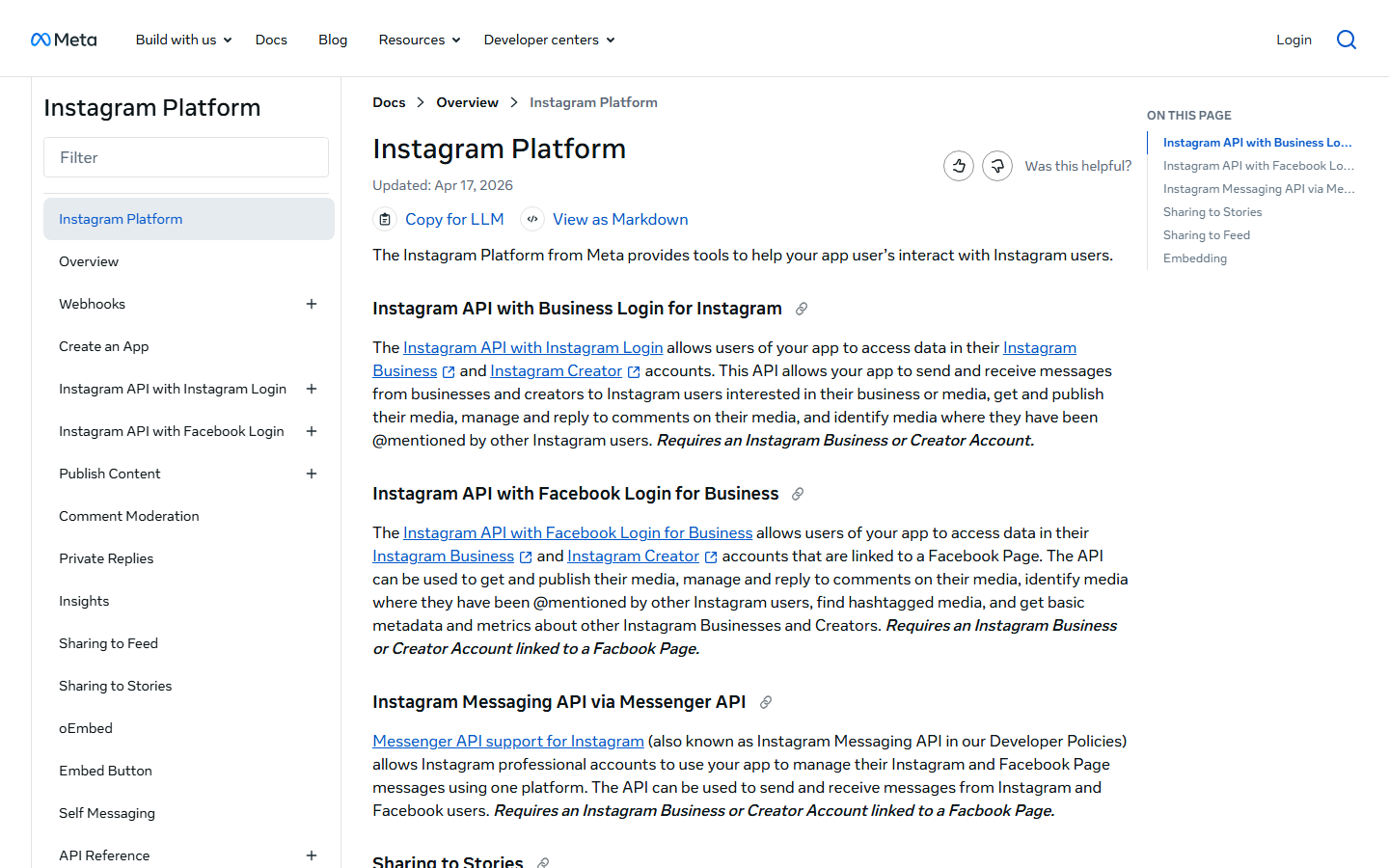
What the API gives you, per Meta's Instagram messaging docs: webhooks for new comments, messages, story mentions, and button postbacks; a Send API for text, images, quick replies, and the button, generic, and product templates; Private Replies for the one DM per comment; ice breakers, up to four tappable questions a new visitor sees before typing; and a persistent menu, human agent escalation, and ig.me links.
What it asks of you:
- A Meta developer account and an app with the Instagram product added.
- Permissions: instagram_business_manage_messages and instagram_business_manage_comments on the Instagram Login path, or instagram_manage_messages, instagram_manage_comments, and pages_messaging on the Facebook Login path.
- App Review. Meta's overview says "Your app must complete Meta App Review to be granted Advanced Access", and Private Replies lists Advanced Access as a requirement. Expect screencasts, a demo, and Business Verification.
- A public HTTPS endpoint that verifies Meta's signature, returns 200 fast, and tolerates duplicates, plus token refresh on a schedule.
- Your own 24-hour window logic and pacing. Meta enforces the window server-side, so a send outside it just comes back as an error. Its table allows 100 Send API calls per second for text and 750 private replies per hour per account.
A solo developer who has done webhooks before needs two to three weeks, most of it waiting on review. If you want code without the review, use a tool's API: InstantDM exposes outbound webhooks (comment, dm_received, postback, question_answered, flow_completed) and a send endpoint on Trendsetter, with the Meta side already reviewed. See InstantDM's API documentation and Instagram automation API and webhooks.
What should your Instagram bot say?
The link or the answer in the first sentence, then one question the person can answer in a word, because a reply is what opens the 24-hour window. Five templates you can paste.
Welcome message
Hey, thanks for messaging. I reply myself during the day; this is the quick version.
Reply PRICE for the price list, SHIP for delivery times, or ask me anything and I'll get back to you.
Comment-to-DM
Public reply: Sent it to your DMs. If we're not connected yet, it's in your Requests tab.

DM: Here's the link you asked for: [URL]. Want the size guide too? Reply SIZE.
FAQ keyword
Shipping is 3 to 5 working days within the US and 7 to 12 international; tracking comes by email. Where are you ordering from? Tell me the country and I'll confirm.Out of hours
We're closed right now (back at 9am). Your message is saved and a person will answer first thing. If it's about an order, reply with the order number and I'll have it ready for them.Lead capture
The checklist is on its way. Where should I send the full course when it opens? Drop your email below and you're on the list.Never write "more in the next message". There is no next message unless they reply. Keep the public line generic, since everyone can see it. Write the DM as you'd type it: "Here's the link" beats "Thank you for your interest in our products".
How do you keep an Instagram bot from getting your account restricted?
Reply, don't broadcast. Vary the wording and stay inside Meta's per-hour limits. Never hand your password to a tool. A bot that only answers people who contacted you first, at the pace Meta publishes, has no mechanism to trip an action block.
- Velocity. A Reel that pulls 3,000 comments in an hour is where accounts get hurt: 3,000 instant DMs is what spam detection looks for. Meta's limit is 750 private replies an hour. A tool with a queue sends 750, holds the rest, and drains them as the hour resets.
- Identical messages. Four hundred word-for-word public replies under one post look like a bot because they are one. Write two or three variants and rotate them.
- Cold outreach. The messaging API is not for first messages to people who never contacted you, and the 24-hour window won't allow it at scale anyway. It is also the fastest way to earn a restriction.
- Tools that log in with your password. Anything that needs your Instagram password, a "cloud phone", or a browser extension is operating outside the API, the "unauthorized ways" the Terms prohibit. A tool on the official API never sees your password.
- Overlapping rules and no monitoring. Two automations that both fire on "price" and "pricing" send two DMs to one comment; one post, one rule. Read the log daily for the first week, then weekly.
None of that makes an account "safe" in an absolute sense. Nothing does, and any tool promising that is selling you something. It does remove the behaviours Meta polices. InstantDM's handling of the viral case is on the account safety page; what the Business Partner status covers, and doesn't, is on the Meta Business Partner page.
Why isn't my Instagram bot sending?
In order of how often we see it: the connection expired or was granted partial permissions; the person doesn't follow you and the DM is in their Requests folder; the comment is older than 7 days; the keyword didn't match; the 24-hour window closed before the follow-up; or the account is still personal.
- Expired or partial connection. Tokens expire, and a permission you unticked at login fails silently. Reconnect and grant everything.
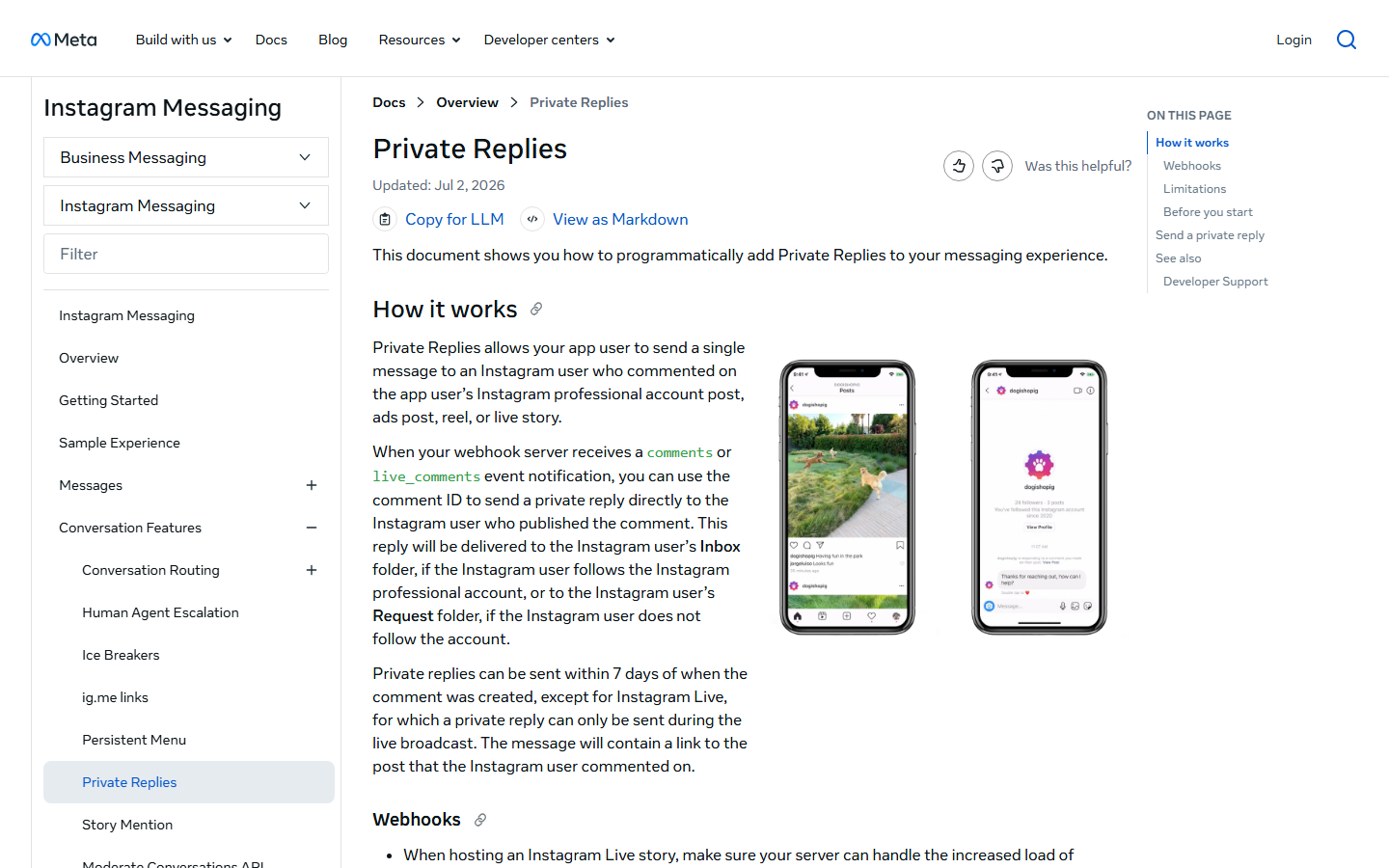
- The person doesn't follow you. Meta's Private Replies page is explicit: the reply goes "to the Instagram user's Inbox folder, if the Instagram user follows the Instagram professional account, or to the Instagram user's Request folder, if the Instagram user does not follow the account". The DM went out. They just haven't opened Requests. Fix it in the public reply ("check Requests") or with a follow gate.
- The comment is more than 7 days old. Meta won't deliver a private reply after that.
- Keyword mismatch. Business Suite keywords are case-sensitive and exact; most tools are case-insensitive but "cost?" still won't fire "price". Check the log for what people typed.
- The 24-hour window closed. A follow-up 2 days after the last reply is held or rejected by Meta, not by the tool. Only a reply from the person reopens it.
- Personal account. Every route requires Business or Creator. Switch it, then reconnect.
If the public reply posts but the DM doesn't, it's item 2 or 3. If neither happens, it's item 1, 4, or 6.
How much does it cost to build an Instagram bot?
Nothing in Meta Business Suite. Nothing on InstantDM's free plan up to 500 automations a month, then $9.99/month flat. Free to $14/month and up on ManyChat, priced by active contacts. Developer time on the API. Prices are from each vendor's public pricing page as rendered on August 28, 2026. Vendors change plans without notice, so check the live page before deciding.
| Route | Free tier | Paid, August 2026 | What moves the bill |
|---|---|---|---|
| Meta Business Suite | Everything | Nothing | Nothing |
| InstantDM | 500 automations/month, no card | Legend Pro $9.99/month (up to 750 DMs/hour); Trendsetter $24.99/month (follow-ups, API, no hourly throttle) | Nothing; flat, unlimited contacts (instantdm.com/pricing) |
| ManyChat | 25 active contacts, 2 channels, 4 automations | Essential $14/month (250 contacts); Pro $29/month (2,500 contacts); overage per extra contact | Active contacts; contact-based since March 2026 (manychat.com/pricing) |
| Chatfuel | Light plan, usage limits apply | AI PRO $49/month | Usage (chatfuel.com/pricing) |
| Instagram Messaging API | No fee from Meta | Developer days plus hosting | Maintenance, review resubmissions |
Work out what one good Reel would cost you. 3,000 "LINK" comments is 3,000 automations: six months of InstantDM's free allowance in a day, or $9.99 on Legend Pro. On a contact-based plan those commenters are 3,000 active contacts, above ManyChat's Pro tier and into overage. Flat pricing suits accounts whose comment counts swing; contact pricing suits steady support inboxes.
Which build should you choose?
Build it in Meta Business Suite if you want one free keyword or hashtag rule and don't mind the 15-minute delay. Build it with a no-code tool if you want comment-to-DM with a button, lead capture, and a follow-up: InstantDM if you don't have a Facebook Page and want flat pricing, ManyChat or Chatfuel if WhatsApp has to live in the same tool. Build it on the API only if the bot is part of a product you ship and you have the weeks for App Review.
Whichever you pick, Meta's rules are the same: professional account, one private reply per comment inside 7 days, and a 24-hour window the person opens. If the second option fits, start on InstantDM's free plan, connect with Instagram login, pick a Reel, set the word, and test it from a second account before lunch.
Meta, Instagram, Facebook, Messenger, ManyChat, and Chatfuel are trademarks of their owners. InstantDM is not affiliated with those companies beyond its Meta Business Partner status. Screenshots of Meta documentation were captured in August 2026.