Quick answers:
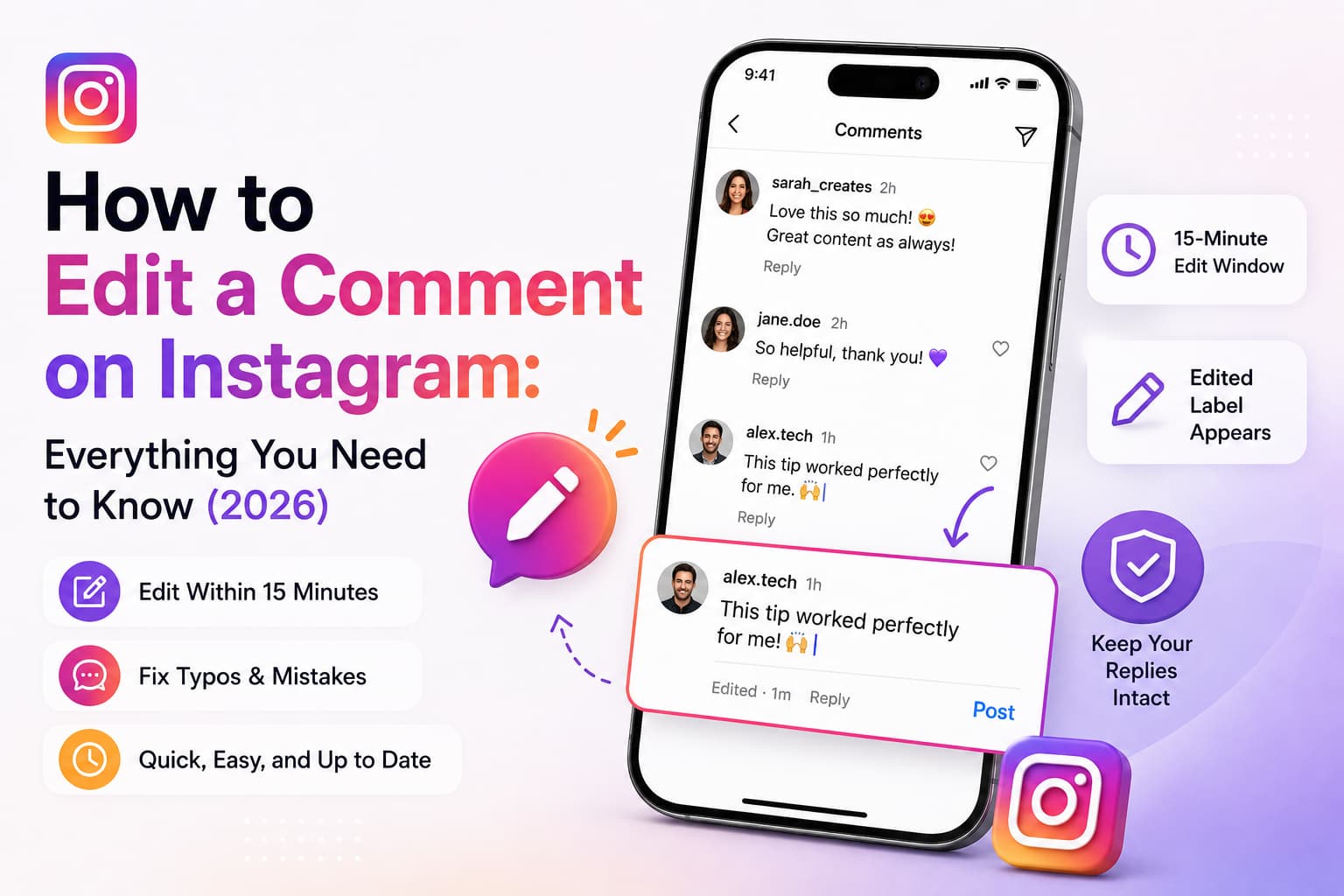
- Yes, you can edit a comment on Instagram — the feature officially launched on April 9, 2026
- You have a 15-minute window after posting to make changes
- On iPhone: swipe left on your comment - tap the pencil icon - edit - save
- On Android: tap and hold your comment - tap Edit - make changes - save
- Edited comments show an "Edited" label — other users cannot see what the original said
- You can only edit text — GIFs, stickers, and media cannot be changed
- Editing is available on the mobile app only, not Instagram desktop or web
Can You Edit a Comment on Instagram?
Yes. Instagram officially launched comment editing for all users on April 9, 2026. Before this, the only option was to delete a comment and repost it — a workaround that removed all replies attached to the original comment. Now you can fix typos, update wording, or correct a mistake directly without losing the thread.
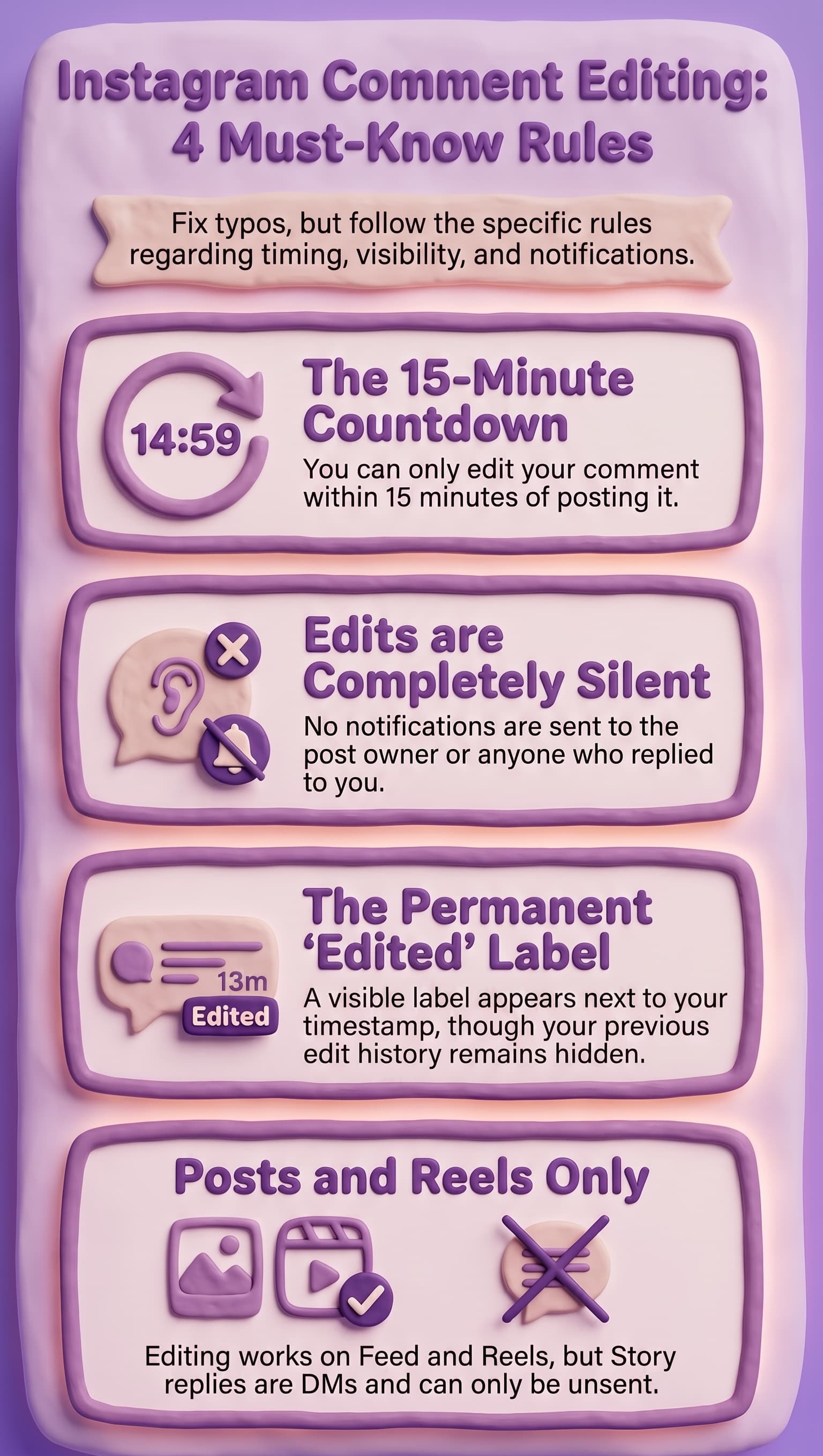
The feature has a few clear rules: you get 15 minutes from the moment you post, editing only works on text, and any edited comment shows an "Edited" label visible to everyone. Other users cannot see what you originally wrote — just that the comment was changed.
How Do You Edit a Comment on Instagram on iPhone?
- Open the post, Reel, or video where you left the comment
- Scroll to find your comment in the thread
- Swipe left on your own comment — a row of action icons will appear
- Tap the pencil (Edit) icon
- A text box opens with your current comment — make your changes
- Tap the blue checkmark or Done to save
The comment updates immediately for everyone viewing the thread, with an "Edited" label appearing next to the timestamp.
Note: The swipe gesture only works on your own comments. Swiping on someone else's comment shows different options (report, reply, etc.) — not Edit.
How Do You Edit a Comment on Instagram on Android?
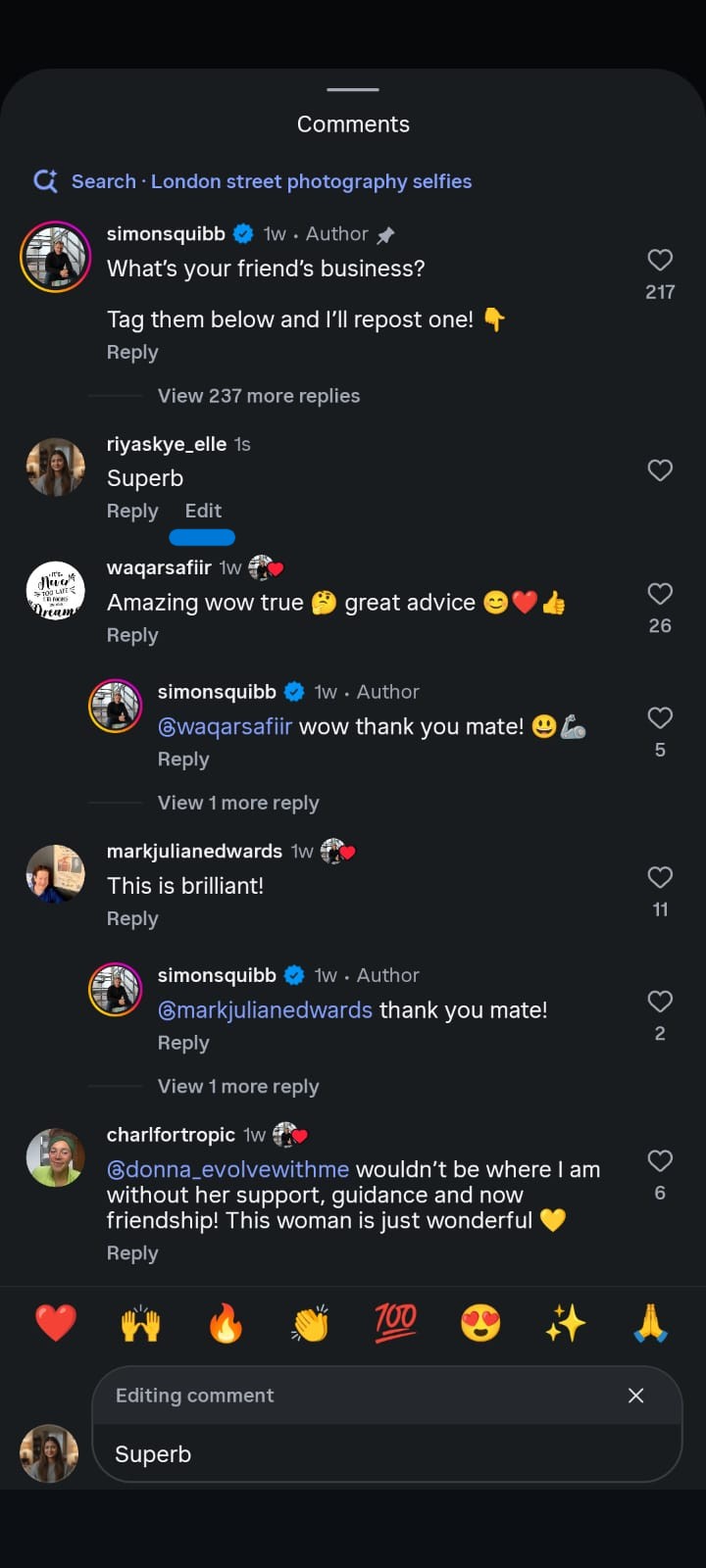
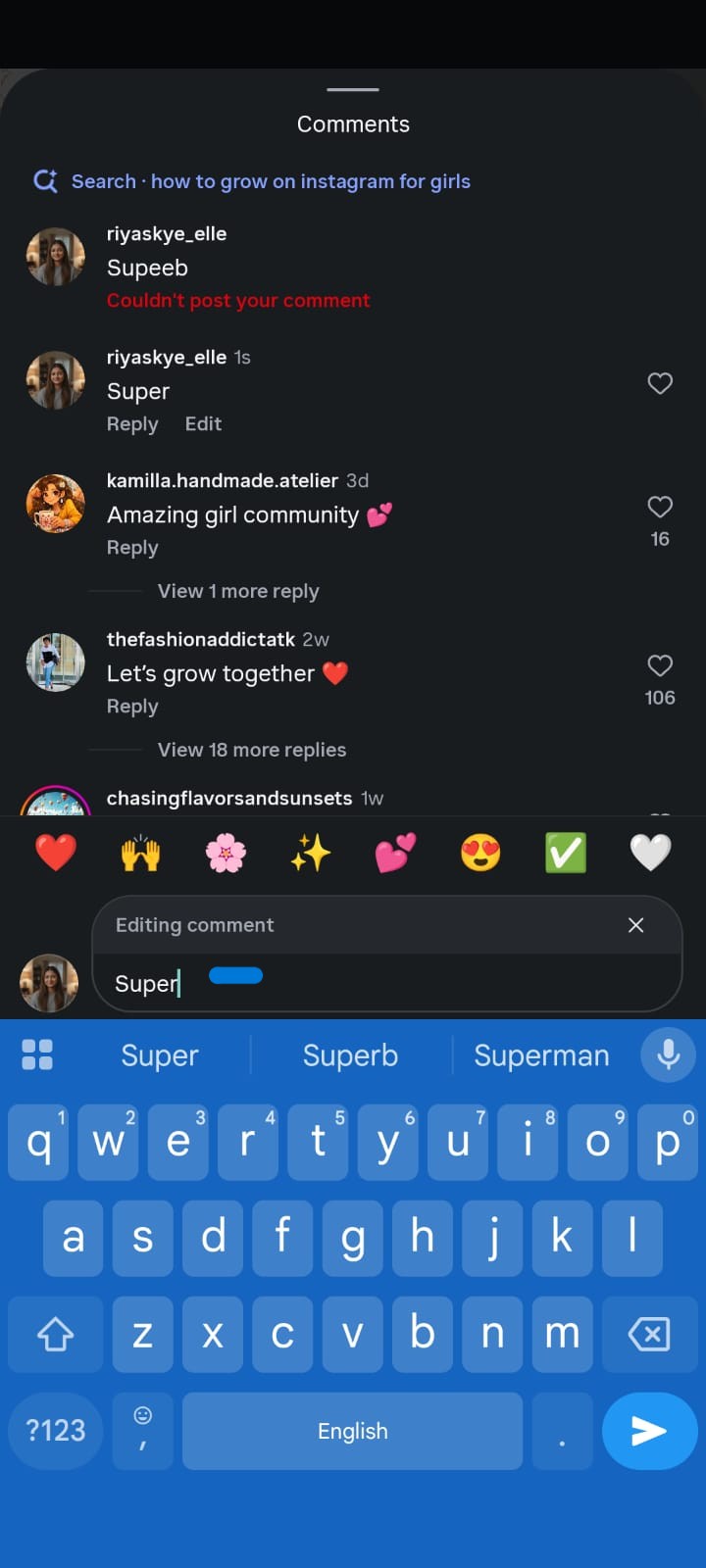
Open the post, Reel, or video where you left the comment
- Find your comment in the thread
- Tap and hold your comment until the action menu appears
- Tap Edit from the options listed
- Make your changes in the text field
- Tap the checkmark to save
The comment updates in real time for all viewers. The "Edited" label becomes visible immediately after saving.
How Do You Edit a Comment on Instagram on a Computer or Desktop?
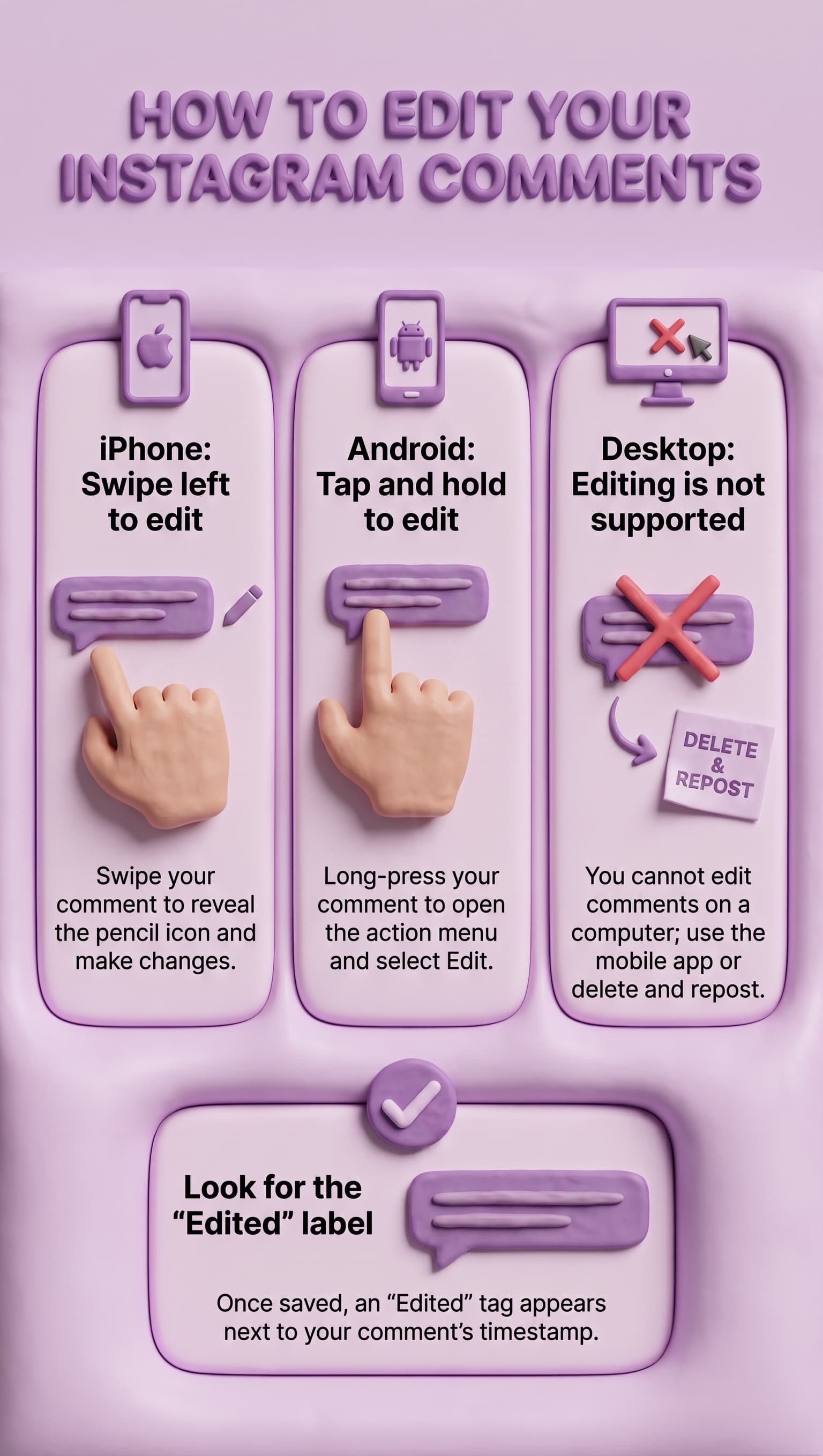
You cannot. As of June 2026, comment editing is only available in the Instagram mobile app on iOS and Android. When you access Instagram through a desktop browser at instagram.com, the Edit option does not appear in the comment menu.
If you need to change a comment you left from a desktop, your options are:
- Open Instagram on your phone and edit it there (within 15 minutes of posting)
- Delete the comment on desktop through Your Activity and repost it
Instagram has not announced when or whether desktop comment editing will be added.
How Long Do You Have to Edit a Comment on Instagram?
You have exactly 15 minutes from the moment you posted the comment. The countdown starts the second you tap Post
— not from when you first notice the error.
Within those 15 minutes, you can edit the same comment as many times as you want. Fix one typo, then notice another, then change the wording entirely — all of it is allowed within the window, and each save counts as the same single edit.
Once the 15-minute window closes, the Edit option disappears permanently from that comment. There is no way to reopen it, no grace period, and no appeal. After the window closes, your only option is to delete the comment entirely and post a new one — which removes any replies that were attached to the original.
What Happens When You Edit an Instagram Comment — What Do Other People See?
When you edit a comment, two things happen immediately:
The comment text updates — everyone viewing the thread sees your new version. The original wording is not stored or shown anywhere publicly.
An "Edited" label appears — this shows next to your comment's timestamp and is visible to anyone who reads the thread, including the post owner. The label is permanent once applied. Even if you edit the comment back to its original exact wording, the "Edited" label stays.
What other users cannot see: Instagram does not display edit history. No one can see what your comment said before you changed it. They only know that a change was made.
No notification is sent: Editing a comment does not trigger a push notification to the post owner, to people who replied to your comment, or to anyone else. The only signal is the visible "Edited" label on the comment itself.
Does Editing a Comment Notify Anyone on Instagram?
No. Editing a comment is silent — no notification goes to the post owner, to anyone who replied to your comment, or to followers of the post. The only visible sign that an edit happened is the "Edited" label that appears next to the comment.
This is different from posting a new comment, which does trigger a notification to the post owner. An edit to an existing comment produces no notification at all.
Can You Edit a Comment on Someone Else's Post on Instagram?
Yes, as long as it is your own comment. You can edit a comment you left on anyone else's post — a friend's photo, a brand's Reel, a creator's video — using the same steps as editing a comment on your own post. The 15-minute window and all other rules apply the same way.
What you cannot do is edit someone else's comment on your own post or anyone else's content. You can only edit comments you personally wrote. To manage other people's comments on your posts, use Instagram's comment moderation tools — you can delete, hide, pin, or restrict comments from your own content.
Can You Edit a Comment on an Instagram Reel?
Yes. Comment editing works on Instagram Reels the same way it works on feed posts. Open the Reel, find your comment, swipe left (iOS) or tap and hold (Android), and tap Edit. The 15-minute window applies from the moment you posted the comment, not from when you opened the Reel.
One thing to be aware of with Reels: comment threads can move quickly. If a Reel performs well, dozens of new comments may appear while you are trying to find yours. Scrolling to locate your specific comment within a fast-moving thread can eat into your 15-minute editing window, so act quickly once you notice a mistake.
Can You Edit a Comment on an Instagram Story?
No. The comment editing feature applies to feed posts and Reels only. Instagram Stories work differently — when someone responds to your Story, their message arrives as a private DM in your inbox, not as a public comment. DMs have their own set of rules.
If you sent a Story reply and want to take it back, you can **unsend** the message: open the DM thread, press and hold on your message, and tap Unsend. This removes the message from both sides of the conversation, though the other person may have already seen it before you unsend it. There is no "edit" option for DM messages the way there is for comments.
What Can and Cannot Be Edited in an Instagram Comment?
You can edit:
- Any text in the comment — words, sentences, punctuation, emojis
- Hashtags included in the comment text
- Tagged usernames (@ mentions) in the text
- The length of the comment — you can add more text or shorten it
You cannot edit:
- GIFs attached to the comment
- Stickers or media added to the comment
- A comment that is more than 15 minutes old
- Another user's comment
- Comments from a desktop browser
If the thing you need to change is media, or the 15-minute window has closed, deleting and reposting is the only option.
Does Editing a Comment on Instagram Delete the Replies to It?
No. Editing your comment leaves all replies to it intact. The reply thread stays exactly as it was — none of the replies from other users are removed or altered when you edit your original comment.
This is one of the main advantages of editing over deleting. If you delete a comment, all replies attached to it are also permanently removed. If you edit it instead, the conversation thread survives untouched.
Why Can't I Edit My Comment on Instagram?
If the Edit option is missing, one of these is usually the reason:
The 15-minute window has expired. The most common cause by far. Once 15 minutes have passed since posting, the Edit option disappears permanently. Check the timestamp on your comment to confirm.
You are using Instagram on a desktop browser. Comment editing is mobile-only. Open the app on your phone and the option will be there (if you are still within 15 minutes).
Your Instagram app needs an update. The feature launched with the April 9, 2026 update. If you have not updated your app, it will not appear. Update through the App Store (iPhone) or Google Play Store (Android).
You are trying to edit someone else's comment. The Edit option only appears on comments you personally wrote.
Other users' comments show different options.
You are commenting on certain ad or branded content formats. Some content types — particularly paid ads and certain branded content — did not receive the feature in the initial rollout. This is expected to resolve as the rollout completes.
Regional rollout delay. Instagram sometimes rolls out features in phases by region. If none of the above apply, the feature may not have reached your account yet. Check for app updates and try again in a few days.
How Is Editing an Instagram Comment Different from Deleting It?
While both options let you correct mistakes, editing and deleting an Instagram comment have different outcomes. Use the table below to decide which option makes the most sense.
Situation | Best Choice |
Small typo caught within 15 minutes | Edit |
Wrong @mention or broken hashtag (caught quickly) | Edit |
Comment you regret (within 15 minutes) | Edit or Delete — your choice |
Comment is more than 15 minutes old | Delete and repost |
You need to change a GIF or sticker | Delete and repost |
You want no trace of the original comment | Delete — editing leaves an "Edited" label |
Your comment has replies you want to keep | Edit — deleting removes all replies |
Key Difference
The biggest difference is what happens after the change:
- Editing fixes your comment while preserving the reply thread, but Instagram adds an "Edited" label to show the comment was modified.
- Deleting permanently removes the comment, the "Edited" label, and every reply attached to it.
If you simply need to correct a typo or update a mention, editing is usually the better choice. If you want the comment to disappear completely or need to replace content that can't be edited (such as a GIF or sticker), delete the comment and post a new one.
Can You Remove the "Edited" Label from an Instagram Comment?
No. Once a comment has been edited, the "Edited" label is permanent. It stays visible to other users even if you later edit the comment back to its exact original wording. The label cannot be hidden or removed.
The only way to get rid of the "Edited" label is to delete the comment entirely and post a new one — but this also removes all replies attached to it and starts the timestamp from scratch.
How Does Instagram Comment Editing Compare to Other Platforms?
Instagram launched comment editing in April 2026, making it one of the later major social platforms to add the feature.
Here is how it compares:
Facebook: Has allowed comment editing since 2013 and keeps a public edit history — anyone can tap the "Edited" label and see every previous version of the comment. Instagram shows no edit history.
Threads (Meta): Has had a 15-minute editing window since launch, which is the same system Instagram has now adopted. No edit history is displayed on Threads either.
X / Twitter: Offers comment (tweet) editing only to paid X Premium subscribers. Free users cannot edit posts.
Instagram's editing is available to all users at no cost.
YouTube: Does not currently offer comment editing. You must delete and repost to change a YouTube comment.
Instagram's implementation — 15-minute window, no edit history, free for all users — sits between Facebook's more transparent approach and YouTube's all-or-nothing model.
How Do You Edit a Comment You Left on Instagram Live?
Instagram Live comments operate differently from standard post comments. Live comments are part of a real-time stream and do not persist in a standard comment thread the way feed post comments do. As of June 2026, the 15-minute comment editing feature does not apply to Live comments.
If you made a mistake in a Live comment, you can delete it by tapping and holding the comment during the Live session (if that option appears), but editing is not available for Live. After the Live ends, the replay may show comments differently depending on how the creator saves and shares it.
What Is the Difference Between Editing a Comment and Editing a Caption on Instagram?
These are two separate features that often get confused because people use "comment" and "caption" interchangeably.
Editing a caption means changing the text on your own post — the description that appears below your photo or video. Instagram has allowed caption editing for years with no time limit. You can edit a caption you posted months ago without restriction. To edit a caption: open your post - tap the three dots (⋯) - tap Edit - change the text - save.
Editing a comment means changing a reply or comment you left in a comment thread — either on your own post or someone else's. This is the newer feature, limited to 15 minutes after posting and mobile only.
If someone says they "edited their Instagram comment" but they are actually talking about updating the text on their photo post, they mean caption editing — which has no time limit and is available on desktop too.
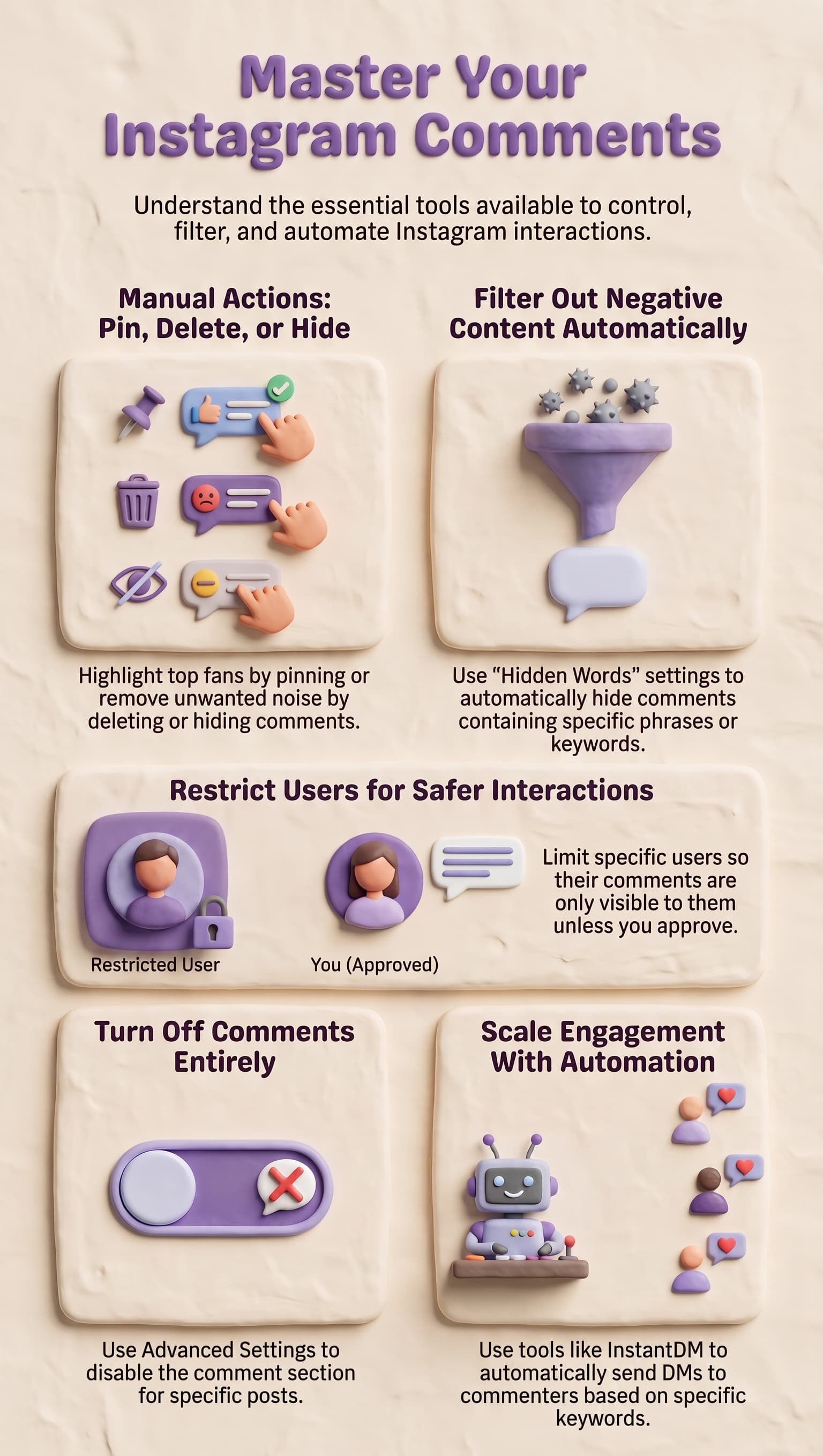
How Do You Manage Comments on Your Instagram Posts?
Beyond editing your own comments, Instagram gives post owners several tools to manage comments left by other people:
Delete a comment: Press and hold the comment (Android) or swipe left (iOS) → tap Delete. Removes the comment and all replies to it.
Pin a comment: You can pin up to three comments to the top of your comment thread. Useful for highlighting important information, a top fan, or a key question. Press and hold the comment → tap Pin.
Hide a comment: Hides the comment from public view without deleting it. The commenter does not know their comment was hidden.
Restrict a user: Limits their ability to interact with your content without blocking them. Their comments become visible only to them unless you approve.
Filter keywords: In Settings → Privacy → Hidden Words, you can add specific words or phrases that will automatically hide comments containing them.
Turn off comments entirely: When posting, tap Advanced Settings → turn off "Allow comments." This can also be done after posting by tapping the three dots on a post.
For accounts receiving high comment volumes — particularly during a campaign or when a post performs unusually well
— manually managing each comment is not realistic. That is where automation tools come in. InstantDM
By InstantDM you can automatically respond to comments containing specific keywords with a DM, meaning every person who comments gets a response even when you are not watching your phone.
How Do You Automate Responses to Instagram Comments?
Comment automation means setting up a rule so that when someone comments a specific keyword on your post, they automatically receive a DM response — without you having to monitor comments in real time.
How it typically works:
- You post content with a CTA — for example: "Comment GUIDE below and I'll send you the link"
- You set up an automation trigger for the keyword "GUIDE" on that post
- When someone comments that word, they instantly receive a DM with the resource you promised
- You see all the conversations in your inbox and can continue them manually
This approach handles the volume problem that comment editing does not address. Editing fixes one typo on one comment. Automation handles every comment on every post, around the clock.
For creators running keyword-based campaigns, giveaways, or content drops, the combination works well: edit your comment quickly if you made a mistake in the prompt, and let automation handle the responses to everyone who replies. InstantDM is built on Instagram's official Meta API, which means it operates within Instagram's guidelines and does not put your account at risk.
Summary
Instagram comment editing launched on April 9, 2026 and is available to all users on the mobile app. You have 15 minutes after posting to edit any comment you wrote — on your own posts, on someone else's posts, or in Reels. The steps are: swipe left on iOS or tap and hold on Android, then tap Edit.
Edited comments show a permanent "Edited" label but no edit history. Other users see the label but not your original text.
No notification is sent when you edit.
The feature does not extend to Instagram Stories (where replies are DMs), Instagram Live comments, or desktop browsers. It also only covers text — GIFs and media in comments cannot be changed.
If the 15-minute window has already closed, deleting and reposting is your only option — but this removes any replies attached to the original comment. If keeping the reply thread matters, act fast and edit rather than delete.
For anyone managing comments at scale — running keyword campaigns, handling giveaways, or responding to a post that went viral — comment editing is a useful quality-of-life feature but does not solve the volume problem. A tool like
InstantDM handles automated DM responses to every comment, so whether your comment has a typo or not, every person who engages gets a response.