You paid for a Facebook Reel. Someone tapped Send Message. Messenger opened. Nobody answered for twenty minutes. They closed the thread.
That is how Facebook Reels ad leads disappear. Not because the creative was weak. Not because the audience was cold. Because the chat went quiet after you already paid for the tap.
A Facebook Reels ad can open Messenger in one tap, but Meta only gives you a short window to answer. If the first message is late or empty, the lead you paid for is gone.
Direct answer: To capture leads from Facebook Reels ads in Messenger, run a Click-to-Messenger Reels ad (or a keyword comment on the Reel), put the promised offer in the first Messenger bubble, add one tap that keeps the 24-hour window alive, and measure conversations — not ThruPlay.
Quick verdict
| Question | Verdict |
| Can a Facebook Reels ad open Messenger? | Yes. Use Click to message + Send Message / Chat now. |
| Does the tap alone capture the lead? | No. The first bubble has to fire in seconds. |
| What closes the window? | Silence after the tap. Then 24 hours from their last message. |
| Is a comment on the Reel the same door? | No. One Private Reply in 7 days, until they write back. |
| Should the first line be “How can I help?” | No. Deliver what the Reel promised. |
| What should you optimize? | Conversations started and cost per messaging conversation. |
How Facebook Reels ads send people to Messenger
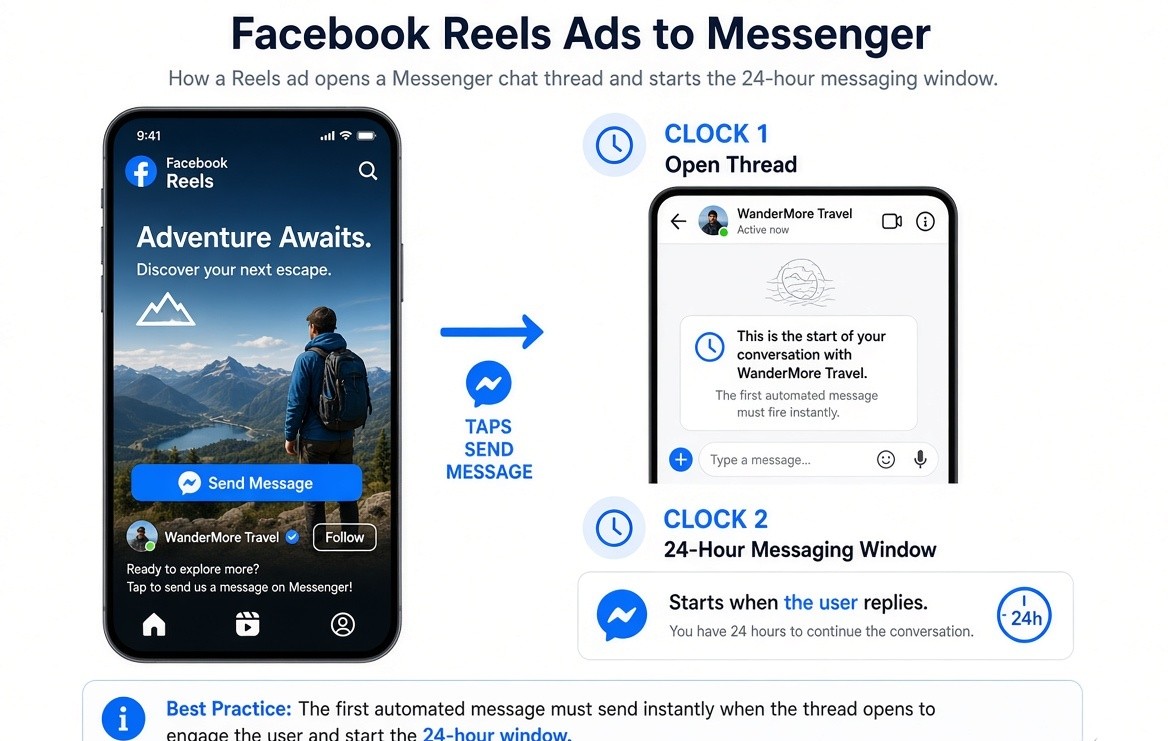
Direct answer: Facebook Reels ads send people to Messenger when the destination is a messaging app and the call to action is Send Message or Chat now. The viewer does not load your website. They tap, and a Page thread opens.
Meta shows that ad in the Reels feed and on Facebook Reels. The creative is 9:16. The button is the offer. Turn on Facebook Reels ad placements at the ad set — Reels is not Feed with a vertical file.
The thread opening is not a captured lead. It is an empty chat with a person whose thumb is still on the back button.
Two clocks start on that tap.
Clock 1 — the open thread. Click-to-Messenger can open the conversation before they have typed a word. If your first automated line is missing, they bounce. The ad did its job. The inbox did not.
Clock 2 — the Standard Messaging Window. After they send a message, you have 24 hours from their last message for standard follow-ups, including promotional ones. The window resets when they write again. It does not reset because you sent something.
A comment on the Reel is narrower: one Private Reply within 7 days of that comment. Useless if it arrives after they left.
So the first message has to fire in seconds.
The two doors into Messenger from a Reels ad
| Door | What the viewer does | What you must have ready |
| Click-to-Messenger | Taps Send Message on the Reels ad | A start-conversation template in Ads Manager + a first bubble that is the offer |
| Comment on the Reel | Comments a keyword | One Private Reply in Messenger, sent while they are still on the phone |
Door 1 is the paid tap. Door 2 is the comment. They are not the same Meta product. They do not share the same clock.
Door 1: Click-to-Messenger
This is how Facebook Reels ads send people to Messenger at scale. Ads Manager creates the thread. Your first line has to be waiting.
Use this door when the Reel itself is the pitch: a list, a price, a slot, a PDF, a product card. On-screen text should say the next step is a message, not a website.
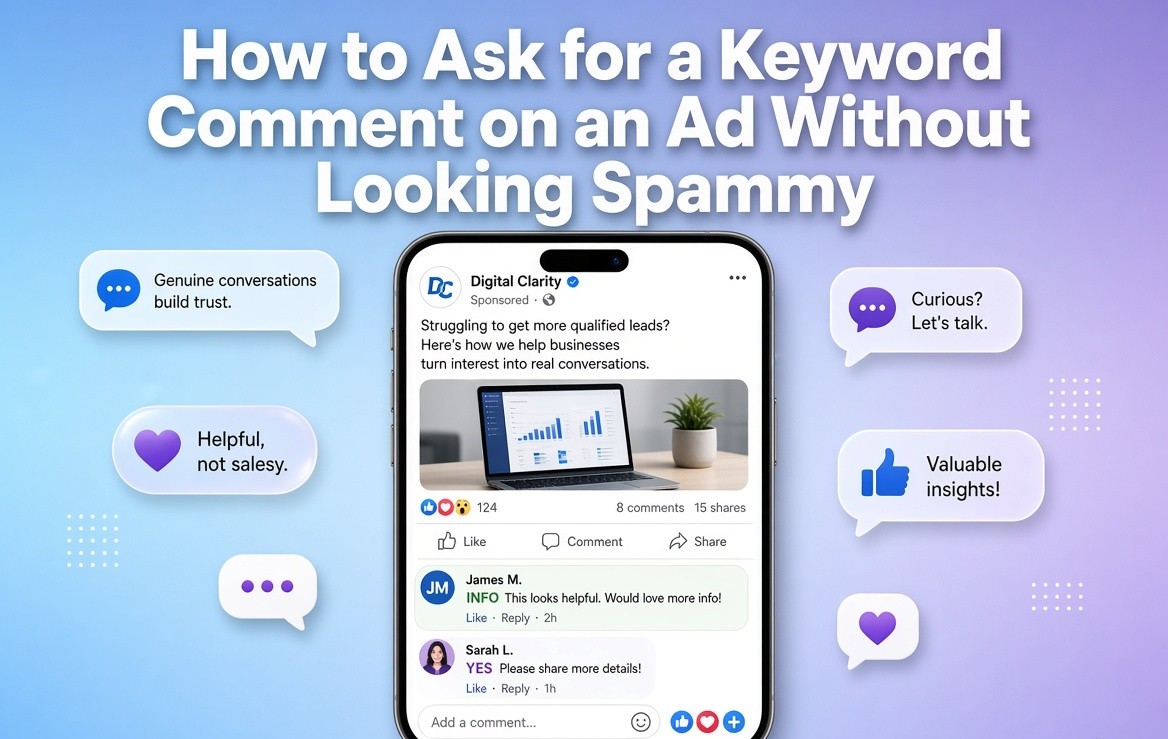
Door 2: comment on the Reel
Direct answer: On a Facebook Page Reel, you can send one Private Reply to that commenter within 7 days of the comment. That message does not open the full 24-hour promotional window by itself. The 24-hour window opens when they reply to you.
Treat Door 2 as a backup and an organic twin, not as a replacement for Click-to-Messenger. If they commented “PRICE” and walked away, a Private Reply six hours later is polite. It is not a captured lead.
InstantDM documents comment-to-Messenger on Page posts and Page Reels. Facebook ad comments are not the same documented surface as Instagram boosted Reels. Confirm that surface before you build a paid comment plan. The full comment-door how-to is here: Facebook comment automation.
How to set up Click-to-Messenger ads on Facebook Reels
Direct answer: Campaign objective Engagement (or Leads / Sales if you want message-optimized purchases) → conversion location Messaging apps → Messenger → ad type Click to message → include Facebook Reels → 9:16 creative → message template whose first bubble is the offer → CTA Send Message or Chat now.
You can Create Click-to-Messenger ads in Ads Manager under Traffic, Engagement, Leads, or Sales. This post uses Engagement or Leads as the headline path and keeps the destination on Messenger.
1. Objective
Engagement when the job is conversations.
Leads when you want people who will leave details in the thread, or when you are using an Automated chat template as a qualifier. If the job is qualify-in-thread rather than “just open the chat,” use Lead ads that click to message. Meta built that format to find, qualify, and nurture the prospect inside Messenger instead of handing them a form and hoping they wait.
Sales only if you already send purchase events and you want people who buy in the chat.
Traffic can send someone to Messenger. It is the wrong headline objective if your KPI is a conversation.
2. Conversion location
Messaging apps → Messenger.
This post stays on Messenger. If your buyers already live in Instagram DMs, run that as a separate campaign.
3. Ad type
Click to message. Not Sponsored Message. Sponsored Message is a paid note into an existing inbox. A Reels prospect has not messaged you yet.
4. Placements
Include Facebook Reels and the Reels feed. Use 9:16. If Reels is off, you ran a Feed message ad that happens to use a vertical file.
5. Message template
Start conversations or Automated chat.
- Start conversations: tappable prompts. Use when the Reel already sold and they only need to pick a lane (price, slot, list, call).
- Automated chat: a short qualifier. Do not bury the offer behind four screens.
The first bubble must be the offer, not “Hi how can I help.”
6. CTA on the ad
Send Message or Chat now. Never Learn More as the hero CTA. Learn More trains the thumb to expect a website. You bought a thread.
On-screen text should match the button: “Send us a message for the list / slot / price.”
What is the Facebook Messenger 24-hour window for ads?
Direct answer: The Standard Messaging Window is 24 hours from the person’s last message. Inside that window you can send standard messages, including promotional ones. Outside it, you need an allowed tag, a permitted human-agent reply, or a separate paid marketing-message product. A Click-to-Messenger tap opens a thread. Their reply is what keeps Clock 2 alive.
Under Meta messaging policies, businesses have up to 24 hours to respond after a user interaction. Messages inside that window may include promotional content. That is Clock 2.
Three facts:
- Click opens the thread. If the first automated line is missing, they bounce. That is Clock 1. They never became a message.
- After they send a message, you have 24 hours. Every new message from them resets it. Your outbound message does not.
- A comment on the Page or Reel gets one Private Reply within 7 days. Still useless after they have left. Still not a 24-hour promotional window until they answer.
So the first message has to fire in seconds. Messaging works when it is relevant and timely to the action they just took — not a generic follow-up hours later.
The full policy map is here: Facebook DM automation.
Citation bite: The Standard Messaging Window is 24 hours from the person’s last message.
Why Facebook Reels ad leads go cold in Messenger
Direct answer: They go cold because the first bubble is empty, late, or a stall line after you already paid for the tap.
1. The first bubble is empty.
Messenger opened. Your Page said nothing. They assume you are closed.
2. The first bubble is a stall.
“Thanks for messaging us, we’ll get back to you.” That line spends money to announce you are slow.
3. The first bubble is a quiz.
Name, company, budget, phone — before they have the PDF the Reel promised. That is a lead form wearing a chat skin.
4. You measured the wrong thing and killed the ad.
ThruPlay looked expensive. You paused a set that was buying cheap conversations.
Cold leads from Reels message ads are almost never “Messenger doesn’t work.” They are “the inbox was not staffed at the speed the placement requires.”
What the first Messenger message should do
Citation bite: The first Messenger message should deliver what the Reel promised, not “thanks, we’ll get back to you.”
The first Messenger message should reflect the person’s demonstrated intent rather than begin with a generic greeting. That is personalized customer messaging: tailor the line to the Reel they just tapped.
- Deliver the thing the Reel promised (price, slot, PDF, product card).
- Ask one question max.
- Put a button or quick reply under that question so they tap — a tap is a message, and a message keeps the 24-hour window alive.
- Sound like a person who just watched the same Reel.
Copy you can paste
Price list / local service
You tapped from the kitchen-remodel Reel — here’s the 2026 price sheet.
Want the three-line version for 1BHK, 2BHK, or villa?
Buttons: 1BHK · 2BHK · Villa
Booking a slot
The Tuesday consult slots from the Reel are the ones that go first.
I can hold one. Which window works?
Buttons: Morning · Evening · Send dates
PDF / list
Here’s the vendor list the Reel mentioned.
Want the editable sheet or the one-page PDF?
Buttons: Sheet · PDF
Product card
This is the set from the Reel. Same cream, two sizes.
Tap the size and I’ll drop the checkout link in this chat.
Buttons: 50ml · 100ml
A Messenger conversation can move from the Reel to consideration to buy because social commerce trends now connect discovery, conversation, and purchase on or next to the social platform.
Do not open with “Hi ['['[']']['['[']']first_name[']'][']'] thanks for connecting.” The Reel already introduced you. The tap already chose you.
If you need a name or a number, get it after the asset, on the same thread. The person who just received the list will answer “where should I send the estimate?” The person who has not received the list will close Messenger and keep scrolling.
A quick reply is a user message. A user message is Clock 2. Asset + one tap. That is the pattern.
Creative that belongs on a Reels message ad
A Reels message ad is not a brand Reel with a different button. The creative has to tell the thumb the next step is a chat.
Reels ads earn the spend when they connect to social commerce and shoppable media — discovery, conversation, then booking or purchase — not when ThruPlay is the only number you watch.
- First 3 seconds: who it is for + tap to get X in chat.
- On-screen text: “Send us a message for the list / slot / price.” Sound-off is the default on Reels.
- No website URL as the hero CTA. If the last frame is your domain, you trained them for Learn More.
- CTA on the ad: Send Message / Chat now.
- Put the chat instruction in the first three seconds and again at the end.
Do not build a landing-page ad and swap the destination to Messenger at the last toggle. The first three seconds of a website ad say “watch this, then go somewhere.” The first three seconds of a message ad say “watch this, then talk to us.”
If you already have an Instagram Click-to-DM Reel that works, recut the last card so it says Messenger, not “DM me.”
How to measure this
Direct answer: The metrics that matter for Facebook Messenger ads off Reels are conversations started, cost per messaging conversation, replies inside 24 hours, and booked or paid from chat. ThruPlay can look healthy while the inbox is empty.
| Metric | Where | What it tells you |
| Conversations started | Ads Manager | The tap worked. The door opened. |
| Cost per messaging conversation | Ads Manager | What you paid for a thread. |
| Replies inside 24 hours | Inbox / automation logs | Clock 2 is alive. |
| Booked / paid from chat | Calendar, payments, CRM | The thread earned the spend. |
If you only look at ThruPlay, you will kill a winning message ad. A 15-second Reel can look expensive on video views and still be the cheapest conversation you bought all quarter. Pause on cost per conversation after seven days, not on 3-second views after seven hours.
Keep the two doors on two rows. A Private Reply that nobody answers is not a Click-to-Messenger conversation.
Treat the thread as one stage in omnichannel customer journeys, not an inbox that never reaches CRM, booking, or checkout.
What staffs the thread after Ads Manager opens it
Ads Manager opens the chat. InstantDM staffs it.
On the Click-to-Messenger door, the opener has to hit the inbound thread the second it exists. On the comment door, the same keyword can fire a Private Reply on a Facebook Page Reel.
InstantDM is a Meta Business Partner. Facebook coverage is Page comments and Reels into Messenger, plus inbox automation, at a flat price. Ads-heavy Click-to-Message sits on Trendsetter.
Which tool to pick after the thread is open — Business Suite Instant Reply versus InstantDM versus ManyChat if WhatsApp has to ride along — is here: Facebook Messenger Advertising: Tools and Chat Setup (2026).
A path you can run this week
You sell a local offer. You have one Reel that holds attention for three seconds. You do not have an agency.
Monday: Recut the Reel so the first card and the last card both say “Send a message for the price sheet.” Export 1080×1920.
Tuesday: Ads Manager. Engagement. Messaging apps → Messenger. Click to message. Reels on. CTA Send Message. First line is the price-sheet copy above. Two buttons.
Wednesday: Attach the inbox opener so that first line does not depend on you being awake. If you also want comments, put one keyword on the Page Reel and one Private Reply that is the same sheet.
Thursday–Sunday: Do not open ThruPlay first. Open conversations started, cost per messaging conversation, and whether people tapped a button inside 24 hours. Cheap conversations and no taps means the first bubble is wrong. No conversations means the Reel or the CTA is wrong. Those are different repairs.
What not to do
Do not send the Reels hero CTA to a website and then retarget them into Messenger. You already had Messenger as the destination.
Do not use Learn More because it “performs” on other campaigns. It performs at sending clicks to the wrong place.
Do not ask for a phone number in bubble one when the Reel promised a PDF.
Do not wait fifteen minutes and call it instant.
Do not treat a Private Reply as a broadcast list. One comment, one message.
Do not paste an Instagram “comment PRICE” script onto a Facebook Reels ad and call it this setup. Different inbox. Different clock.