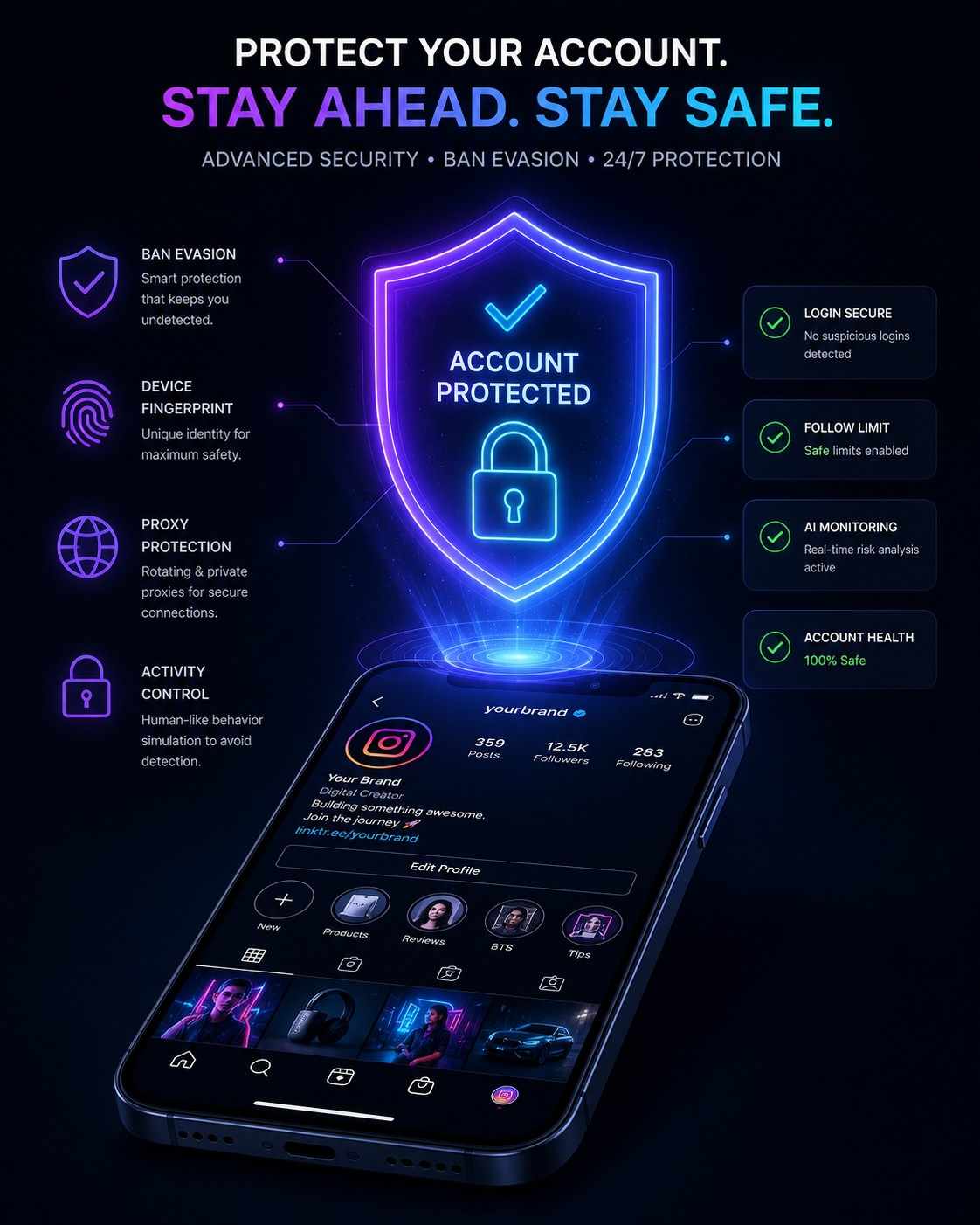
TL;DR: Quick Tips to Keep Your Account Safe
If you are short on time and need the most important advice right now, here is the executive summary of what you need to implement today:
- Never link directly: Never, under any circumstances, put an OnlyFans link directly in your Instagram bio, in your DMs, or in your Stories. Use a custom domain or a highly sanitised, safe link-in-bio bridge.
- Sanitise your content: Keep all posts strictly Safe For Work (SFW). If you wouldn't feel comfortable posting it on a standard, mainstream lifestyle blog or showing it to a conservative coworker, do not post it on Instagram.
- Evade AI text filters: Instagram's 2026 NLP (Natural Language Processing) easily catches "0nlyF@ns," "OF," or "L!nk in B!0." Use subtle, normalised phrases like "VIP Club', 'Exclusive Content', or 'My Private Site.”
- Use the multi-tier strategy: Protect your main account by funneling traffic to a secondary "promo" account that holds your actual link. If the promo account falls, your main audience remains intact.
- Monitor your Account Status: Regularly check your Instagram settings to catch and appeal yellow flags before they snowball into permanent, irreversible bans.
- Automate Safely: Use official Meta Business Partners like InstantDM to handle link distribution via comments rather than putting risky links in your bio.
How to Not Get Banned on Instagram as an OnlyFans Creator in 2026 – The Ultimate Guide
If you’re an adult content creator trying to figure out exactly how to avoid Instagram bans as an OnlyFans creator in 2026, you’re in the right place. In this comprehensive guide, we’ll walk through the exact techniques, software configurations, and content sanitisation methods needed to protect your profile. You could argue that Instagram is one of the most powerful traffic sources for you as an OnlyFans creator – but it is also a treacherous minefield. Instagram’s AI moderation algorithms are more aggressive than ever, flagging and banning accounts that promote adult content or use explicit links immediately by 2026. If you’re tired of losing followers, getting shadowbanned, or having your account permanently deleted without notice, this guide is for you. We will show you the exact way to safely funnel your Instagram audience to your OnlyFans with modern link tactics, content sanitisation, advanced automation tools, and account structure tactics so you can consistently grow your income without risking your main account.
The 2026 Instagram Reality: Why OnlyFans Creators Keep Getting Banned
Let’s be completely honest here for a second: losing an Instagram account is devastating, both emotionally and financially. You spend months, maybe even years, creating the perfect aesthetic, engaging with followers, fighting the algorithm to get your Reels on the Explore page, and growing a loyal community. Then one Tuesday morning you wake up, open the app, and you’re greeted with the dreaded “User Not Found” or “Account Suspended” screen. Your heart sinks. The moment you start you stop getting income.
Why is this happening more often now than in 2023 or 2024? The social media scene has shifted dramatically. Meta (Instagram’s parent company) is under intense pressure from global regulators, app stores (like Apple and Google) and their top-tier, family-friendly advertisers to keep the platform “clean”. Meta is very much focused on ensuring their platforms are safe for all ages in 2026, and that means their tolerance for anything that even hints at NSFW (Not Safe For Work) content is at an absolute zero.
As a creator, you’re essentially engaged in a high-stakes contest with the artificial intelligence of a trillion-dollar company. They have a huge user base that fuels your subscription business, but their automated systems are built to weed you out. But do not worry. And even now, top six- and seven-figure creators are still thriving on Instagram. They’re not getting banned because they’re not trying to fight the AI. They’re being smarter than the AI. They understand that Instagram is simply the very top of the marketing funnel. It’s the shopfront, not the VIP lounge.
Marketing your OnlyFans can feel like navigating a minefield — especially with increasing platform censorship, algorithm changes, and the **ever-present risk of shadowbanning.** Whether you're just starting out or scaling your subscriber base, visibility is everything. But how do you grow your OnlyFans and learn how to market your onlyfans without getting shadowbanned, without getting flagged, blocked, or silenced?
Why Instagram Bans OnlyFans Creators (The 2026 Landscape)
To beat the system, you need to deeply understand how the system actually works. We are no longer dealing with human moderators reviewing reports one by one. Instagram's moderation is now primarily driven by multimodal AI. This means the algorithm is analyzing multiple streams of data simultaneously. It "watches" your Reels frame-by-frame, "reads" text embedded in your images, transcribes the audio of your voiceovers, and maps out the websites you link to.
Advanced AI Moderation & Shadowbanning
In the old days, creators could get away with just typing "link in bio" over a spicy, revealing photo. Today, Instagram’s AI uses advanced bounding box technology to detect skin-to-clothing ratios. It maps the human body in milliseconds to determine if a pose is “suggestive” based on the curvature of the spine, the angle of the camera and the distance to the lens. It also identifies embedded text watermarks. If it picks up a faint blue OnlyFans logo in the corner of your reel, your account is automatically flagged.
If you cross the line you don’t always get banned immediately. In fact, there aren’t very many immediate bans unless the violation is pretty severe. Instead you get hit with a shadowban. A shadowban is when your account is not banned but your posts are not visible to anyone who doesn’t follow you. Your organic reach is dead. You might get likes from your die-hard fans, but your growth totally flatlines. This is Instagram’s way of putting your account in quarantine without having to go through the customer support hell of an actual ban.
The "Link in Bio" Trap
One of the biggest mistakes that creators Make is to have a fundamental misunderstanding of how Instagram views external links. Instagram is cracking down on accounts that send traffic to known NSFW sites. When you add a link to your bio, Instagram’s web crawlers will go to the link. If your bio link leads directly to an age-restricted site, or even a Linktree with an OnlyFans button and some suggestive text, Instagram will track it back to your profile. If you violate the Community Guidelines for adult solicitation, your reach will be throttled or your account will be suspended.
The algorithm knows that "OnlyFans.com/YourUsername" is an adult platform. Even if your Instagram content is completely pure and innocent, the mere presence of that URL acts as a massive red flag. The system assumes that your intent is to funnel users off the app to adult content, which violates their terms.
Step-by-Step Strategies to Keep Your Account Safe
If you want to maintain a healthy, high-traffic, and profitable Instagram presence in 2026, you absolutely must separate your promotional intent from your content delivery. Here is how the top 1% of creators manage their funnels effectively.
Step 1: Master the Safe "Link-in-Bio" Funnel
You must put a strong, impenetrable Buffer between Instagram and your OnlyFans page.
- Use a Bridging Tool: You can use popular link-in-bio platforms like Beacons, Linktree, AllMyLinks, or Snipfeed. However, there is a massive caveat in 2026: ensure your link-in-bio page does not contain explicit background images, highly suggestive text, or raw links. Name your button something innocuous like "My Exclusive World" rather than "Subscribe to my OnlyFans."
- Buy a Custom Domain (The Expert Method): The absolute safest route in 2026 is buying a cheap custom domain (e.g., yourname.com, or yourname-exclusive.com) and redirecting it. You can build a simple, clean, incredibly fast landing page on Carrd, WordPress, or Webflow that hosts your OnlyFans link. Instagram’s crawler trusts custom domains far more than generic link-tree URLs because scammers and spam bots rarely take the time to register and configure custom .com domains.
- Never Send Links in DMs Manually: Meta actively scans DMs. If a fan replies to your story and asks for your link, do not copy and paste the URL into the chat. Tell them, "Check the top of my page!" or "Look at my bio!" Sending raw links in direct messages, especially if you send the same link multiple times a day, triggers spam filters and can lead to a messaging ban.
Step 2: Sanitize Your Visual Content
Your Instagram account should serve strictly as the "PG-13 movie trailer" for the main event. You want to tease, intrigue, and capture attention, but you must leave the actual explicit delivery for your gated platform.
- The Billboard Rule: Before you post anything, ask yourself: "Would I feel comfortable displaying this photo on a public billboard in the middle of a busy city?" If the answer is no, keep it off Instagram.
- Watch the Crop: Avoid focusing directly on intimate areas. Instagram's AI specifically flags extreme close-ups of chests or glutes, even if you are fully clothed in thick material. If the framing of the photo focuses 80% on a specific body part rather than your entire person or face, the AI will classify it as sexually suggestive. Zoom out. Show your surroundings.
- Remove All Watermarks: Never, ever post content on Instagram that has an OnlyFans watermark or any other adult site's logo on it. The optical character recognition (OCR) AI will instantly read the text and flag your account.
- Mind Your Audio: Do not use trending audios that have highly explicit lyrics if your video is already pushing the boundaries of being suggestive. The combination of "borderline visual" plus "explicit audio" is a fast track to a shadowban.
Step 3: Evade Text and Caption Filters
Trying to trick the algorithm by spelling words weirdly no longer works. In 2024, people got away with "0nlyF@ns" or "L!nk in B!0." In 2026, the algorithm reads these intentional misspellings as massive spam indicators. It knows exactly what you are doing.
- Use Neutral Language: Rely on natural, conversational phrases. Use terms like "Join my VIP page," "See the exclusive content," "Check out my private community," or simply "You know where to look." These phrases are used by mainstream influencers, fitness coaches, and course creators, making them virtually invisible to the moderation AI.
- Limit Emojis: Do not overuse suggestive emojis. The algorithm understands context vectors. If you post a picture in a bikini and your caption is just a peach emoji, a water drop emoji, an eggplant, and a link symbol, the AI flags that as adult solicitation. Stick to standard emojis like a heart, a smiley face, or a simple camera icon.
- Keep Captions Short: The less text you use, the less material the algorithm has to scan, analyze, and potentially misinterpret. A simple "Happy Tuesday! Hope you have a great week" paired with a nice photo is far safer than a paragraph trying to cleverly beg for subscribers.
Step 4: Use the "Burner Account" funnel strategy.
This method is the number one battle-tested strategy top-earning creators use to protect their core audience and lock in their brand equity. This is generally referred to as the "hub and spoke" or "burner" method.
- Create a Main Account (The Hub): This account is 100% SFW. There are absolutely no links in the bio, not even to a Linktree. You post high-quality lifestyle content, fashion try-ons, fitness routines, daily vlogs, or travel photos. Because this account is entirely clean, it can safely go viral on Reels and the Explore page without any restriction. You build massive brand awareness here.
- Create a Promo Account (The Burner): This is a secondary account. It can be slightly more suggestive (though still within community guidelines), and this is the account that contains your custom domain link-in-bio. Many creators set this account to "Private" to build exclusivity and force users to follow it.
- The Funnel Mechanics: On your completely safe main account, you tag your Promo Account in your bio text (e.g., "Follow my private life here: @YourPromoAccount") or you mention it in your Stories. Users view your viral reel, go to your main profile, click the tag to the promo account, request to follow it, and then find your actual link.
- The Benefit: If Instagram goes on a banning spree and deletes your promo account because of a link violation, your main account—with your hundreds of thousands of followers, your primary asset—is completely insulated and perfectly safe. You just create a new burner account, update the tag in your main bio, and keep moving.
Scaling the Safe Funnel: The Shift to Official Automation in 2026
Let’s be honest: the "burner account" strategy is a lifesaver for protecting your main profile, but managing it manually is a nightmare. Trying to juggle thousands of comments and DMs across three different phones isn't just exhausting—it’s how you end up missing big leads or getting your account flagged for "suspicious activity" because your manual clicking looks like a glitchy bot.
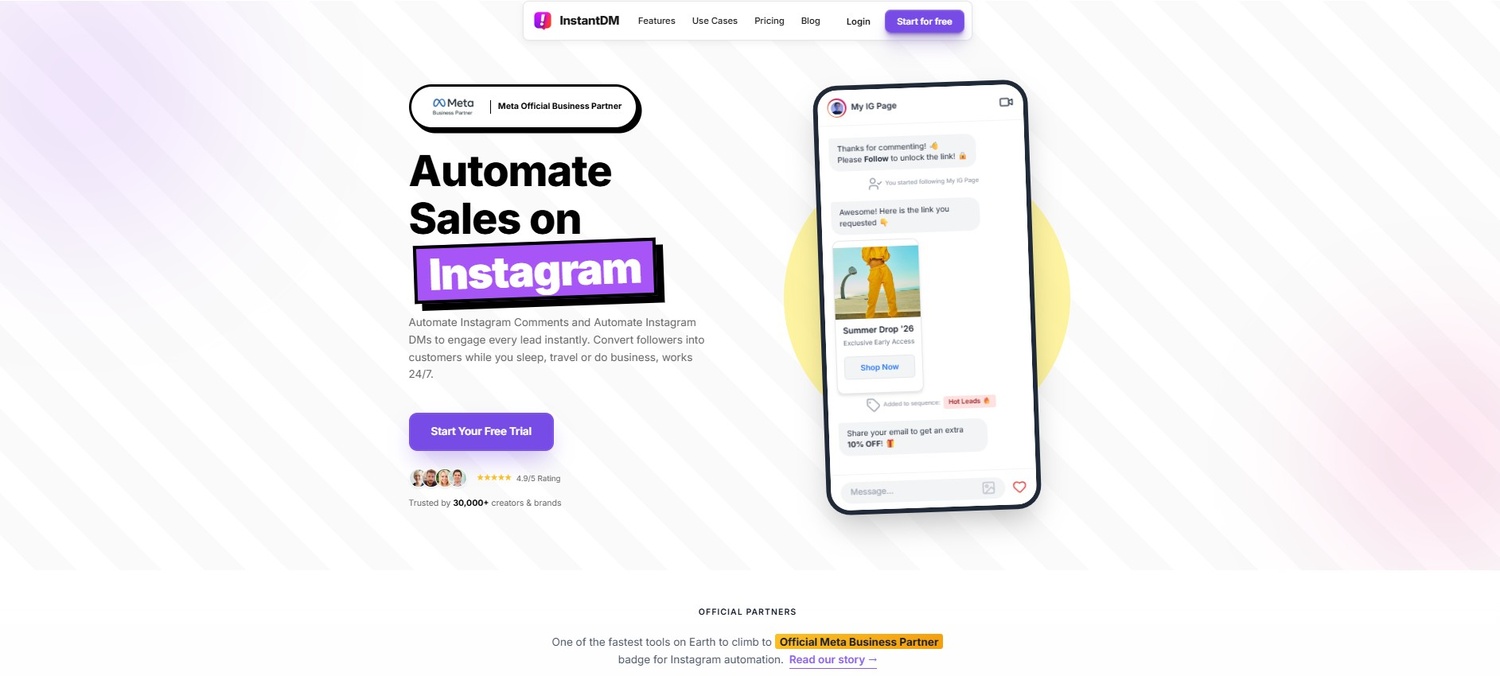
By 2026, the top-tier creators have mostly moved away from trying to "outsmart" Instagram with shady workarounds. Instead, they’re working with the platform. Using an official Meta-verified partner—something like InstantDM—lets you handle massive viral spikes without that constant, low-level anxiety that you will lose your account by morning.
Moving Past the "Bot" Scare
There’s a lot of old-school advice saying that any automation will get you banned. That’s usually true if you’re giving your login info to a random app that "scrapes" your data. That's a huge red flag for Instagram.
The smarter move is using the official Developer API. When you use a platform like InstantDM, you’re essentially using a bridge that Instagram built themselves. It’s the difference between breaking into the building and having a key to the front door. You aren't fighting the algorithm anymore; you’re using sanctioned tools to turn your comments into a secure, hands-off sales funnel.
Ditching the "Link in Bio" Target
If you’re in a high-risk niche, that link in your bio is basically a giant "Report Me" button for haters or automated flags. One of the best safety plays lately is the Clean Bio Strategy. Just take the link out entirely.
Your bio becomes a simple, clear instruction:
"Comment 'VIP' for the goods!"
This looks "safe" to a casual observer (or a manual reviewer) and adds a layer of protection to your actual landing page.
How the Workflow Actually Feels
Imagine you drop a Reel that hits the explore page. Instead of you sitting there for six hours copy-pasting links, the backend just handles it:
- The Trigger: Someone comments your keyword (like "SECRET").
- The Delivery: The system sees it instantly and slides into their DMs with your safe bridging link or custom domain.
- The Boost: It can even leave a quick reply to their comment: "Just sent it over!".
That tiny extra comment tells the Instagram algorithm, "Hey, people are talking here," which pushes your video to even more people.
Why This Wins in 2026
Using a setup like InstantDM to manage this isn't just about saving time (though that’s a huge part of it). It’s about conversion. You aren’t forcing a fan to stop scrolling, go to your profile, click a Linktree, and find a button. You’re putting the link right in their inbox where they’re already looking.
It’s a 24/7 system that works while you’re asleep, ensuring that whether a lead comes in at noon or 4 AM, they get what they asked for immediately. It’s just a more professional way to scale without losing your mind.
Strategic Follower Growth: The "Follow-Gated" Flow
One of the most effective tactics for creators right now is ensuring that free resources actually build long-term community. Instead of just handing out links to passing viewers, you can set up a flow that verifies whether a commenter is following your account before delivering the asset.
If they aren't, the user receives a polite, automated DM: "Hey! I only share exclusive links with my followers. Hit the follow button, and I'll send it right over!" Once they follow, the system recognises the action and immediately drops the link. Executing this through a capable platform like InstantDM helps turn temporary viewers into a committed audience, naturally improving your follower growth rate.
Handling Virality: Rate Limits and Safety Queues
A hidden challenge of creating great content is what happens when a post actually goes viral. If a Reel suddenly hits 5 million views and 10,000 people comment for a link within an hour, sending that many direct messages at once is a fast track to an Instagram "Action Block" or shadowban.
A strategic automation setup must account for this. It is crucial to have a system that can detect sudden engagement spikes and manage the delivery load. For instance, platforms like InstantDM utilize a safety queue that intelligently spaces out automated replies at human-safe intervals. This approach keeps the account safely within Meta’s official API limits while still ensuring that every single lead eventually receives their message.
Furthermore, in 2026, InstantDM has introduced their Instagram AI Agent powered by Claude. You can train the AI to have natural, human-like conversations with your followers in the DMs, answering questions about your subscription price or what content you offer, before seamlessly dropping the link. It operates flawlessly alongside Instagram's rules, drastically lowering your ban risk because the link is delivered privately through an approved API rather than plastered publicly on your profile.
Promoting OnlyFans on Instagram: Complete Guide to Avoid Bans
Advanced Content Sanitization: The Secret to High Engagement
Now that we have locked down your funnel mechanics using custom domains, burner accounts and, let’s talk about the actual content you are putting on the platform. Sanitisation doesn’t have to be boring. You can still be highly engaging, alluring and viral without tripping the AI wires.
The Psychology of the Tease
Instagram is a visual platform that rewards aesthetics and storytelling. Instead of relying on overt sexuality to drive clicks, focus on the "tease." High-end fashion, elegant lingerie (when styled as outerwear or highly editorialized), behind-the-scenes vlogs of your day, and fitness routines perform exceptionally well. The goal is to make the viewer fall in love with your personality and your aesthetic. If they connect with you, they will naturally want to seek out your exclusive content.
Color Palettes and Lighting
Believe it or not, Instagram’s AI analyzes lighting and color composition. Dark, grainy, red-lit rooms with poor camera quality are often associated with low-tier adult content or spam accounts by the machine learning models. Conversely, bright, natural sunlight, high-definition 4k video, and well-composed shots are associated with mainstream influencers, fashion brands, and lifestyle creators. Elevating your production value physically tricks the algorithm into categorizing you as a "safe" mainstream creator.
Audio Trends and Lip-Syncing
Utilize trending audios heavily. When you use a trending audio track that thousands of standard creators are using, you blend into the crowd. The algorithm groups your content with other safe content using that sound. Lip-syncing to popular pop culture moments, funny relatable quotes, or upbeat music while wearing an aesthetic outfit is a proven formula. It shows personality, leverages the algorithm's current bias towards short-form entertainment, and keeps your account completely insulated from NSFW flags.
The Financial Cost of Ignoring Instagram's Rules
Some creators stubbornly refuse to adapt. They continue to post borderline content, plaster their raw OnlyFans links in their bios, and cross their fingers hoping the ban hammer misses them. Let's break down the mathematical reality of why this is a terrible business strategy.
Imagine you have grown an account to 100,000 followers. You have a solid 2% conversion rate, meaning 2,000 of those followers are paying subscribers. At a $10/month subscription fee, that Instagram account represents an asset generating $20,000 a month in recurring revenue.
If you get banned because you refused to use a custom domain or an automation tool, you don't just lose the followers; you lose the top of your funnel. Your churn rate (subscribers leaving OnlyFans) remains constant, but your influx of new subscribers drops to zero. Within three months, that $20,000/month income could shrink to $5,000/month.
Investing in a custom domain ($10/year), a premium InstantDM subscription ($9.99/month for Legend Pro), and spending an extra 10 minutes ensuring your content is SFW is the cheapest insurance policy you will ever buy for a multi-figure digital business.
Risk Mitigation & Tool Comparison Matrix
To further illustrate the correct setup, review this table comparing the risky, outdated methods versus the modern, compliant 2026 strategies:
| Strategy Component | High-Risk Method (Leads to Bans) | Safe 2026 Strategy (Compliant & Protected) | Why it Works Better |
|---|---|---|---|
| Link Placement | Raw link in Main Account Bio | Custom domain on Burner Account Bio | Shields main account; custom domains trusted by Meta. |
| Call to Action | "Click the link in my bio for OF" | "Comment 'VIP' to get the secret link" | Evades text scanners; boosts Reel algorithmic engagement. |
| DM Strategy | Manually copying/pasting OF links | Using InstantDM for automated delivery | Official Meta Partner; avoids spam flags; uses Safety Queue. |
| Content Style | Heavy skin exposure, suggestive posing | SFW Lifestyle, fashion, fitness, vlogs | Passes AI bounding box and skin-ratio tests instantly. |
| Follower Growth | Begging for likes on spicy posts | InstantDM's "Follow-for-Link" feature | Forces a follow before delivering the desired link, increasing retention. |
Practical Tips for Shadowban Recovery
If your engagement suddenly drops off a cliff—your reels go from 50,000 views to 400 views, and nobody is commenting—do not panic. You are likely shadowbanned. Here is exactly how to diagnose and fix it in 2026.
Diagnosing a Shadowban vs. Organic Drop
First, ensure it is actually a shadowban and not just a bad week for the algorithm. Go to your profile, tap the three lines in the top right, go to Settings and Privacy, and scroll down to Account Status.
This page is your holy grail. It will tell you exactly if your content is eligible for recommendation to non-followers or if you have violated guidelines. If you have green checkmarks across the board, your content just isn't resonating, and you need to make better videos. If you see a yellow or red warning, you have been restricted.
Delete Flagged Content Immediately
If Account Status shows that a specific post caused a violation, do not just archive it. Archiving hides it from the public, but it remains on Meta's servers attached to your profile data. You must permanently delete the offending post immediately. Purge it from the system.
Appeal the Decision
Use the in-app appeal button if you genuinely believe the AI made a mistake. For instance, if you were flagged for a normal bikini photo on a public beach, appeal it. In 2026, human reviewers often overturn strict AI flags when they realize the context is normal lifestyle content. However, if you clearly broke the rules, appealing will do nothing.
Take a 48-Hour Break
If you are confirmed to be shadowbanned, the best thing you can do is ghost the platform. Log out of your account on all devices. Do not post, do not like, do not comment, and do not scroll for a full 48 to 72 hours. This forces the algorithm to reset your session activity patterns. Often, a brief digital detox combined with deleting the offending content is enough to lift a minor restriction. When you return, post the cleanest, safest, highest-quality content you have to prove to the algorithm that you are a positive contributor to the platform.
Building a Long-Term Business Beyond Instagram
While mastering Instagram is vital, true business security comes from diversification. Do not build your entire mansion on rented land. If Meta decides tomorrow to permanently ban all accounts linked to adult creators regardless of how safe their content is, you need a backup plan.
You must be capturing emails or phone numbers. Interestingly, DM automation tools allow you to collect emails directly in the Instagram DM chat. You can set up a flow where the AI says, "I'm sending the link! By the way, drop your email below so I can send you a free explicit set!" When they reply with their email, it syncs directly to your Google Sheets or CRM via Make.com.
By building an independent email list, an active Twitter/X presence (which allows adult content), and utilizing Reddit for organic discovery, you create a fortress around your income. Instagram should simply be one part of your marketing strategy.
Final Thoughts on Instagram Growth for OnlyFans Creators in 2026
Navigating Instagram as an adult creator in 2026 does not have to be a nightmare of constant anxiety and deleted profiles. By understanding how the multimodal AI operates, you can adapt your strategy to work harmoniously alongside it rather than fighting against it.
The blueprint is clear: keep your visual content beautiful but strictly Safe For Work. Protect your main asset by utilizing the burner account strategy. Use custom domains to hide your final destination from Meta's web crawlers. And most importantly, stop doing manual, high-risk tasks that trigger spam filters. Embrace modern automation by integrating verified tools like InstantDM to handle your traffic securely, efficiently, and profitably.
Your Instagram account is a goldmine of potential subscribers. Treat it with respect, guard it fiercely with smart funnel architecture, and watch your business thrive in the modern creator economy. Keep your aesthetics high, your links hidden, and
Watch: How to Avoid Instagram Bans in 2026
Stay safe on Instagram with these critical guidelines:
- Instagram Community Guidelines: What Triggers Bans in 2026
- How to Avoid Instagram Shadowbans and Account Suspension
- Safe Automation Practices for Instagram Creators in 2026
- Protecting Your Instagram Account from Being Banned
Instagram vs TikTok 2026: Which Platform Wins?
Affordable Instagram DM Automation in 2026: What It Actually
The Complete 2026 Instagram Algorithm Guide: Ranking Factors