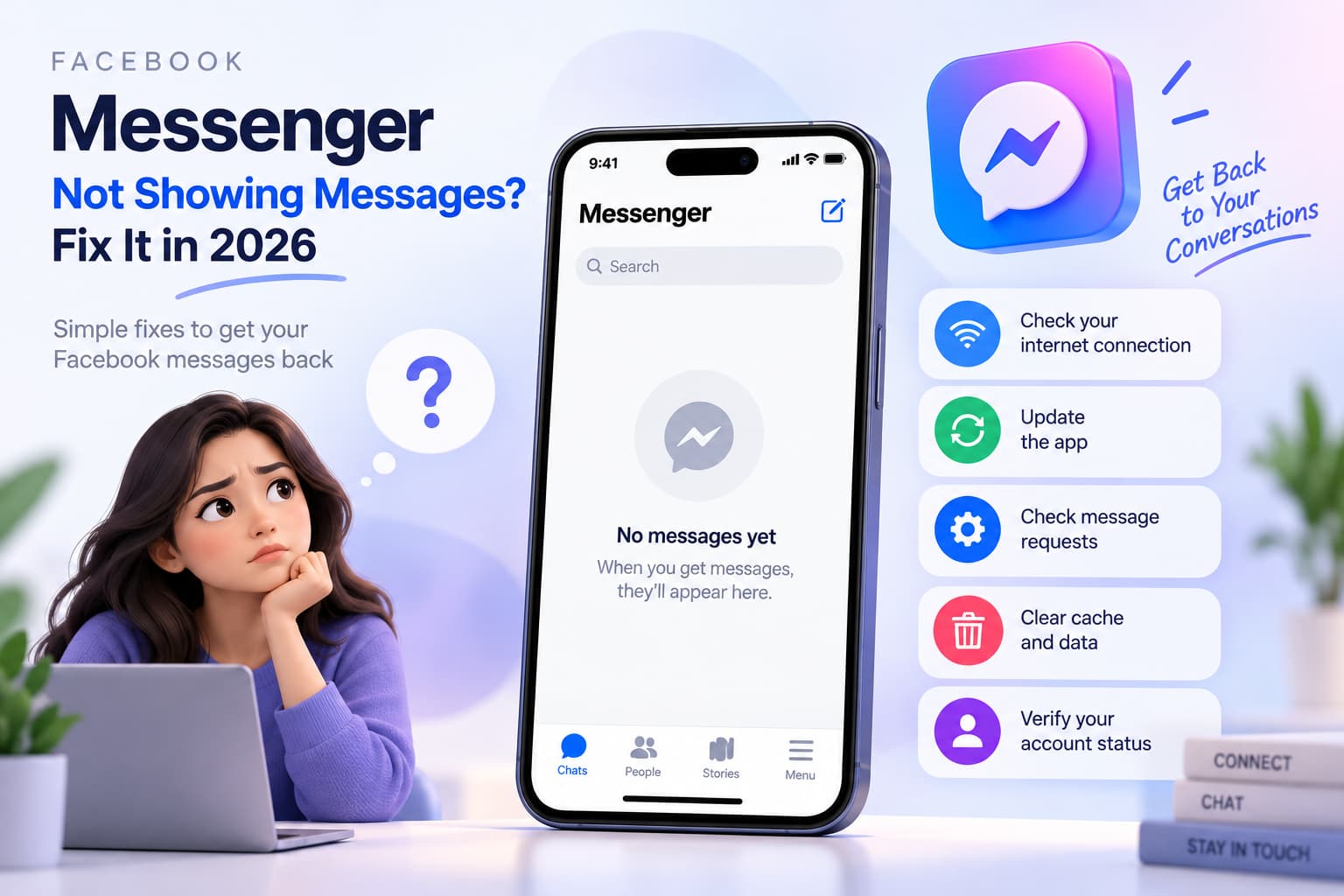
Facebook Messenger is usually not showing messages because the chat is in Message Requests, Spam, or Archive — or the app is out of date. The messages are rarely deleted. If a notification appears and the thread looks empty, open Requests and Spam before you reinstall. If chats show on your phone but not on a computer, use facebook.com/messages and turn on Secure Storage on the phone that still has history. If customers messaged your Facebook Page and Business Suite looks empty, Meta is sending those chats to one primary app. Check Advanced Messaging and test from a personal profile, not as the Page.
| If this is true | Do this first |
| Only some people are missing | Message Requests, Spam, Archive, then search their name |
| Whole inbox blank on one device | Switch Wi-Fi/cellular, update the app, clear Android cache, open facebook.com/messages |
| Blank on every device | Check Downdetector and metastatus.com, then wait |
| Phone has the chat, computer does not | facebook.com/messages + Secure Storage on the phone |
| Page customers missing | Switch to the Page → Advanced Messaging → one primary app |
| Only Marketplace chats missing | Facebook app → Marketplace → Your listings → Chats, then Archive |
| Notification, no bubble | Refresh, then Requests — the push often arrives before the main list |
Stop when the thread is visible. Do not run every step.
Why is Facebook Messenger not showing my messages?
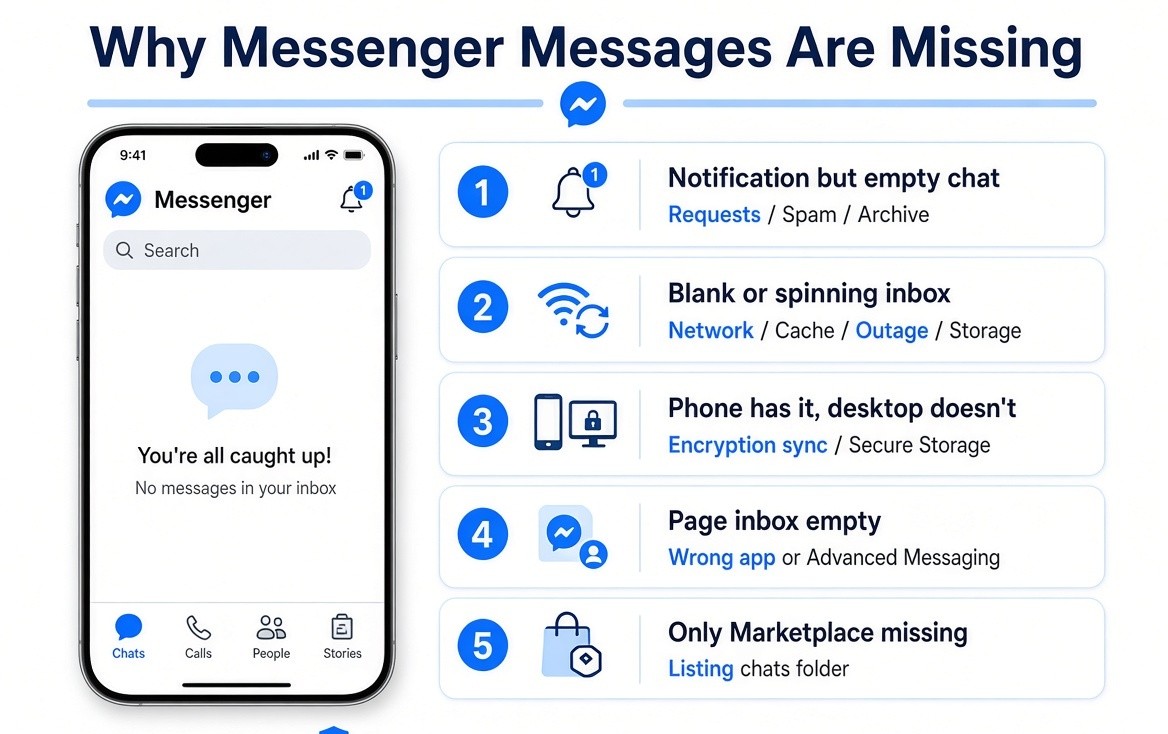
Because the conversation is filtered, archived, stuck on a stale app session, encrypted on another device, or delivered to a different Page inbox — not because Messenger wiped it.
Match what you see, then jump:
| Symptom | Likely cause |
| Notification, chat empty or old | Requests, Spam, Archive, Restricted |
| Inbox blank or spinning | Network, cache, outage, full storage |
| Phone yes, desktop no | Encryption sync or old desktop-app habit |
| Page inbox empty, customer swears they wrote | Wrong identity, messaging off, or two apps on one Page |
| Only Marketplace missing | Listing chat, not the main Messenger list |
If the same thing is happening in Instagram DMs, that is a different inbox: Instagram messages not showing.
Is Messenger down, or is it just you?
If the same account works on another device or another network, it is you. If every device is blank at the same time, check status and wait.
- Open facebook.com/messages on a laptop.
- Switch Wi-Fi to mobile data, or the reverse.
- Ask one person whether their Messenger is loading.
- Check Downdetector and Meta Status.
If web works and the phone does not, skip folders and use the loading fixes below. If nothing works anywhere, stop. An outage is not a folder problem.
How do I fix Messenger messages not loading?
Force-close Messenger, switch networks, update the app, free storage, clear Android cache, then try facebook.com/messages. Reinstall last.
1. Force-close, then restart the device
Minimizing is not closing. On iPhone, swipe Messenger off in the app switcher, then restart. On Android, Force stop Messenger in Settings → Apps, then restart.
2. Switch networks and turn the VPN off
Hotel Wi-Fi, captive portals, and some VPNs fail silently. Airplane Mode on for ten seconds, then off. Try cellular if you were on Wi-Fi.
3. Update Messenger and the phone OS
Open the App Store or Play Store. Update Messenger. Install a pending iOS or Android update. Do not update only the Facebook app.
4. Free storage
If the phone is full, message bodies and images do not download. The thread can look empty even when the notification was real.
5. Android: clear cache, not data
Settings → Apps → Messenger → Storage → Clear cache. Do not Clear data unless you are ready to log in again. Clearing data can drop a local encrypted copy you have not backed up.
6. iPhone: delete and reinstall only after the steps above
iOS has no cache button. Delete Messenger, restart, reinstall, log in. Know your login method first.
7. Open the web inbox
Use facebook.com/messages. messenger.com is being retired; Meta sends computer users to the Facebook inbox. Do not install an old Windows or Mac client.
8. iPhone mobile data and Low Data Mode
Settings → Messenger → allow Mobile Data. Turn off Low Data Mode for a test if chats only fail off Wi-Fi.
9. Android Data Saver
In Messenger: profile → Data Saver → off. In system settings, exempt Messenger from Data Saver so background sync can run.
If the inbox still will not load after this list, you are not in a hidden-folder problem. Go to phone-vs-desktop or the Page section.
Where did my Messenger messages go?
They are usually still on the account, in Message Requests, Spam, or Archive — not deleted.
Messenger is not one list. Meta filters first-time and unknown senders out of the main inbox.
How do I check Message Requests on Messenger?
Open Messenger → menu or profile → Message Requests. Check both You may know and Spam.
On the web, open facebook.com/messages and look for Requests. Official steps: Message requests in Messenger.
Accept a thread to move it into the main list. First-time customers, Marketplace buyers, and people who are not friends land here. The message exists. The main list never showed it.
Archive
Archiving hides the thread. It does not delete it. Search the person’s name. If search finds them and the recents list does not, open Archive (app menu → Archive) and send a message in that thread to unarchive it.
Restricted, blocked, Vanish
Restricted chats do not behave like a normal inbox thread. Blocked accounts will not show new mail as a normal conversation. Disappearing / Vanish messages are gone by design — check thread settings before you assume a glitch.
You deleted it
Deleted on your account stays deleted. Search first, Archive second, then stop. An export-to-JSON tool reads a Facebook data download. It does not put a live chat back into Messenger.
Why do I get a Messenger notification but no message?
The push arrived before the thread synced, the chat is in Requests, or you opened a muted conversation that has no new visible bubble.
- Pull the inbox down to refresh. Wait ten seconds. Tap the notification again.
- Open Message Requests and Spam.
- Search the sender’s name.
- Open facebook.com/messages. If web has the line and the app does not, it is sync.
- Check Messenger notification settings for Requests.
If a customer messaged your Page, a badge on your personal profile is the wrong inbox. Switch to the Page.
Why do Messenger messages show on my phone but not on desktop?
In 2026 that is almost always encryption sync or the old desktop app. Use facebook.com/messages. Turn on Secure Storage on the phone that still has history.
The standalone desktop app ended in December 2025. Web chat belongs at facebook.com/messages.
Default chats are end-to-end encrypted. A new phone, a fresh browser, or a reinstall does not always receive old history. Secure Storage (encrypted backup with a PIN) is what lets another device see those threads. If it was never on, some old chats stay on the device that first opened them.
- Confirm the phone still shows the chat.
- On that phone, turn on Secure Storage / encrypted backup and set a PIN.
- On the computer, open facebook.com/messages in a normal browser.
- Log into the same account and wait. Encrypted history is not instant.
- If you use an ad blocker, allow facebook.com and reload. Filtered scripts can leave a white inbox.
You cannot force Meta to copy history that was never backed up.
Why aren’t Marketplace messages showing in Messenger?
Marketplace chats often live under the listing, get archived, or land in Requests because the other person is not a friend.
- Facebook app → Marketplace → Your listings → Chats. Many threads never join Messenger recents.
- Messenger → Archive.
- Message Requests and Spam.
- Update both Facebook and Messenger.
- Confirm people who are not friends can message you. Messenger settings → Privacy & safety → Message delivery.
If this started after an iPhone OS update, delete Facebook and Messenger, restart, reinstall both, log into Facebook first, then open the listing chat path again.
Why isn’t my Facebook Page seeing Messenger messages?
Meta sends a Page’s chats to one primary app. If Instant Reply, Meta Business Agent, and a third-party inbox are all connected, the thread can appear in one place and look empty in the others. Check Page settings → Advanced Messaging, pick one primary app, and test from a personal profile — not as the Page.
Look in the right surface first. Page mail is not your personal Messenger list. Open Messenger as the Page, or Meta Business Suite → Inbox, or the connected tool.
Messaging must be on. Page settings → Messaging → allow people to contact the Page privately.
One primary receiver. Open Page settings → Advanced Messaging (search “messaging” if the menu moved). See which app is listed. Disconnect the one that should not own the first hop. Wait a minute. If a third-party app should own that inbox, leave it as the only primary app — InstantDM included — then test from a personal profile.
Test from a personal profile. Testing as the Page hides permission errors.
Instant Reply vs a connected app. If both think they own the first reply, one inbox looks dead. The first automatic line is a separate setup: Messenger autoresponder for Facebook.
Meta Business Agent. Turning it on can pause other Inbox automations. If Instant Reply stopped the morning you enabled the agent, that is expected.
They commented and say they got no DM. Two different failures: the Private Reply sent and sits in their Requests, or the send never left. If the public reply posted and nothing arrived in Messenger, use the send-failure list on Facebook comment automation. In the public reply, tell them to open Requests.
A connected Page app is what Meta calls a Messenger chatbot. What that app is allowed to do sits on Facebook Messenger chatbot 2026. This page only cares which inbox you are looking at.
The 24-hour messaging window limits what you may send. It does not hide a chat that already arrived. Rules for what a Page can automate are on Facebook DM automation.
What you cannot recover
Deleted chats on your side, Vanish history, and encrypted history that never had Secure Storage do not come back. A converter cannot undelete a live thread.
| Situation | Comes back? |
| Requests, Spam, or Archive | Yes, when you open the folder |
| Stale app, cache, or wrong network | Yes, after the loading steps |
| Phone has it, web does not, Secure Storage now on | Sometimes, for history the backup covers |
| Same split, Secure Storage never on | Often no for old encrypted history |
| You deleted the conversation | No |
| Vanish messages expired | No |
| They blocked you or deleted their copy | Their side is gone |
| Page mail arrived while the wrong app was primary | Meta does not replay the missed message. Fix primary so new mail arrives |
Android, iPhone, web
Android: Force stop + clear cache. Turn off Data Saver. After a Play Store update, open Messenger on Wi-Fi and wait before you decide the account is empty.
iPhone: No cache button. Reinstall after folders and web. Allow Mobile Data. Low Data Mode and Low Power Mode slow background refresh.
Web: facebook.com/messages. Incognito only helps if an extension is breaking your normal profile.