Last updated: 31 October 2026
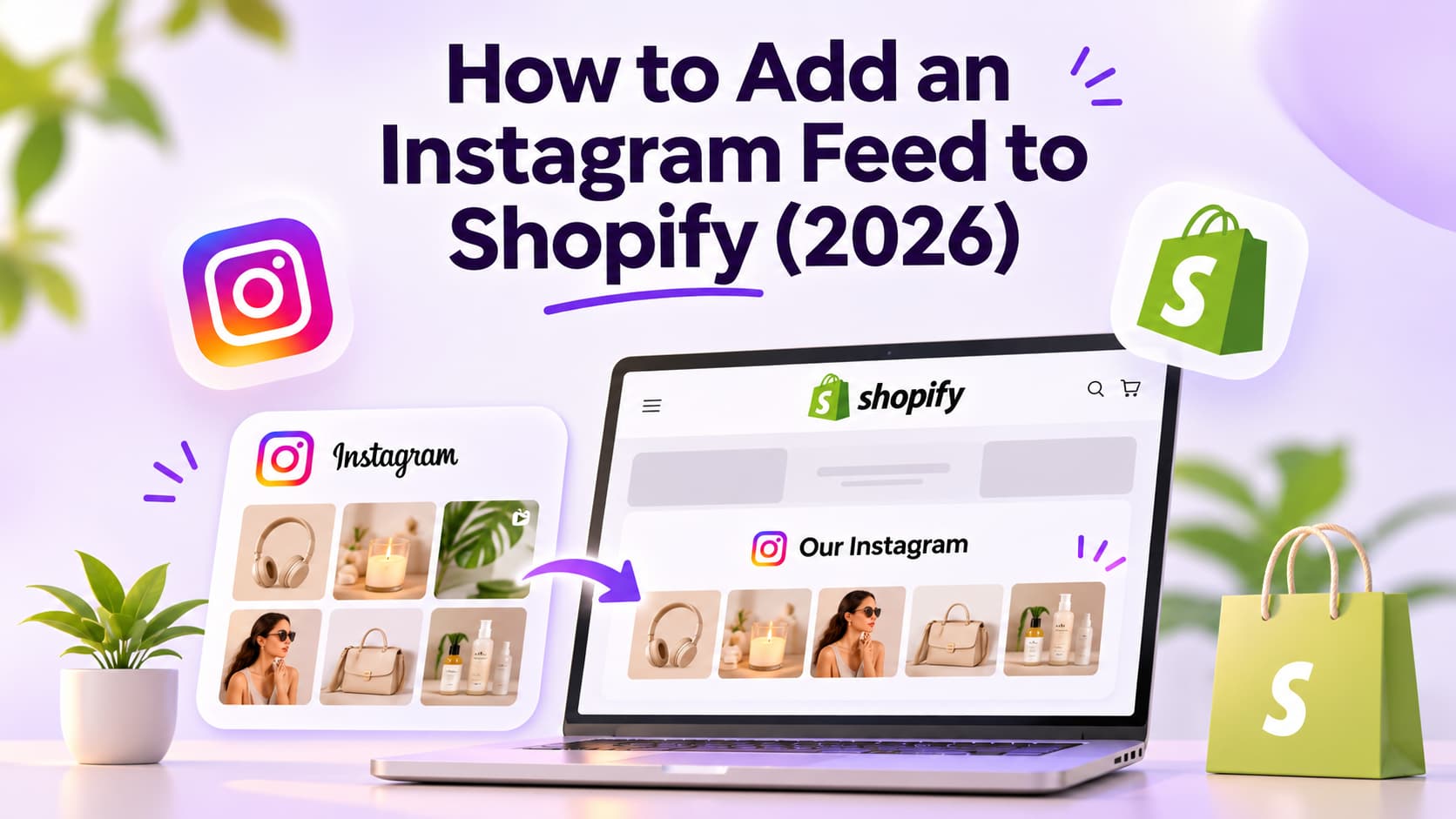
How to add an Instagram feed to Shopify in 2026: install a gallery app from the Shopify App Store, drop an Online Store 2.0 app block on the homepage, or paste embed code into a Custom Liquid section. Shopify no longer ships a native Instagram feed inside themes, so a third-party app or embed is the real path. That widget is not the Facebook and Instagram by Meta sales channel. One shows posts on your store. The other tags products inside Instagram itself.
TL;DR
- Fastest path: a Shopify App Store gallery app plus an app block on the homepage. Mintt Instafeed still lists a Free Starter plan, then Pro at $8/month (App Store listing, October 2026).
- No extra Shopify app: build the feed in a widget tool, copy the iframe, paste it into Custom Liquid.
- One post only: Instagram's native embed. Fine for a lookbook moment. Useless as a live gallery.
How I Checked These Options
I didn't pretend I installed every gallery app on a live store this week. I pulled Shopify App Store plan cards, vendor pricing pages, and Shopify Help URLs on October 21, 2026, then compared them against the public how-to pages merchants actually land on.
What I scored:
- Can a merchant finish it without a developer? App block beats Custom Liquid. Custom Liquid beats hiring someone to hit the Instagram Graph API.
- Does the feed stay live? Hourly or faster sync beats a static embed that dies when you archive the post.
- Will it wreck mobile speed? Cached media and lazy load beat a raw iframe farm.
- Is it a feed or a Shop? Gallery widget vs the Meta sales channel. Mixing those two is how people waste a Saturday.
- Can posts become product pages? Shoppable tags are optional. Most stores need the gallery first.
Verified October 2026 from public App Store and vendor pricing pages. Plan names move. Recheck the listing before you pay.
Is an Instagram Feed the Same as Instagram Shopping on Shopify?
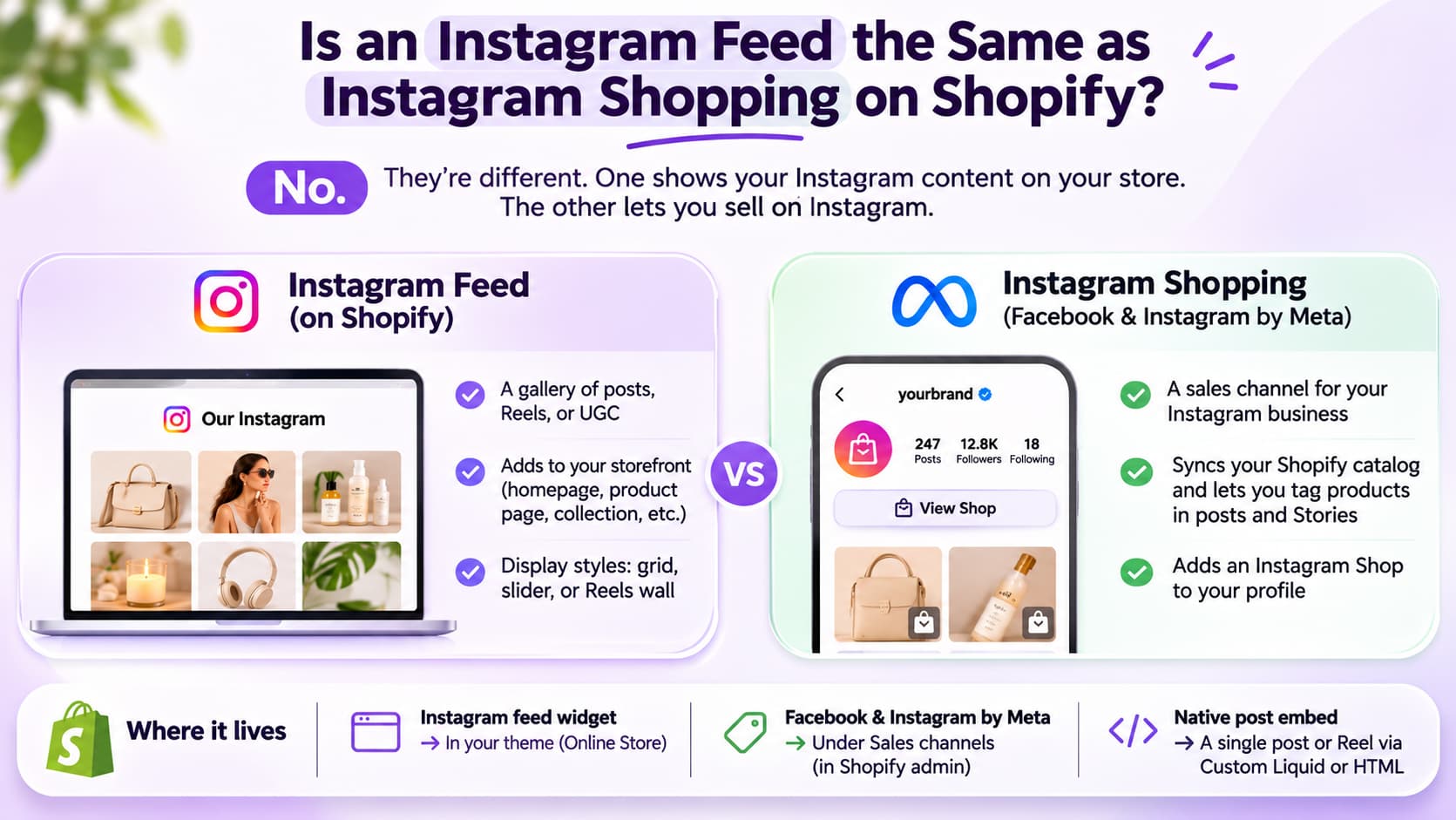
No. An Instagram feed on Shopify is a gallery of posts, Reels, or UGC on your storefront. Instagram Shopping through Facebook and Instagram by Meta is a sales channel that puts a shop on your Instagram profile and lets you tag products in posts and Stories.
I keep seeing merchants search "connect Instagram to Shopify" and install the sales channel, then wonder why the homepage still has no grid. That's a sales channel, not a homepage grid.
Instagram feed widget: Grid, slider, or Reels wall on your theme. Lives on the homepage, product page, collection, or a shop-the-feed page.
Facebook and Instagram by Meta: Catalog sync, product tags, Instagram Shop. Lives under Sales channels in Shopify admin, not Online Store > Themes.
Native post embed: One post or Reel in an iframe. Lives on any page with Custom Liquid or a custom HTML section.
Shopify's own Facebook and Instagram by Meta setup says that channel is not an app. After you install it, it shows up under Sales channels, not Settings > Apps. If you only wanted photos on the homepage, skip that install.
Older themes used to ship an Instagram section. Shopify documented the removal in its help article on Instagram feed changes in themes. The replacement it names is a third-party app. That is why every working 2026 method below is an app, an embed, or custom API work.
What Are the 3 Ways to Add an Instagram Feed to Shopify?
There are three practical ways to add an Instagram feed to Shopify: an App Store gallery app, a Custom Liquid embed from a widget tool, or Instagram's native single-post embed. Custom Graph API work exists as a fourth path. I wouldn't start there unless you already have a developer on payroll.
| Method | Best for | Live feed | Typical cost | Developer needed |
| Shopify gallery app + app block | Best for most stores, homepage in 15 minutes | yes | Free Starter plans exist; paid from $5.99–$20/month (October 2026) | no |
| Custom Liquid iframe embed | Best if you already use Juicer, Tagembed, or Flockler off Shopify | yes | Juicer Forever $0 (1 source, 24h refresh, branding); Lite $15/month (pricing page, October 2026) | no, if you can paste code |
| Native Instagram embed | Best for one campaign post or Reel | no, that one post only | free | no |
| Instagram Graph API in a custom section | Best for headless or a weird theme | yes, if you maintain the token | dev time | yes |
Mintt Instafeed costs $8/month on Pro, or $20/month ($180/year) on Plus, after a Free Starter plan (App Store listing, October 2026).
Essential Grid Gallery lists $5.99, $12.99, and $29.99 per month (App Store listing, October 2026).
EVM Instagram Feed is free to install, then $5.99 and $12.99 paid tiers (App Store listing, October 2026).
Socialwidget (Instafeed PRO) lists $9.90, $19.90, and $49.90 per month (App Store listing, October 2026).
Tagembed's Add Social Feed lists Free, then $19, $39, and $99 per month (App Store listing, October 2026).
Juicer Forever is $0 with 1 source, a 24-hour refresh, and Juicer branding (pricing page, October 2026).
Flockler starts at $129/month billed monthly (pricing page, October 2026). That is a multi-site aggregator, not a $10 Shopify widget.
If you want shoppable tags later, don't pick a free embed that only dumps photos. You can start Free and upgrade. You can't upgrade a native Instagram embed into a product grid.
How Do I Add an Instagram Feed to the Shopify Homepage With an App?
You add an Instagram feed to the Shopify homepage by installing a gallery app, connecting a professional Instagram account, then adding the app block in the theme editor on the homepage template. This is the method I would use on a Dawn-family Online Store 2.0 theme.
Step 1: Pick the app for the job you actually have
I use three buckets:
- Cheap live grid: Mintt Instafeed Starter (Free) or EVM Instagram Feed (free to install).
- Shoppable grid: Mintt Instafeed Pro at $8/month, Essential Grid Gallery from $5.99/month, or Showcase if you also want TikTok.
- UGC / hashtag wall: Tagembed or Socialwidget, because those listings talk hashtags, mentions, and tagged posts, not just your own grid.
Don't install four of them "to test." Two app blocks fighting on the homepage is how you get a 4-second LCP and a blank mobile row.
The Mintt Instafeed listing is the gallery app most stores actually find first. Rating on that listing: 4.9 from 2,232 reviews (Shopify App Store, October 2026). That doesn't make it the only app. It does mean a lot of stores already survived setup.
If you are shopping conversion apps beyond a gallery, see Best Shopify Apps for Conversion in 2026. A feed widget is social proof. It is not checkout, inbox, or upsell.
Step 2: Install from the Shopify App Store
- In Shopify admin, go to Settings > Apps and sales channels > Shopify App Store.
- Search the exact app name. "Instafeed" returns more than one listing. Confirm the developer (Mintt Studio vs Expert Village Media vs OneCommerce).
- Click Install, then Allow the permissions. Feed apps need to read your theme so they can inject the block. They should not need your full customer PII.
- Open the app. Connect Instagram.
Step 3: Connect Instagram the way Meta actually allows in 2026
You need a professional account. Personal profiles fail the OAuth screen, then people blame Shopify.
- Switch the Instagram account to Business or Creator.
- Confirm it is linked to a Facebook Page if the app still uses the older Facebook Login path.
- Newer apps use Instagram API with Instagram Login. Follow the in-app screen. Don't paste an old Basic Display token. That API is gone.
If the app asks for a Business account and you only have Creator, try Creator first. Some apps accept both. If connect fails with "not a business account," switch to Business and retry.
Step 4: Build the feed inside the app
Keep the first feed boring on purpose.
- Source: your own handle. Not a hashtag. Hashtag walls need rights checks.
- Layout: grid, 6 or 9 posts. Carousel on mobile if the app offers it.
- Click behavior: open a lightbox, or send people to the Instagram post. Product tags come later.
- Hide the app logo if the Free plan allows it. Mintt's Starter card says no branding. Juicer's Forever plan still shows Juicer branding.
Save. Preview in the app. If the preview is empty, the token failed. Stop. Don't add the block yet.
Step 5: Drop the app block on the homepage
- Go to Online Store > Themes > Customize.
- Open the Home page template.
- Click Add section or Add block.
- Find the app under Apps. Names look like "Instagram feed," "Instafeed," or the app's own block label.
- Place it below the first product row or below the hero. I wouldn't put it above the fold on a catalog store. People came to shop, not to scroll your Reels.
- Save.
That is how you add an Instagram feed to the Shopify homepage without touching code.
Step 6: Check mobile before you walk away
Open the storefront on your phone, not just the theme editor's mobile toggle.
- Do images crop faces?
- Does the section jump while images load?
- Does tapping a post open a dead overlay?
If the block is blank on mobile and fine on desktop, the app's CSS is fighting your theme. Try the app's "full width" or "remove extra padding" toggle before you hire a developer.
How Do I Embed an Instagram Feed on Shopify Without Installing an App?
You embed an Instagram feed on Shopify without installing a Shopify app by generating iframe or script embed code in a widget tool, then pasting it into a Custom Liquid section. The feed still comes from software. You just are not adding that software as a Shopify app.
I use this when the brand already pays for Juicer, Tagembed, or Flockler for a WordPress site and wants the same wall on Shopify.
Custom Liquid steps (Online Store 2.0)
- In the widget tool, create an Instagram source and copy the iframe embed. Prefer iframe over a third-party JavaScript file you don't control.
- Shopify admin > Online Store > Themes > Customize.
- Open the template (Home page, product, or a custom page).
- Add section > Custom Liquid.
- Paste the iframe.
- Wrap it so it can't blow out the page:
text
<div style="max-width:100%;overflow:hidden;">
  <!-- paste iframe here -->
</div>
- Save. Preview desktop and mobile.
Juicer Forever is $0 with 1 source and a 24-hour refresh, and it keeps Juicer branding (Juicer's pricing page, October 2026). Lite is $15/month ($13.50/month billed yearly) for 3 sources and a 60-minute refresh with branding removed. That is the usual "I don't want a Shopify app" stack.
Flockler can also embed on a homepage, all product templates, or one page. Its paid plans start at $129/month billed monthly. I wouldn't pick Flockler only to put nine squares on a Shopify homepage.
Limits of the no-Shopify-app path
- Theme app extensions (deep product tagging, Shop app videos, app-block settings) are weaker.
- You are now debugging two dashboards.
- Some themes strip
- Checkout extensibility and Hydrogen/headless stores need a different install. Custom Liquid is for Online Store 2.0.
Can I Add a Single Instagram Post Without Any Feed App?
Yes. Instagram still gives you embed code for one public post or Reel. Use it for a campaign, a press story, or a founder Reel. Don't use it as your store's Instagram feed.
- Open the public post on instagram.com (desktop).
- Tap the three dots > Embed > copy the code.
- Shopify theme editor > Custom Liquid > paste > save.
What breaks:
- The post goes private or gets deleted. The embed becomes a hole.
- You can't filter, shop-tag, or auto-refresh.
- A stack of five native embeds is slower than one gallery app.
If someone on your team says "just embed the grid from Instagram," they are thinking of the old theme section. That section is gone.
Do I Need a Business Instagram Account to Add a Feed to Shopify?
You need a professional Instagram account, Business or Creator, for any live multi-post feed that uses Meta's API. A personal profile is enough for a single native embed of a public post, and that is about it.
Why apps nag you:
- Live feeds pull media through Instagram's professional APIs.
- Shoppable tags need a catalog, which sits on the Meta sales channel, which needs a professional account plus eligibility.
- Hashtag and tagged-UGC sources are even pickier.
Country eligibility and Meta Commerce policies still apply if you want Instagram Shopping, not if you only want a photo grid. You can ship a homepage gallery this afternoon with a Creator account and a Free app. You can't ship Instagram Checkout in an afternoon because your catalog failed a commerce review.
Can I Add a Shoppable Instagram Feed to Shopify?
Yes. A shoppable Instagram feed on Shopify is a gallery where posts tag Shopify products so the shopper can add to cart without opening Instagram. It is still a storefront widget. It is not Instagram Shop.
You need three things:
- Products in Shopify with clean titles and images.
- A feed app that supports product tags or auto-tag (Mintt Instafeed Pro at $8/month unlocks Shop now / add to cart; Plus at $20/month adds auto-tag and tagged UGC).
- Matching. Either you tag by hand, or the app matches SKU / product name in the caption.
I wouldn't turn on shoppable tags on day one. Get the grid loading. Then tag your top 12 posts. Auto-tag sounds magical until it maps "red dress" to the wrong variant.
If you want video that sells, see What Are Shoppable Videos?.
Shoppable feed vs Instagram Shopping, one more time:
- Shoppable feed: tags live on your Shopify page.
- Instagram Shopping: tags live on Instagram. Setup is the Meta sales channel.
You can run both. You don't have to.
Which Instagram Feed App Should I Use on Shopify?
Use Mintt Instafeed if you want a Free plan with no watermark and a cheap shoppable upgrade. Use Essential Grid Gallery if you also need lookbooks and YouTube. Use Juicer if you already embed the same wall on other sites. Use Flockler only if you are aggregating many sources across a company, not one Shopify theme.
Verified October 2026 from public listings. I'm not ranking these as "best overall." I'm mapping price to the job.
| App | Plan details | Recommended use |
| Mintt Instafeed | Starter Free (Reels + photos, no branding, hourly sync). Paid: Pro $8/month; Plus $20/month or $180/year | Use it as the default Shopify gallery |
| Essential Grid Gallery | Free plan listed. Paid: $5.99 / $12.99 / $29.99 per month | Use it for lookbook + Instagram + YouTube in one gallery app |
| EVM Instagram Feed | Free to install. Paid: $5.99 / $12.99 | Use it for a simple collage. Lower review count (194 vs Instafeed's 2,232) |
| Socialwidget | Free plan listed. Paid: $9.90 / $19.90 / $49.90 per month | Use it for TikTok + Instagram shoppable video |
| Tagembed Social Feed | Free plan listed. Paid: $19 / $39 / $99 per month | Use it for hashtags, mentions, Stories layouts |
| Showcase | Free plan listed. Paid: $5.99 and $39 visible on the listing | Use it for Instagram + TikTok shoppable. 114 reviews |
| Juicer | Forever $0 (1 source, 24h, branding). Paid: Lite $15/month; Starter $25/month; Pro $99/month | Use it when you need the same embed on Shopify and other sites |
| Flockler | 14-day trial. Paid: from $129/month billed monthly | Use it for multi-property social infrastructure |
Pros I actually care about:
- Mintt: Free Starter with no watermark is rare. Pro at $8 is the first honest shoppable step.
- Essential Grid: not only Instagram, so you are not buying a second gallery app next month.
- Juicer: iframe workflow is boring, which is a compliment.
Cons:
- Mintt Plus at $20 is where UGC tagged posts live. If UGC is the whole point, Starter will feel empty.
- Tagembed's Shopify listing had 13 reviews when I checked it. Fine product class, thin public proof on that listing.
- Flockler at $129/month will look absurd next to an $8 Instafeed bill if all you needed was a homepage grid.
- Juicer Forever keeps branding and refreshes once a day. Fine for a brochure site. Soft for a store that posts twice a day.
Where Should I Put the Instagram Feed on a Shopify Store?
Put the Instagram feed on the homepage below the first collection, on product pages under the description for UGC of that product, and on a dedicated inspiration page if you run hashtag campaigns. Collection pages are optional. Checkout is a no.
Homepage: Social proof after the first products. Show your last 9 posts, not a random hashtag.
Product page: "Worn by real people" next to the buy button. Show tagged UGC or posts that contain that SKU.
Collection page: Mood for a category. Show a filtered hashtag or album, 6 posts max.
Community / worn-by-you page: Lets the grid breathe. Show a hashtag or mention wall you actually moderate.
Password page, cart drawer, checkout: Don't put a feed there.
I have watched stores glue the same 12-post slider onto every template. It looks like the theme is broken. One strong homepage module plus product-page UGC beats wallpaper.
If the grid looks messy, the problem is usually the Instagram profile, not the app. Plan the next nine posts before you obsess over border radius. That planning job already lives in The Ultimate Instagram Feed Planner Guide: From Aesthetic to Conversion.
What Types of Instagram Feeds Can You Add?
You can add a grid, carousel, Reels wall, masonry, Stories bars, hashtag UGC, or a shoppable tagged feed. Start with a grid of your own posts. Add Reels if video is how you sell. Add hashtags only after you have a moderation queue.
- Grid: safest homepage module.
- Carousel / slider: better on mobile if the app's swipe is native-ish.
- Reels wall: good for fashion and beauty. Bad if the app autoplays sound.
- Masonry: pretty, easy to wreck alignment with your theme.
- Stories bar: extra API permissions, extra ways to expire.
- Hashtag / mention UGC: rights and brand safety. Hide before you publish, always.
- Shoppable: product tags on the same tiles.
A feed that mixes your ads, your memes, and your restocks will look like a junk drawer. Pin or hide inside the app. Plus-tier Instafeed and most UGC apps let you reorder. Use that.
Why Is My Shopify Instagram Feed Blank, Slow, or on the Wrong Account?
A blank Shopify Instagram feed is almost always an expired token, a personal account, or a theme that never received the app block. Slow feeds are uncached iframes. Wrong-account feeds are a second Instagram user still connected in the app.
Expired token or "Reconnect account"
Meta access tokens expire. Apps that synced last Christmas will fail in October.
Fix: open the app > reconnect Instagram > save > hard refresh the storefront. If reconnect loops, revoke the app in Instagram Settings > Website permissions, then connect again.
Feed missing on mobile
Usually a width: 100vw section that overflows, or the app loads after a JS error in the theme.
Fix: test in an incognito window on a real phone. Disable other app embeds one by one. If Custom Liquid, wrap the iframe as I showed above.
Reels not showing
The plan does not include Reels, or the connected account's Reels are restricted. Mintt Starter lists Reels and photo posts. Stories sit on Pro. Check the plan card, not the marketing screenshot.
Store got slower
Native embeds and three gallery apps will do it.
Fix: one feed. Lazy load if the app offers it. Cap the first paint at 6–9 thumbnails. Hosted/cached media (Tagembed's listing calls out auto-cache) beats hotlinking Instagram CDN on every visit.
Wrong Instagram account
Staff connected a personal tester handle. Disconnect in the app, connect the brand handle, republish the block. Also check you did not paste an embed from a different post.
Theme updates wiped the block
App blocks live on the template. A theme duplicate or "reset to default" drops them. After a theme switch, add the block again. Settings inside the feed app usually survive.
What Mistakes Should I Avoid When Adding an Instagram Feed to Shopify?
The expensive mistakes are installing the Meta sales channel when you wanted a grid, stacking three gallery apps, and publishing a hashtag wall with no moderation.
- Installing Facebook and Instagram by Meta for a homepage grid. That's the sales channel, not a homepage grid.
- Paying $129/month for a nine-image homepage row. Flockler is real infrastructure. It is not a Dawn section.
- Using a personal Instagram login. It will work until it does not.
- Hashtag walls with zero hiding. You will feature a competitor, a refund rant, or worse.
- Autoplay Reels with sound on product pages. People bounce.
- Putting the feed above the first add-to-cart. Proof belongs after the offer.
- Custom Graph API "because it's free." Token refresh, rate limits, and a developer invoice later.
- Leaving Juicer branding on a $50k/month store. Forever $0 is a test. Lite at $15/month removes the badge.
- Treating the gallery as the whole Instagram sales system. The grid is proof. Comments, DMs, and product pages still have to close.
On the last point: when someone comments "link" or "size" on the same posts you are featuring, the homepage grid can't answer. Pair the storefront widget with a comment-to-DM path. The setup I use is in How to Set Up Instagram Comment-to-DM Automation in 5 Minutes (2026). Store-level Shopify order flows sit on Shopify Integration and Instagram DM Automation for Shopify Stores. InstantDM is $9.99/month on Legend billed yearly (pricing page, October 2026). It sends product links in Instagram DMs. It does not replace a feed app, host the gallery, or process checkout.
If the rest of the path from follow to order is still fuzzy, use Turn Instagram Followers into Buyers: The 2026 E-commerce Playbook.
What Does Reddit Say About Adding an Instagram Feed on Shopify?
Reddit threads on adding an Instagram feed to Shopify keep landing on the same fork: embed one post, or install an app. In r/shopifyDev, the DIY answer is still "copy Instagram embed code, paste it in a page or section." That works for one Reel. It does not give you a live grid.
The other recurring complaint is apps that looked fine in the listing, then broke after a Meta login change. That matches the expired-token issue above. If an app has not been updated since a Graph API change, reconnect will fail for everyone, not just you. Check the App Store listing's last update date before you build a marketing page around that widget.
I wouldn't pick an app from a single Reddit comment. I would pick from the App Store plan card plus review volume, then confirm the feed loads on your actual theme.
About the Author
Aravindh Kumar is an ecommerce and Instagram growth expert with 8+ years of experience in online selling. He has worked with 500+ brands, including Forbes-listed companies, helping them build profitable Instagram sales channels. He has helped 200+ Instagram businesses grow their online presence.