Need | Do this |
Official chat URL | |
No username yet | |
Open a chat, not the Page | Use m.me, never fb.me or facebook.com |
See which bio or flyer started the chat | Add ?ref=ig-bio (or another source name) |
Pre-fill a first line | What they see: Hi, I want pricing. What you paste: ?text=Hi%2C%20I%20want%20pricing. They still tap Send |
Link opens the Page instead | Wrong host. Switch to m.me |
last updated: 09 November 2026
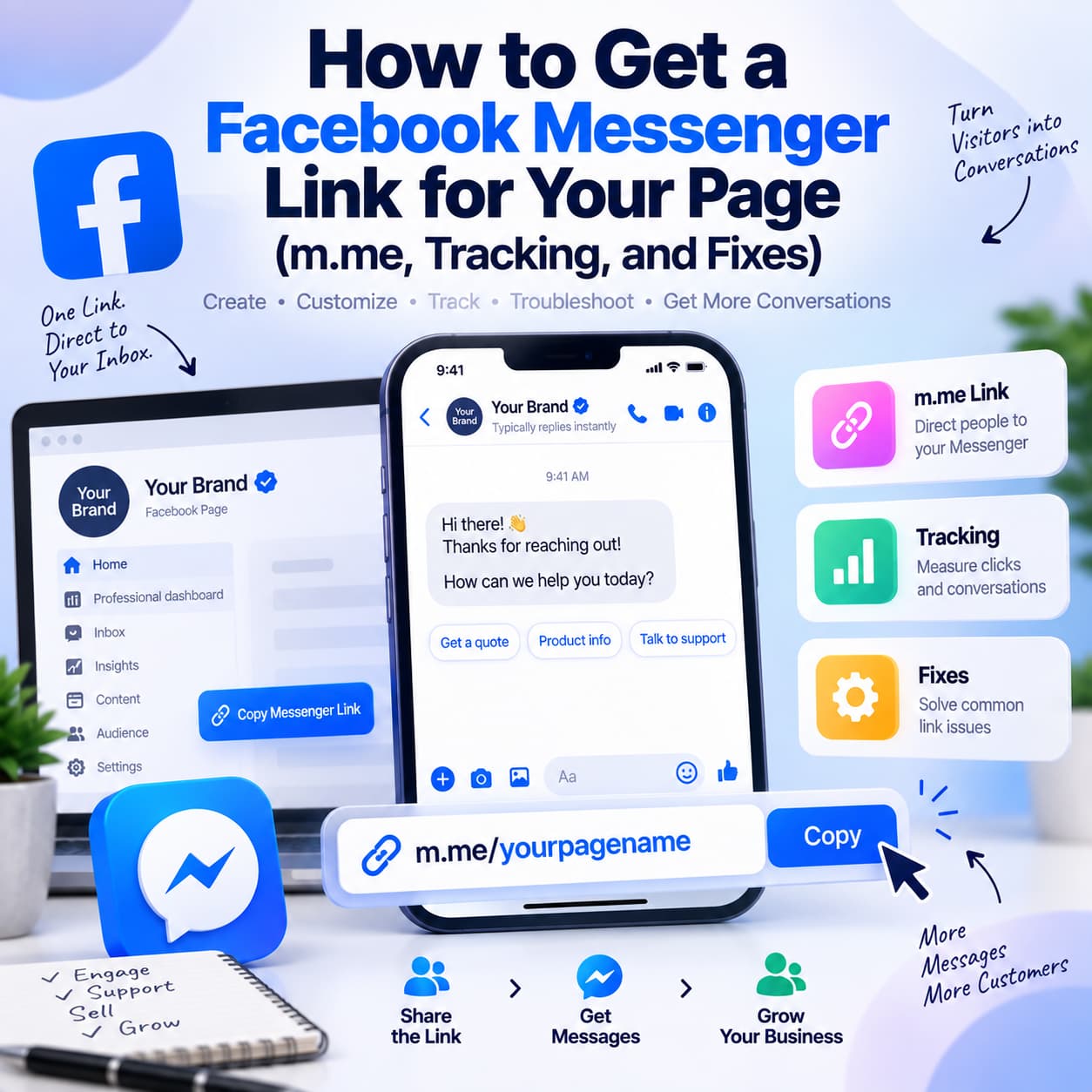
A Facebook Messenger link is https://m.me/ plus your Page username. One tap opens a chat with that Page in the Messenger app, or on messenger.com if the app is not installed. To get it: open the Page URL, copy the handle after facebook.com/, and add it after https://m.me/. If the Page has no username, use the numeric Page ID from About - Page transparency as https://m.me/PAGE-ID. Do not use facebook.com or fb.me — those open the Page profile, not a chat. Test the finished URL on a phone.
Key takeaways
- The official Page chat URL is https://m.me/your-page-username.
- No username yet? Use the numeric Page ID: https://m.me/123456789012345.
- m.me opens a chat. fb.me and facebook.com/yourpage open the Page. That mix-up is the most common broken link.
- Add ?ref=source-name to see which bio, flyer, or button started the thread. A click shortener counts taps. ref travels with the conversation.
- Add ?text=Hello only after you URL-encode spaces. The person still has to tap Send.
- A tap on an existing thread reopens that thread and can reset the 24-hour messaging window.
- Test on a phone. Then test the same URL from Instagram’s in-app browser. Those two paths do not always behave the same.
Facebook Messenger link vs the URLs people mix up
Verdict: only m.me is a Messenger link. The others are Page links, invite links, or a scannable cousin.
URL or asset | What it opens | Use it when |
A Messenger chat with the Page | You want a message, not a profile visit | |
The same chat, via numeric ID | The Page has no custom username yet | |
The Facebook Page | You want a short Page URL, not a chat | |
The Facebook Page | Canonical Page address, citations, shares | |
Messenger group invite | A group thread | Group chats only. Not a Page inbox. |
Messenger Code | A scan that starts a Page chat | Print and packaging, when a camera is easier than typing |
Personal profile m.me/username | A chat with a person | Not a Business Page. Different rules, different inbox. |
If a “Messenger link” dumped the visitor on the Page profile, you almost always used facebook.com or fb.me. Swap the host to m.me and test again.
A Messenger Code is related, not identical. Meta generates a scannable image for the Page. The destination is still a Page chat. Treat the Code as a print format and the m.me URL as the thing you paste into bios, buttons, and emails.
How to get a Facebook Messenger link from Facebook
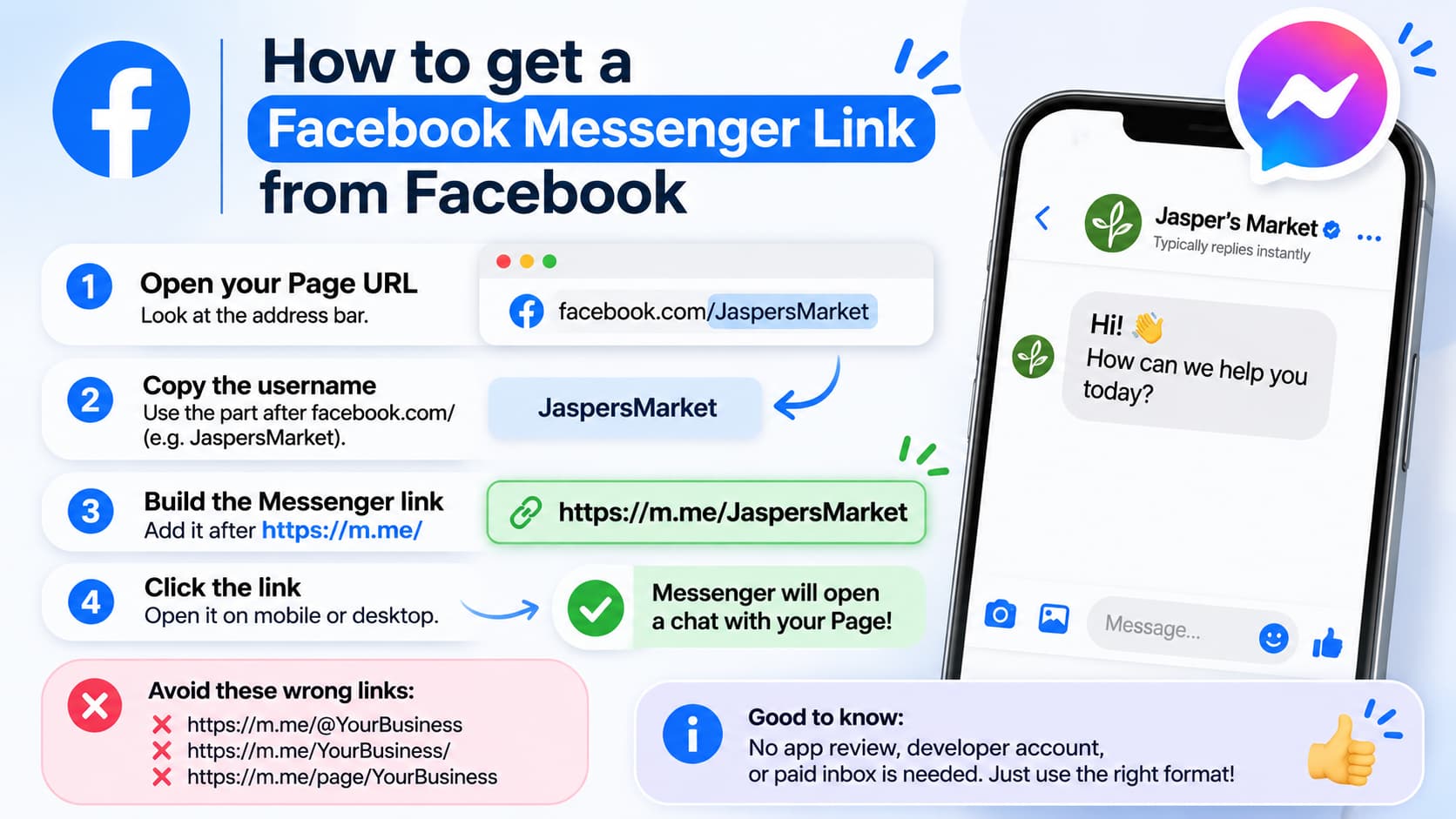
Direct answer: open your Page URL, copy the handle after facebook.com/, and put it after https://m.me/. That is the official Messenger link. If there is no handle, use the Page ID from About > Page transparency.
You do not need app review, a developer account, or a paid inbox to create the URL. Facebook already issued it when the Page was created. You are only assembling the public format.
Find the Page username and build https://m.me/username
- Sign in as a Page admin and open the Page.
- Look at the browser address bar. If you see facebook.com/YourBusiness, the username is YourBusiness.
- On many Pages the handle also sits under the Page name as @YourBusiness. Drop the @. It does not belong in the URL.
- Build https://m.me/YourBusiness.
- Paste it into a phone browser or a Messages draft and tap it. Messenger should open a composer addressed to the Page, not the Page feed.
Do not add a second slash, a space, or the word page. These are all wrong:
The username and the old vanity URL are the same string. If the Page URL is already facebook.com/JaspersMarket, the Messenger link is https://m.me/JaspersMarket. To create or change the handle, use Facebook’s Page username help.
No username yet — use the Page ID
Some Pages never claimed a custom username. The Page still has a numeric ID, and m.me accepts that ID.
- Open the Page.
- Go to About.
- Open Page transparency.
- Copy the Page ID. It is a long number, not a name.
- Build https://m.me/123456789012345 using that number.
The ID version is less pretty on a business card. It is more stable if you plan to rename the handle later. Username links break printed QR codes when the handle changes. ID links keep working.
If you want a readable handle, claim the username in Page settings first, confirm it is unique, then switch public links to the username form. Keep the ID form in an internal note as a fallback.
Find the official link in Meta Business Suite
Meta Business Suite can show the Page’s messaging entry points, including a code image you can download for print. The URL behind that code is still an m.me link. Use Suite when you want the official asset without assembling the string by hand.
Two checks while you are there:
- Messaging is on. A perfect m.me URL still fails if the Page does not accept messages.
- The Page is published. An unpublished or restricted Page will not open a normal customer chat.
If you want the QR file and an optional starter line without encoding the URL by hand, use the Facebook Messenger link generator. Add ref yourself after you copy the base URL.
Add tracking the way Messenger actually supports (ref)
Direct answer: append ?ref=your-source. Example: https://m.me/yourpage?ref=ig-bio. Messenger can attach that value to the conversation so you can tell a website button from a flyer.
A shortener answers “how many people clicked.” It does not answer “which physical QR started this inbox thread.”
Meta’s format: See the Official m.me links
text
Rules that matter in practice:
- One ref per placement. Do not reuse promo on the site, the ad, and the receipt.
- Keep it short and readable: website-header, email-sig, ig-bio, store-counter, ads-prospecting.
- Stay well under Meta’s length limit (2,083 characters). Twenty to forty characters is enough.
- Avoid spaces. Use hyphens.
- Pair ref with a QR when the link is printed. The scan is still an m.me URL. The ref is what makes the scan attributable.
Job | Use |
Know which placement opened the chat | ref on the m.me URL |
Count raw clicks on a website | Your analytics or a shortener |
Route the first automated reply by source | ref read by your connected app |
Google Ads style campaign reporting | Not what ref is |
Shorter branded redirects are fine in front of m.me if you need a clean domain on a billboard. Point the redirect at the full m.me URL with ref already on it. If the redirect strips query parameters, you lose the only native attribution Messenger gives you.
Referrals are not guaranteed on every Android build, and georestricted Pages can drop them. Treat ref as best-effort inbox attribution, not as a billing-grade pixel.
Add a starter line (text) without breaking the URL
Direct answer: add ?text= plus URL-encoded copy. Example: https://m.me/yourpage?text=Hi%2C%20I%20want%20pricing. The text lands in the composer. It does not send itself.
Meta’s example is:
text
Encode every space as %20. Encode a comma as %2C. Encode an apostrophe as %27. A raw space in the URL is the usual reason the pre-filled line vanishes or the link looks broken in an email client.
Both parameters together:
text
Order of ref and text is not the failure point. Encoding is.
Three constraints people miss:
- The visitor still taps Send. That is a Meta anti-spam choice, not a bug in your URL.
- Keep the starter line short. A paragraph in text= looks like a form letter and gets deleted.
- One generic pattern is enough: who they are + what they want.
Examples that work:
- Hi, I want pricing
- I have a question about my order
- Can I book a slot this week?
Where the link should live (and which ref to use)
A Messenger link only converts where a person already decided to talk. Put it next to that decision, not in a footer with five other chat apps and no label.
Placement | Why it is there | ref to use |
Site header or “Message us” button | Lowest friction for people already on your domain | website-header |
Site footer or contact page | Backup for people who scroll | website-contact |
Email signature | Warm, named traffic | email-sig |
Newsletter body | One campaign at a time | newsletter-sep26 |
Instagram bio or story sticker | Cross-app. Test the tap. | ig-bio or ig-story |
Google Business Profile | Local intent | gmb |
Printed flyer, pack, counter QR | Offline to inbox | store-qr or flyer-sep |
Click-to-Message ad | Paid. Destination is still Messenger. | Ad set name |
Write the button label like a human. “Chat on Messenger” beats “Click here.” On a website, a normal HTML link is enough:
text
You do not need the old Send-to-Messenger plugin to start a conversation from a site. The plugin is an opt-in control for follow-up messages. An m.me button is a door into the thread. Do not confuse the two.
Click-to-Message ads in Ads Manager are a cousin of this URL, not a replacement. Campaign setup is in Facebook Messenger advertising.
Print tip: encode the full tracked URL in the QR, not the bare m.me/page. A counter QR without ref is a conversation you cannot attribute later.
When the tap does not open Messenger
Direct answer: the official URL is still m.me. Custom fb-messenger:// schemes rot. Instagram’s in-app browser can open a web wrapper instead of the app. Test that path on purpose.
Instagram bio and stickers. Instagram may open the link inside its own browser. The person sees messenger.com, a prompt, or nothing useful. If a banner appears, use Open in Browser / Open in Messenger. On Stories, a link sticker to m.me is cleaner than burying the URL in a long caption. Re-test after Instagram app updates. In-app browsers change more often than the m.me spec.
Desktop versus phone. On a phone with Messenger installed, m.me should hand off to the app. On desktop it should land on messenger.com in a chat with the Page. Both are success. “It opened a browser” on desktop is not a bug.
Custom schemes. Links that start with fb-messenger:// or old intent URLs fail when the app is missing and fail after OS updates. Do not put them on a paid ad or a printed pack. https://m.me/... is the format Meta documents.
iOS versus Android. Most Pages never see a difference. Referral parameters can fail for some Messenger-for-Android users. If ref is empty on Android-only traffic, the chat still opened. Attribution is what dropped, not the link.
Other in-app browsers. Email apps, PDF viewers, and QR scanners each have their own webview. If a scan from a cheap scanner app fails, try the phone’s native camera.
Messenger link not working
Direct answer: check the host (m.me, not facebook.com), strip @ and extra slashes, confirm messaging is on, then test username and Page ID separately.
Work the list in order. Most broken links die on step 1 or 2.
- Wrong host. You pasted facebook.com/yourpage or fb.me/yourpage. Those are Page URLs. Change the host to m.me.
- Extra @. @yourpage is a display handle. The URL is m.me/yourpage.
- Trailing slash or space. Email clients and docs add both. Trim the string.
- No username, and you guessed one. Look up the real handle or switch to Page ID.
- Messaging disabled. Page settings → messaging. If the Page does not accept messages, no URL will invent an inbox.
- Unpublished, restricted, or country-blocked Page. The visitor is not allowed to start the chat. The link is not the problem.
- Stale QR after a rename. You changed m.me/oldname to a new handle and left last year’s flyer in the window. Print the ID-based URL next time, or reprint.
- Broken text=. A raw space or an unescaped quote chopped the query string. Encode it.
- Personal profile versus Page. You copied a personal Messenger username and expected Page inbox tools to attach. They will not.
- Group invite pasted as a Page link. Group invites put people in a group. They do not open the Page conversation.
If the URL opens a chat but nobody replies, the link worked. The inbox process failed. What you can send after the tap — including the 24-hour window — is in Facebook DM automation.
After someone clicks
Direct answer: a new visitor starts a new thread. A returning visitor lands in the existing thread. Meta shows a system line that they arrived via a link. On an existing thread, the tap can reset the 24-hour standard messaging window.
- New person → new conversation with the Page.
- Known person → the same conversation they already had.
- System text in the thread: they entered by following a link, and the Page has been notified.
- If a conversation already existed, that tap resets the standard 24-hour window so the Page can reply again, including promotional content inside that window.
- If you put ref on the URL, a connected Messenger app can receive it on the referrals webhook as messaging_referrals.
The click is only useful if a first line exists. A tracked m.me link into a dead inbox trains people to stop tapping. Turn on a native Instant Reply before you print QRs; Messenger autoresponder covers that floor.
How to evaluate your Messenger link
Treat the URL as a setup, not a string. Check four things in order: type, destination, attribution, tap path. If any row fails, fix that row before you print a QR or put the link in a bio.
What you evaluate | Pass | Fail |
Content type | Official Page chat link: https://m.me/username or https://m.me/PAGE-ID | Page URL (facebook.com, fb.me), group invite, personal profile, or fb-messenger:// |
Destination | Phone tap opens a composer with the Page | Opens the Page feed, a group, or a person |
Attribution | Each placement has its own ?ref= | Same bare m.me on the site, flyer, and bio |
Starter line | ?text= is encoded; visitor still taps Send | Raw spaces in the query, or you assumed it auto-sends |
Reliability | Works on a phone browser and inside Instagram’s in-app browser | Works in Chrome, dies in the IG bio |
Inbox ready | Messaging is on; a first reply exists | Link works, thread sits unanswered |
How to run the check (about two minutes)
- Paste the URL into notes. Confirm the host is m.me and there is no @ or extra slash.
- Tap it on a phone that has Messenger. You should land in a Page chat, not the profile.
- Tap the same URL from an Instagram bio or story preview. If the in-app browser traps it, keep m.me and tell people to open Messenger — do not switch to a custom scheme.
- If you use more than one placement, change only the ref value. Leave the Page handle alone.
- Send one test tap from a second account. If the thread opens and nobody answers, the link passed. The inbox failed.
Verdict: a Messenger link is good when type, destination, and tap path all match. Tracking and a first reply are what make it usable. Do not reprint QRs until the table above is all pass.
Messenger link vs ig.me vs wa.me
Verdict: same idea, different app. Do not paste an m.me URL into a “WhatsApp us” button.
Link | App it opens | Typical format |
Facebook Messenger | Messenger | |
Instagram DM | ||
Instagram’s pasteable DM URL is covered in how to get to IG Direct. Mixing hosts is how a “Messenger link” becomes a WhatsApp deep link on a landing page and then fails in a Page inbox report.