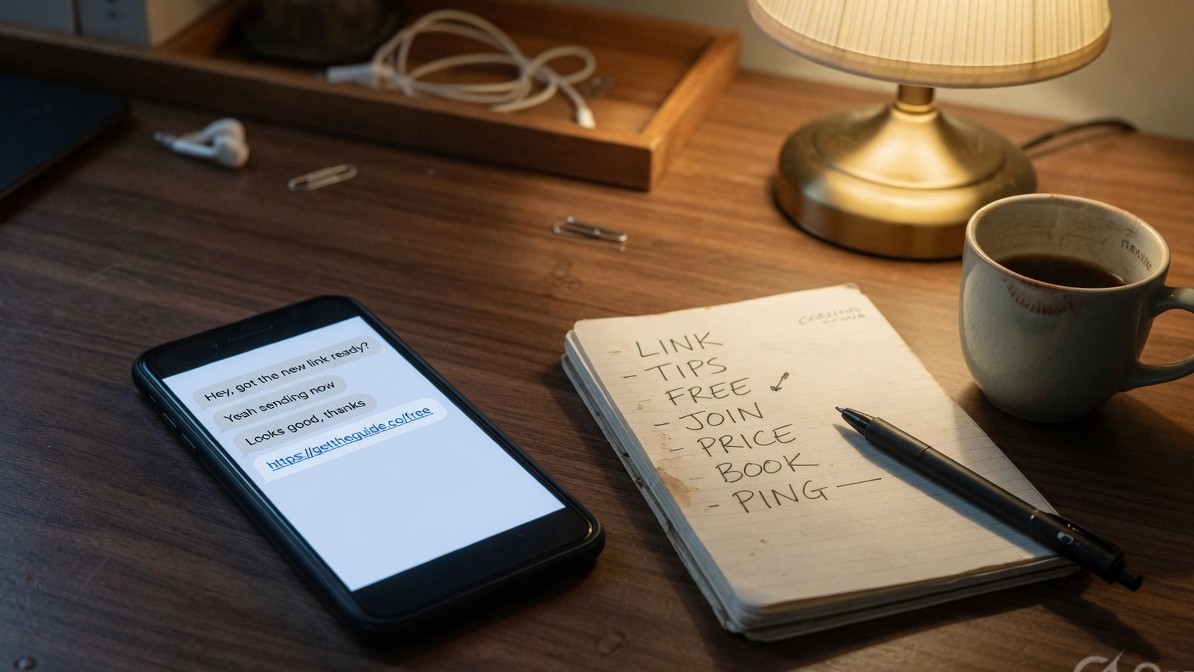
Your Reel goes live at 7:00 pm because you scheduled it three days ago. You're at dinner. By 8:30 it has 60 comments and 41 of them say LINK. Nobody gets that link until you open Instagram at 7 the next morning, twelve hours after the people who asked were ready to click. The comment spike that decides how far the Reel travels came and went while your automation tool had never heard of the post.
This guide shows you how to schedule the post and the comment-to-DM automation in one step, so the DM starts firing the second the post publishes. Setup takes about 15 minutes, including a test.
Key takeaways
- You can schedule Instagram posts, Reels, and carousels with a comment-to-DM automation already attached. The post and the auto-DM go live together.
- As of August 2026, Later and Buffer schedule posts but cannot attach a DM automation. ManyChat runs comment-to-DM but does not schedule posts. InstantDM does both in one step.
- InstantDM's scheduler is Instagram-only. It does not schedule TikTok or LinkedIn. For a full multi-network calendar, our sister product Social by InstantDM schedules Instagram, TikTok, LinkedIn, Facebook, X, Pinterest, Threads, and YouTube.
- Most of a post's comments land in the first 30 to 60 minutes. An automation attached after publish misses that window.
- Setup is roughly 15 minutes: connect Instagram, build the post, write the keyword caption, attach the automation, pick the time, test.
- If the automation requires a follow, non-followers who comment will not get the DM. That is how the follow requirement works, not a bug.
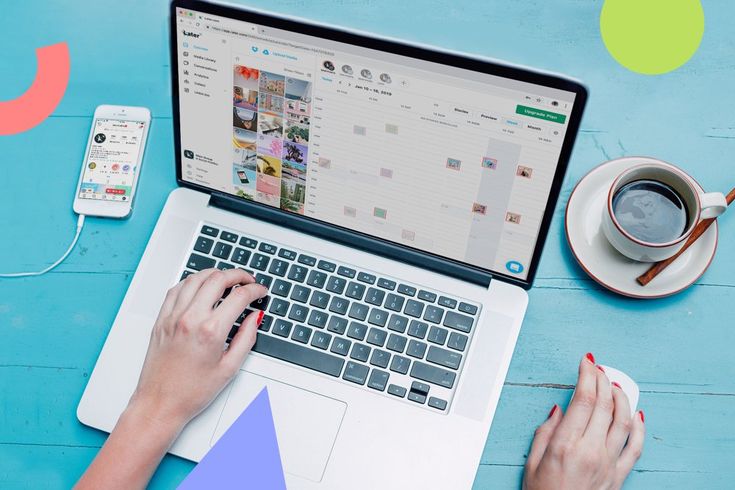
What does scheduling a post with auto DM mean?
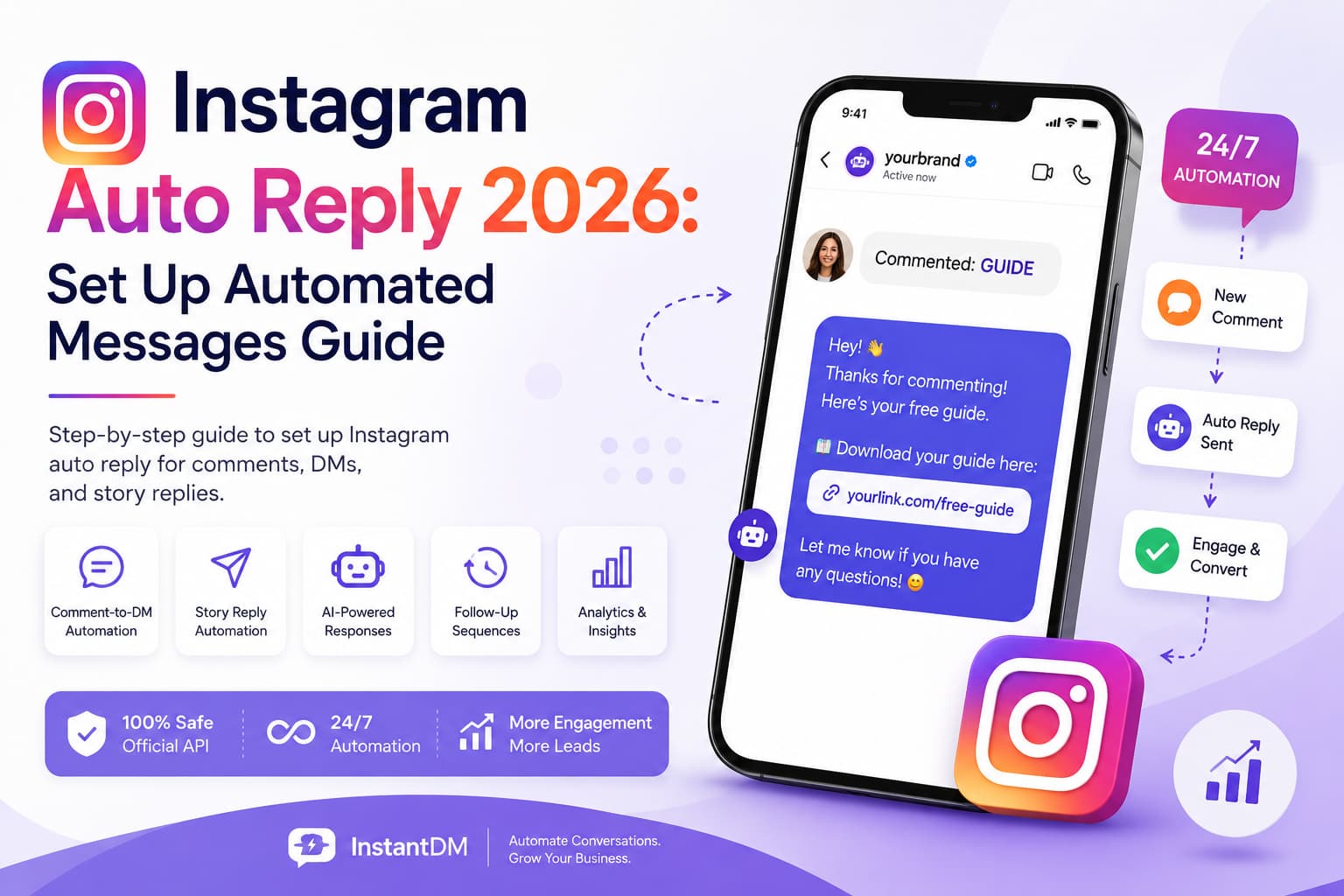
It means the comment-to-DM automation is configured before the post exists publicly, and it activates the moment the post publishes. You build the post, attach a keyword trigger and a DM message to it, and pick a time. When Instagram publishes the post, the automation is already listening.
Compare that with the normal two-tool routine: schedule in one app, wait for publish, then open a second app, find the new post, and point an automation at it. That routine works when you're awake and remember. It fails at exactly the times scheduling exists for: evenings, weekends, other time zones, the week you are traveling.
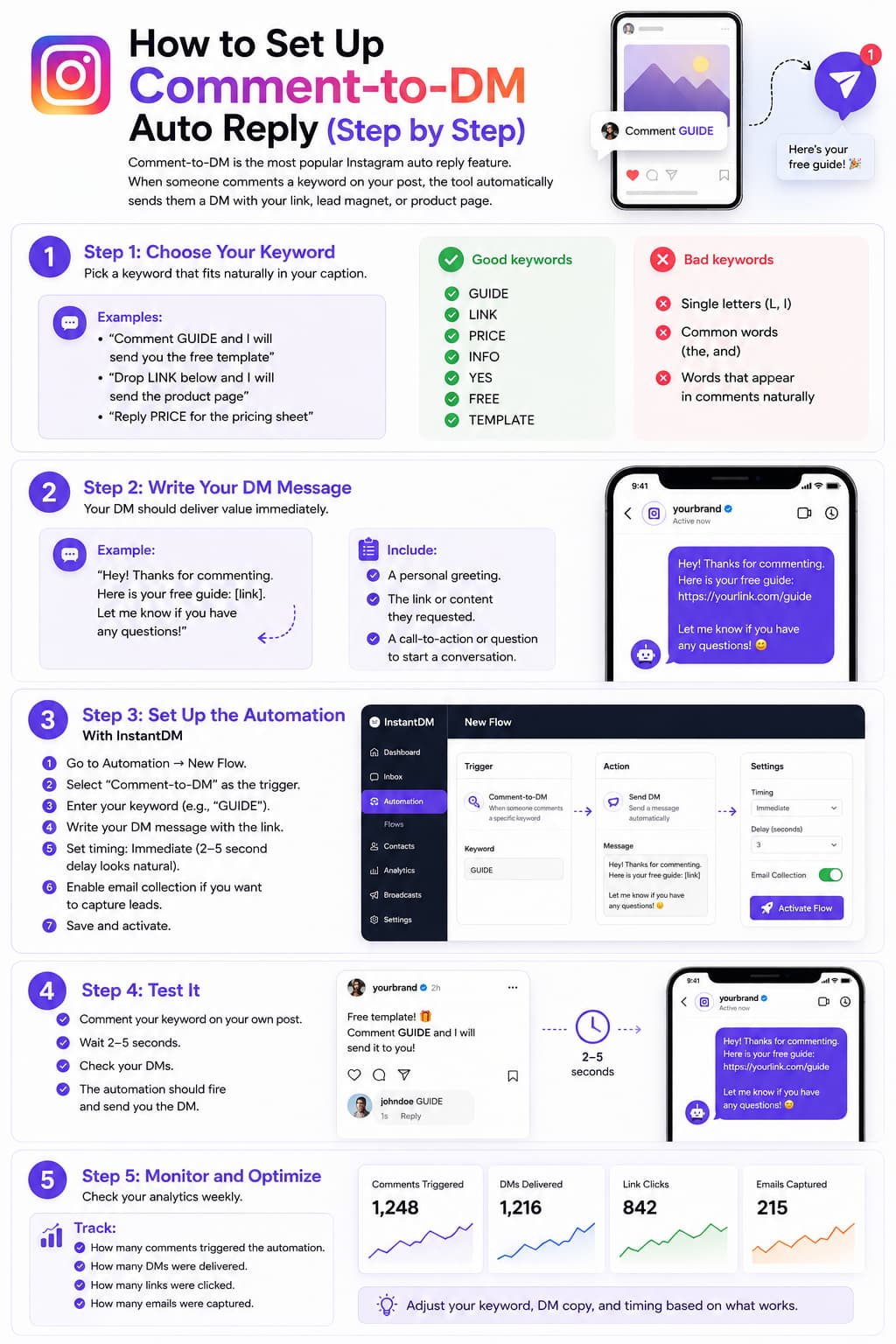
If comment-to-DM itself is new to you, the mechanics are covered in our step-by-step auto DM setup guide. This post assumes you know why "comment LINK" works and focuses on wiring it to a scheduled post.
Why attach the auto DM at schedule time?
Because the first 30 to 60 minutes after publishing is when the comment spike happens, and it's the window Instagram uses to judge whether the post deserves more reach. A Reel that earns fast comments, replies, and DM shares in hour one gets pushed further. A Reel where 40 people typed LINK and heard nothing back looks like a conversation that died.
There's also the plain revenue math. If your DM carries an affiliate link or a checkout page, every unanswered LINK comment is a buyer at peak intent who cooled off overnight. Forty comments at even a 10 percent click-to-buy rate is four sales that didn't happen because the automation was attached the next morning.
Attaching at schedule time removes the 2 am problem entirely. You choose the publish slot based on when your audience is active, using something like the best posting times for Instagram, and you don't have to be awake at that slot for the funnel to work.
When should the scheduled post go live?
When your audience is on the app, and the automation is what lets you take that answer literally. Publish slots used to be a compromise between when followers are active and when you could sit in the comments handing out links. That second constraint is gone. If your followers peak at 9 pm on Sundays, schedule for 9 pm on Sundays, whether you're asleep or three time zones away.
Being picky about the slot matters because of the same first hour everything else in this post protects. Instagram reads the roughly 30 minutes around publish to decide how far a post travels. Publish into a dead hour and the comment spike is small, so the automation has less to convert and the post has less to show the ranking systems. Publish just ahead of peak and both numbers grow.
Finding your peak takes two minutes. Open Instagram's professional dashboard, check your followers' most active days and hours, and schedule 30 to 60 minutes before the busiest block. Use your audience's time zone, not yours; a creator in Berlin with a mostly US following should be scheduling for what feels like the middle of the night. That's the case where the attached automation stops being a convenience and becomes the whole funnel. For a deeper method, our best time to post on Instagram guide goes through it slot by slot.
Can Later, Buffer, or ManyChat do this?
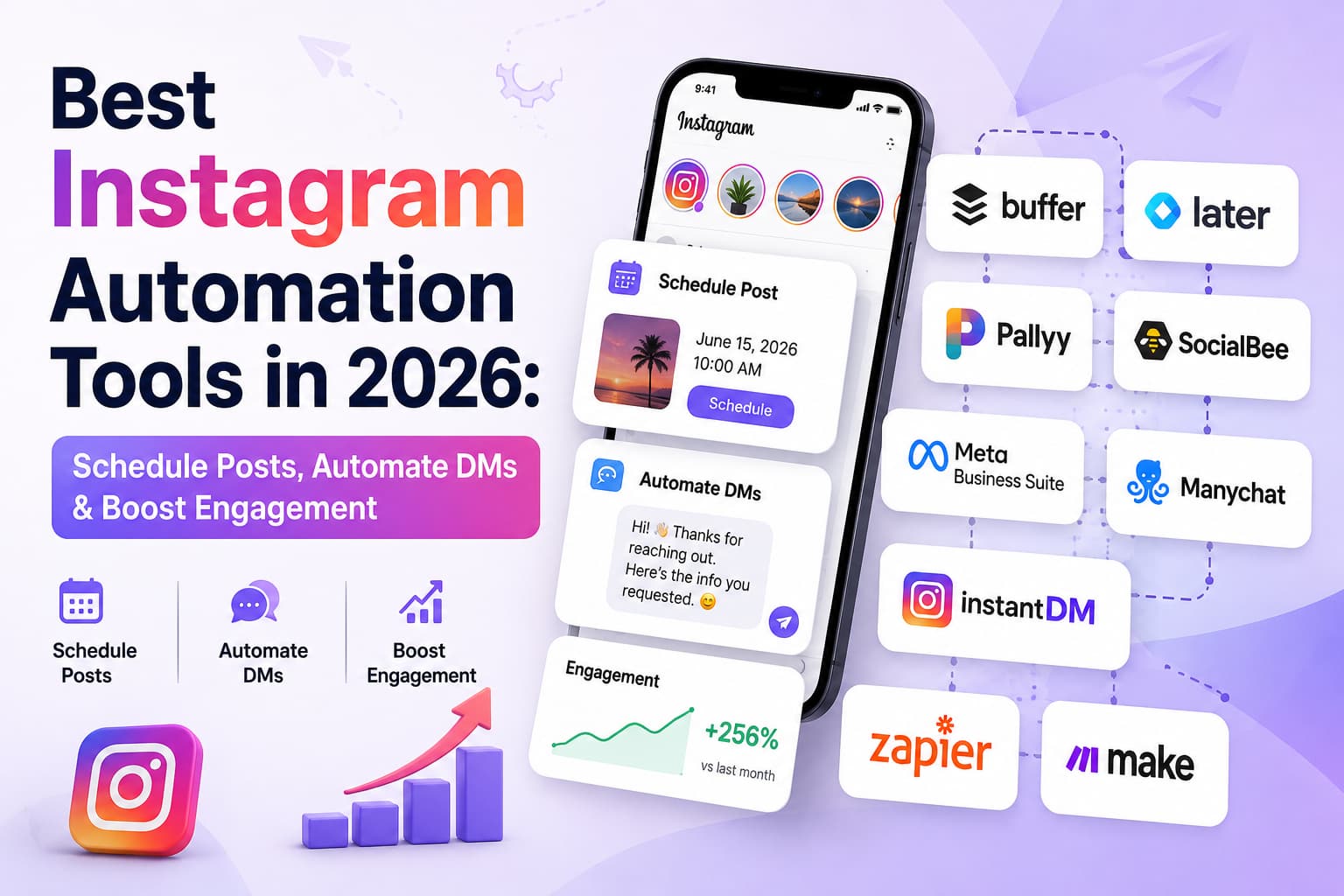
Not in one step, as of August 2026. Each of them does half the job.
| Job | Later / Buffer | ManyChat | InstantDM |
|---|---|---|---|
| Schedule Instagram posts, Reels, carousels | Yes | No | Yes |
| Comment-to-DM automation | No | Yes | Yes |
| Attach the automation at schedule time | No | No | Yes |
| Multi-network calendar (TikTok, LinkedIn, etc.) | Yes | No | No |
Feature status as of August 2026, from each vendor's public pages.
Don't skim past the last row. Later and Buffer are real multi-network calendars, and if you queue TikTok, LinkedIn, and Pinterest from one dashboard, keep them. InstantDM's scheduler is an Instagram-only mini scheduler. It exists so the post and the auto-DM go live together, not to replace a social media management suite. Plenty of teams run both: a big calendar for every network, and InstantDM for the Instagram posts that carry a keyword CTA. If you'd rather keep the big calendar in the same family, Social by InstantDM is our multi-network scheduler: Instagram, Facebook, TikTok, LinkedIn, X, Pinterest, Threads, and YouTube from one queue, with plans from $10/month as of August 2026.
A naming note, because it trips people up: InstantDM's in-app scheduler is also called Later. That's a feature name inside the InstantDM app, unrelated to Later the scheduling company in the table above.
Which format should you schedule with an auto DM first?
A Reel. It's the one format Instagram distributes to people who don't follow you, which means the biggest first-hour comment spikes and the most strangers asking for your link at once. That's the traffic an attached automation is built for, and the traffic you'd never keep up with by hand.
It's also where the follow gate stings most. When a Reel travels, most commenters found you minutes ago, so a follow-gated automation will skip a lot of them. Decide before you schedule: gate off and every commenter gets the DM, or gate on with a "follow first" line in the caption. Trial Reels push this to the extreme, since Instagram shows them only to non-followers; a follow-gated automation attached to one will skip nearly every commenter it gets.
Carousels come second, and first if you're selling to people who already follow you. They collect saves and keep pulling comments for days instead of one loud spike, and carousel commenters skew toward your existing audience, so a follow gate costs less. "Comment GUIDE for the full breakdown" on the last slide of a how-to carousel is a quieter funnel that runs all week.
Feed posts reach mostly your existing followers, which makes them right for launches and announcements rather than reach plays. Stories aren't on the list at all: the scheduler covers feed posts, Reels, and carousels only. Story replies have their own live automation that answers when a viewer responds to a story you posted yourself. If your funnel leans on Stories, start with story triggers instead.
What you need before starting
- An Instagram professional account. Creator or Business. Personal accounts cannot use API scheduling or DM automation. Switching is free and takes under a minute in Instagram's settings.
- An InstantDM account connected via official Instagram login. InstantDM is a Meta Business Partner on the Instagram API. You authorize through Instagram's own login screen and never hand over your password to a third party.
- The post media, finished. The video, image, or carousel slides, exported and ready. The scheduler publishes what you upload; it does not edit.
- One keyword and one link. Pick a short, obvious word (LINK, GUIDE, PRICE) and know exactly which URL the DM will deliver.
- A caption that asks for the comment. The automation only fires if people type the word, and people only type the word if the caption tells them to.
How to schedule an Instagram post with auto DM (15-minute setup)
The step names below are kept generic on purpose; the labels in the app may differ slightly by version, but the flow is the same.
Step 1: Connect your Instagram account (2 minutes)
Sign in to InstantDM and connect your Instagram professional account through the official Instagram login flow. Approve the permissions for publishing and messages. You do this once; every scheduled post after that reuses the connection.
Step 2: Create the post in the scheduler (4 minutes)
Open the scheduler and start a new post. Upload your media and choose the format: feed post, Reel, or carousel. Reels are usually the right first candidate, since they reach non-followers and generate the biggest comment spikes.
Step 3: Write the caption with the keyword CTA (3 minutes)
Write the caption in the scheduler and put the instruction where nobody can miss it: "Comment LINK and I'll DM it to you." One keyword per post. If the word only appears in a text overlay on the video, repeat it in the caption anyway; people comment from the caption screen.
Step 4: Attach the comment-to-DM automation (3 minutes)
Before scheduling, attach an automation to the post. Set the trigger keyword, write the DM message that delivers the link, and optionally add a public comment reply ("Sent you a DM!") so latecomers see the mechanic working. This is the step no standalone scheduler has: the automation is bound to a post that does not exist publicly yet.
Step 5: Pick the publish time (1 minute)
Choose the date and time. Aim for roughly 30 minutes before your audience's peak activity window so the post is indexed and sitting at the top of feeds when they open the app.
Step 6: Test the automation (2 minutes)
Don't skip this. Test the trigger before the post goes live: use the automation's test option if available, or run the same keyword and DM message on an existing post and comment on it from a second account. Confirm three things: the DM arrives, the link in it opens the right page, and the public reply (if you set one) posts. A typo in the URL discovered at step 6 costs two minutes. Discovered the next morning, it costs the whole spike.
Step 7: Confirm the schedule (30 seconds)
Save the scheduled post and check it appears in your queue with the automation attached. At publish time, the post goes up and the automation goes live in the same moment. You can be at dinner.
How do you write a caption that feeds the automation?
Put the keyword in three places: the caption's CTA line, the on-screen text, and a pinned comment. People reach the same post from different directions. Caption readers see the CTA line, sound-off scrollers catch the overlay, and people who arrive from a share often skip straight to the comments, where your pinned "Comment LINK and I'll DM it" sits above a stack of strangers doing exactly that. The pin doubles as proof the mechanic works.
Keep it to one keyword per offer, and pick a word thumbs can't fumble. LINK beats EXCLUSIVEACCESS every time. If the automation requires a follow, the caption has to say "follow + comment" before anyone comments, not after they complain. Our beginner's guide to Instagram keywords goes deeper on trigger words.
The CTA line in four different businesses:
Affiliate: "Every product in this video is linked. Comment LINK and
my auto DM sends the full list. I can only DM followers, so hit
follow first."
Digital product: "The 15-point profile audit is a free PDF. Comment
AUDIT and it lands in your DMs. No email required."Coach: "I wrote out my exact discovery-call script. Comment SCRIPT
and I'll DM it over. Read it and want feedback on yours? Reply to
the DM."E-commerce: "Restock hits Friday at 6 pm. Comment PRICE and the DM
has sizes, shipping, and the checkout link the moment we're live."Two details worth stealing. The affiliate line names the follow requirement in plain words, which keeps the comments free of "it didn't send." And none of the four say "link in bio," because the caption has one job now: get the comment. If your offer is a file rather than a page, the PDF-by-DM setup is its own short guide, and Amazon storefront creators have a storefront-specific walkthrough too.
Keyword and DM templates you can paste
Adapt the wording to your account's voice. More variations live in our Instagram DM automation templates library.
Keyword: LINK
DM: Hey! Here's the product from that Reel:
[YOUR-URL]
Sizes and shipping info are on the page. Reply HELP if anything's off.
Keyword: GUIDE
DM: Here's the free guide you asked for:
[YOUR-URL]
No email needed. If you want the template pack too, reply PACK.Keyword: PRICE
DM: It's $49, and here's what's included: [ONE LINE].
Checkout: [YOUR-URL]
Want a human answer first? Just reply here, I read these.Keyword: EBOOK
Caption line: "Follow + comment EBOOK and it's in your DMs."
DM: As promised, your copy: [YOUR-URL]
Heads up: I can only DM followers, so if it didn't arrive, hit follow and comment again.The fourth template pairs with a follow requirement, which brings up the one behavior that surprises almost everyone.
Why didn't some commenters get the DM?
Almost always: the automation has a follow requirement turned on and the commenter does not follow you. The automation checks the follow at comment time, and non-followers are skipped. On a scheduled Reel this bites harder than people expect, because Reels get distributed to non-followers, and if the Reel performs, most of the fresh comments come from accounts that found you five seconds ago. The same dynamic applies to Trial Reels, which are shown to non-followers by design.
This is how the follow gate works, not a broken automation. You have two clean options. Turn the follow requirement off for reach-focused posts, and every commenter gets the DM. Or keep it on for list-building posts and say so in the caption ("Follow + comment GUIDE"), so people know the follow is part of the deal. What doesn't work is a follow gate the caption never mentions: commenters assume the automation is broken, and some will say so publicly.
What does the first hour actually look like?
Here's a run-through with illustrative numbers. Yours will differ; the shape is what matters.
A food account schedules a Reel for Thursday at 7 pm, keyword RECIPE, follow gate off, automation attached. At 7:00 the Reel publishes and the trigger goes live in the same moment. The account owner is at the gym.
By 8 pm the Reel has 80 comments. Around 50 contain the keyword; the rest are "making this tonight" and tagged friends. Every keyword comment got the recipe-link DM within moments, plus the public "Sent it, check your DMs!" reply. Fifty asked, fifty were answered, all inside the hour Instagram watches most closely, and the comment section reads as a busy conversation, not a wall of ignored requests.
Now run the manual version. Same Reel posted by hand at 7 pm, no automation, links sent the next morning. Realistically you answer 20 of the 50 before work, twelve hours after they asked. A few have already searched out the recipe somewhere else. Some will never open a DM from an account they engaged with once, half a day ago, for five seconds. And during the hour that decided the Reel's reach, every request sat unanswered.
The gap scales in both directions. At 8 comments, the automation saves you a little embarrassment. At 800, it's the difference between a working funnel and an apology post. Either way, the first hour only converts if something is awake to convert it.
Common mistakes to avoid
Scheduling the post, then planning to attach the automation "after it publishes"
Wrong: schedule for 7 pm, plan to open the automation tool at 7:05. Right: attach at schedule time. The 7:05 plan fails the first evening you're busy, and the busy evenings are why you scheduled.
A follow gate the caption never mentions
Wrong: follow requirement on, caption just says "comment LINK." Right: "Follow + comment LINK" in the caption, or no follow requirement at all.
Skipping the test on a second account
Wrong: assuming the flow works because it saved. Right: trigger the same keyword and message from an account you don't own, click the link the DM delivers, then schedule.
A keyword nobody would type
Wrong: SUMMER26DROP. Right: LINK, GUIDE, PRICE. If they have to scroll up to re-check the word, half of them will not.
A caption keyword the trigger doesn't match
Wrong: the trigger listens for GUIDE, but the caption went out saying GIUDE, so commenters copy the typo and the automation hears nothing. Right: copy the word from the automation and paste it into the caption, never retype it. Then test like a commenter, not like an admin: "Guide", "GUIDE!", "guide pls". You want to learn what your trigger counts as a match from your own test account, not from 200 confused strangers.
A keyword that comment filters can hide
Wrong: a spicy keyword that reads like spam or trips Instagram's Hidden Words filtering. Instagram can hide comments containing flagged terms, and a hidden comment never reaches the automation, so the commenter gets silence and blames your setup. That's platform moderation, not a broken tool. Right: boring words. LINK, GUIDE, and PRICE are dull, which is why they get through.
Two scheduled posts, same keyword, overlapping days
Wrong: Monday's Reel and Wednesday's carousel both use GUIDE while both are collecting comments. Commenters on one may get the other's DM. Right: one keyword per live offer.
Editing the scheduled post and forgetting the automation
Wrong: on Tuesday you swap GUIDE for TEMPLATE because the caption reads better, and on Thursday the post publishes with a trigger still listening for GUIDE. Right: the caption and the automation are two settings that must agree; edit one, then open the other and re-check the keyword, the DM text, and the link. Moving the publish time is safe, since the automation is tied to the post rather than the clock, but a wording change earns a 30-second review.
Publishing at a random hour because the calendar looked tidy
Wrong: 9:00 am Tuesday because the grid liked it. Right: check your audience's most active hours in Instagram's insights and schedule just ahead of the peak.
Planning the follow-up outside the 24-hour window
Wrong: DM the link Thursday night, then queue a "did you grab it?" nudge for Sunday. Instagram lets business accounts message someone within 24 hours of that person's last message, so a Sunday follow-up to a Thursday conversation has no window to send in. The limit is Instagram's, and it applies to every tool on the official API. Right: schedule follow-ups inside the same day; a reply from the other person reopens the window. The rest of the platform's limits are in our Instagram DM limits and rules guide.
Sending a DM that is all pitch and no delivery
Wrong: three paragraphs of brand story before the link. Right: link first, context after. They commented to get a thing; give them the thing. If you want the conversation to continue past the first message, build it as a proper chat funnel rather than stuffing everything into one DM.
How much does scheduling with auto DM cost?
As of August 2026: InstantDM's free plan includes 500 automations per month plus a 7-day full-feature trial, and scheduling with auto DM is available in the product. Legend Pro is $9.99/month flat with unlimited contacts, so a viral Reel doesn't raise the bill. Trendsetter is $24.99/month and adds follow-ups, ads automation, and API access. Current details are on instantdm.com/pricing.
Instagram's own scheduling, by comparison, is free inside the app for professional accounts, per Instagram's Help Center, and our guide to automatically scheduling Instagram posts covers that native route in detail. Native scheduling publishes the post; it does not attach a DM automation to it. If you only need the calendar half of the job, the 2026 scheduling guide compares the free options. For the wider picture of what automation on Instagram covers beyond scheduling, start with our Instagram automation overview.
Ready to schedule your next post with the DM attached?
The whole point of scheduling is that you're not there when the post goes live. Attaching the comment-to-DM automation at schedule time means the funnel doesn't need you there either: the post publishes, the first LINK comment lands, and the DM goes out while you're at dinner.
InstantDM schedules Instagram posts, Reels, and carousels with the automation attached in the same step, on the official Instagram API as a Meta Business Partner. The free plan covers 500 automations a month, and the 7-day trial covers everything. Start free on InstantDM, schedule one Reel with a keyword, and watch the first comment get answered without you.
Later, Buffer, ManyChat, and Instagram are trademarks of their respective owners. InstantDM is not affiliated with those companies beyond the named partner programs. Feature and pricing details are accurate as of August 2026; verify current information on each vendor's site.