TL;DR
You make money on Instagram in two ways. Instagram pays or processes a small share itself: Subscriptions, Gifts, Badges and invite-only bonuses. The larger share comes from outside, with Instagram as the place people find you: brand deals, affiliate links, digital products, services, UGC work and physical products. Most creators who earn do it through the second group.
- Instagram does not pay per view. Its bonus program is invite-only for select creators in Japan, South Korea and the United States, as of October 2026.
- Gifts need 500 followers and Subscriptions need 10,000, per Instagram's help pages. Both list India among 49 countries.
- Affiliate links in your bio, Stories and DMs, your own products, services and UGC work have no follower minimum. Meta's creator marketplace asks for 1,000 followers.
- Since March 2026 you can tag products in a Reel with an affiliate link. India is one of the first five countries in the rollout.
- Payouts from Instagram's tools go out around the 21st of the month, after you add a payout account and verify your tax details.
- Paid posts must carry the paid partnership label under Instagram's branded content policies.
The rupee and dollar examples on this page are worked illustrations with stated assumptions. They aren't typical, promised, or guaranteed. Outcomes depend on your content, audience, offer, and consistency.
Does Instagram pay you directly?
Sometimes, and for most accounts the amount is small. Instagram runs a handful of tools where the money moves through Instagram and lands in a payout account: Subscriptions, Gifts on Reels, Badges in Live, and bonuses for the few creators who get invited.
The rest of what people call "Instagram income" never touches Instagram's payment system. A brand pays you by bank transfer, or an affiliate network sends a commission, or a customer buys your PDF through a checkout link.
Instagram decides who qualifies for the first group, by country and follower count. For the second, you only need someone who wants what you're offering.
The nine ways, in the order this page covers them:
- Subscriptions (paid by Instagram)
- Gifts and Badges (paid by Instagram)
- Bonuses (paid by Instagram, invite-only)
- Brand deals and partnership ads
- Affiliate links
- Your own digital products
- Services and coaching
- UGC work for brands
- Physical products, with or without an Instagram Shop
Which Instagram monetization programs are available in India?
Subscriptions and Gifts are. Bonuses are not. For Badges and Shops, Instagram's public pages don't give a clear enough country list to say either way, so we haven't guessed.
The table below uses Instagram's own help pages, checked on 9 October 2026.
| Program | Follower minimum | Where it's available | India? |
|---|---|---|---|
| Subscriptions | 10,000 | 49 countries listed | Yes, listed |
| Gifts (on Reels) | 500 | 49 countries listed | Yes, listed |
| Badges (in Live) | None stated on the page | No country list published on the page | Not confirmed |
| Bonuses (Reels, photos and carousels) | Invite-only | Japan, South Korea, United States | No |
| Paid partnership label and partnership ads | "A sufficient follower base", no number | No general country list; political content has country rules | Yes, the label works in India |
| Creator marketplace | 1,000 | Every country where Meta advertising operates, with a short list of exceptions | Yes |
| Product tags with affiliate links in Reels | More than 1,000 for Instagram's affiliate partnerships; none stated for plain product tags | US, Brazil, India, Indonesia, Thailand, rolling out since March 2026 | Yes, named |
| Shops | None | Depends on Meta's commerce eligibility | Not confirmed from a current official list |
Sources, in row order: Instagram's pages on Subscriptions eligibility, Gifts, Badges, bonus program rules, and eligibility for partnership ads and branded content, then Meta's creator marketplace expansion post and Instagram's marketplace eligibility page, Instagram's March 2026 post on shoppable Reels and its affiliate partnerships page (both linked in the affiliate section below), and Meta's commerce eligibility requirements.
Older Instagram announcements gave Badges a 10,000 follower minimum and a short country list, but the current help page states neither. A listed country also doesn't mean every account there has the feature, because Instagram turns these tools on in stages. Trust what your own Professional dashboard shows.
How many followers do you need to make money on Instagram?
For Instagram's own tools, the numbers are published: 500 for Gifts, 1,000 for the creator marketplace, more than 1,000 for affiliate partnerships and 10,000 for Subscriptions. Each also asks that you're 18 or older and on a professional account. For everything outside Instagram's tools there is no minimum at all.
Nobody at Instagram checks your follower count before you put an affiliate link in your bio or sell a consultation over DM.
For brand deals, Instagram gives no figure, so the working minimum is whatever a brand accepts.
If you're starting small, choose by what you already have:
- Under 1,000 followers: services, UGC work, affiliate links for things you already use.
- 500 and up: Gifts become available if your country is listed.
- 1,000 and up: you can join the creator marketplace, and Instagram's affiliate partnerships if your market is supported.
- A few thousand engaged followers in one niche: small brand deals and your own digital product start to make sense.
- 10,000 and up: Subscriptions, and brands begin to reply.
The 500, 1,000 and 10,000 figures are Instagram's. The rest is our own reading. If growth is the bottleneck, read the guide to getting your first 1,000 followers, and use trial Reels to test ideas on non-followers first.
Does Instagram pay for views or Reels?
No, not for the ordinary account. Instagram has no open program that pays per view on Reels, posts or Stories. A Reel with two million views earns nothing from Instagram unless you're inside one of its invite-only bonuses.
It used to be different. The Reels Play bonus paid creators on Reel performance from 2021, and Instagram's help center recorded that it stopped offering new and renewed Reels Play deals in the US and India in March 2023. Plenty of "Instagram pays this much per 1,000 views" articles still quote numbers from that era.
A few guides list a share of ad revenue from Reels as a way to earn. We couldn't find a current Instagram help page offering one, so it isn't among the nine here.
Likes and follower counts don't pay either. None of the tools on Instagram's creator pages is a payment per like or per follower.
Views still matter indirectly, because they bring the comments and DMs that the other methods on this page depend on.
How do Subscriptions, Gifts and Badges pay?
All three are fan funding. Followers pay through the Instagram app, the app stores take their fee, and Instagram sends you the rest through your payout account.
Subscriptions
Subscriptions let followers pay a monthly price for extras such as subscriber-only posts, Stories and Lives. You set the price. Instagram's Subscriptions page for creators says payouts for a month arrive on the 21st of the following month, so March earnings are paid on 21 April.
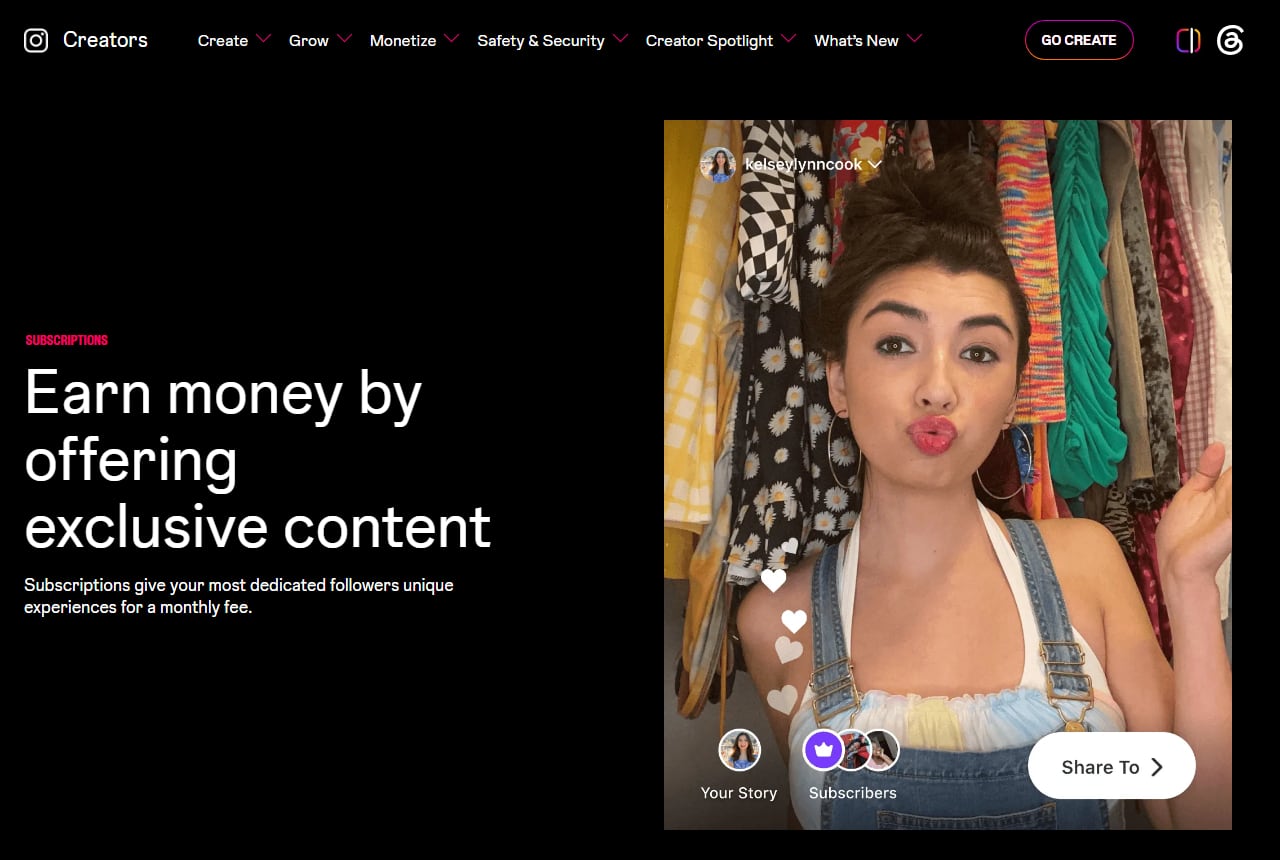
Instagram's Subscriptions page for creators. Screenshot of creators.instagram.com taken October 9, 2026.
You can change the price later in the subscriptions settings. Many guides print a range of $0.99 to $99.99 a month, but Instagram's creator page gives no range, so go by the prices your own app offers.
You need a professional account with at least 10,000 followers, you must be 18 or older, and you must meet Instagram's Partner Monetization Policies. Accounts that mainly post content focused on children can't offer it. India is on the country list.
On the split, Instagram's Subscriptions help page says its own revenue share "is currently at 0%" and that Google and Apple collect 30% on in-app purchases.
An illustration with made-up inputs: 12,000 followers, 1% of them subscribe (120 people), and you charge the equivalent of $2 a month. That is $240 a month, or about $168 after a 30% app store fee and before tax. Your own rate could be far lower.
Gifts and Badges
Gifts are tips on Reels. A viewer buys Stars in the app and sends a gift on a Reel they like. Instagram's Gifts page puts your share at $0.01 for every Star received. It also notes that app stores typically keep 30% of what the viewer paid for the Stars.
The bar is low: 500 followers, age 18 or older, a professional account and a payout account. Collab posts can't receive gifts. India is listed.
As an illustration, 3,000 Stars in a month comes to $30, so for nearly everyone Gifts stay pocket money.
Badges are the same idea inside Instagram Live, where viewers buy a badge during your broadcast. The Badges page says Instagram's own revenue share is currently 0%, that Apple and Google take 30% on in-app purchases, and that one supporter can spend up to $250 on badges in a single Live.
Instagram's Badges page for creators adds that viewers buy badges in $0.99, $1.99 and $4.99 steps and that you get paid once you've earned at least $100. It also warns that Badges "may not be available in your region", which is why the table above doesn't confirm India.
Can you still get an Instagram bonus?
Only by invitation, and only in three countries. Instagram's bonus rules page says it is testing a bonus for Reels and a bonus for photo and carousel posts, both "invite-only for select creators in Japan, South Korea and the United States". India isn't included as of October 2026.
You can't apply. If you're picked, the invitation shows up in your Professional dashboard in the app, sometimes with a banner or an email, and it runs for a limited period on its own terms.
Instagram's bonuses help section also lists a Breakthrough bonus program. We couldn't read its terms on an official page, so we've left it out.
How do brand deals and partnership ads work?
A brand pays you to make content about its product and you post it on your account with a disclosure. The payment is between you and the brand. Instagram supplies the labelling and the ad tooling and takes no cut of the fee.
Three terms get mixed up here:
- Branded content is the sponsored post itself, the one you publish on your own account.
- The paid partnership label is the "Paid partnership with" tag that sits under your username on that post.
- Partnership ads are what happens when the brand puts ad budget behind your post, so it runs as an ad from both handles.
Instagram's eligibility page gives no follower number for any of these. It asks for a professional account, a clean record on the Community Standards and an "authentic, established presence". Politicians, parties and government bodies are excluded.
You add the label on the share screen. Instagram's paid partnership label instructions describe it like this, as of October 2026, in the mobile app only:
- Create the post, Reel or Story as usual and go to the final share screen.
- Open the advanced settings (on some app versions this is labelled More options).
- Under Branded content, turn on Add paid partnership label.
- Tap Add brand partner and search for the brand's account. You can add up to two.
- Share. The brand gets a request, and its name appears in the label once it approves.
Most deals start with a pitch from you: a short email or DM with your niche, where your audience lives, and one specific idea. Meta also runs a creator marketplace where brands search for creators. Its eligibility page asks for 1,000 followers, a public professional account and age 18 or older. Our creator marketplace guide covers the profile setup. A verified badge can help when a brand is checking whether you're real, though no brand requires one.
How much do creators earn per post?
There is no reliable public figure, and anyone quoting a neat rate per 10,000 followers is guessing. Deals are private, Instagram doesn't publish what brands pay, and the rate swings with niche, country, format and whether the brand wants ad rights.
The closest thing to data is self-reported surveys. Aspire, an influencer marketing platform, published a 2026 pricing guide in September 2026 based on a survey of nearly 1,200 creators. Its rate tables sit behind a download form, so we aren't repeating numbers we couldn't read ourselves. The open page does say that 70% of the creators surveyed "always" or "often" receive offers below their standard rates, which is useful to know before you negotiate.
Several ranking guides print rates by follower tier with no source, and their tables disagree. We've left them out.
The things that move a fee are better understood:
- Your niche, and how much the brand earns from each new customer.
- Where your audience lives, since brands pay for buyers in the markets they ship to.
- Engagement on recent posts. A big follower number with quiet posts works against you.
- Usage rights and exclusivity. Letting the brand run your post as a partnership ad, or agreeing not to work with its rivals, should each raise the price.
So price from your own costs. Add up the hours for scripting, shooting and editing, decide what an hour of your time has to earn, and add a separate line for usage rights if the brand wants to run the post as an ad.
How do you earn from affiliate links on Instagram?
You share a trackable link to a product, and the merchant or network pays you a commission when someone buys through it. Instagram plays no part in the payment, so there's no follower minimum and no country list.
Instagram limits where a link can go. Links in captions and comments aren't clickable, which leaves your bio, the link sticker in Stories, and DMs. Our guide to adding a link to an Instagram Story walks through the sticker, and a link in bio tool helps once you promote more than a handful of products.
A worked illustration with invented numbers. A Reel about a desk lamp gets 400 comments asking for the link. Say 60% of those people open it (240 clicks), 5% of the clickers buy (12 orders), the lamp costs ₹1,500, and the program pays 8%. That is ₹18,000 in sales and ₹1,440 in commission. At a 1% purchase rate it would be two orders and ₹240.
Can you tag affiliate products directly in a Reel?
Yes, in some countries. Instagram announced on 24 March 2026 that creators can add products to a Reel, and that affiliate links work for it. Its post on making Reels shoppable says the feature is rolling out in the US, Brazil, India, Indonesia and Thailand first, with the rest of Instagram's 22 commerce markets to follow.
The steps Instagram gives:
- Make your Reel and go to the share screen.
- Tap Add product.
- Paste the product URL, which can be your affiliate link, or search a brand's catalogue and pick the item.
- Repeat for up to 30 products, then share.
Each tag has to point to a single item that already sits in a business's commerce catalogue on Meta, so a link to a collection page won't attach. The viewer finishes the purchase on the brand's app or mobile site, not inside Instagram.
Instagram has two versions of this. Add product tags any item from a brand's catalogue, and the announcement gives no follower number for it. Affiliate partnerships are programs you join inside Instagram, and its affiliate partnerships page asks for more than 1,000 followers, a public professional account, age 18 or older and a supported market. The partner pays the commission, not Meta.
Older guides still call all this "coming soon". If neither option is on your share screen, the rollout hasn't reached your account yet.
Programs differ by niche and change their terms often, so we keep the detail in separate posts: the LTK affiliate program for fashion and home creators, and our guide to influencer monetisation and Amazon storefronts for Amazon. Affiliate posts are advertising, so disclose the link on the post itself.
Can you sell digital products, coaching or services?
Yes, and for small accounts this is often the most practical route, because you keep the full price instead of a commission or a tip. Instagram doesn't process these sales. You take payment through your own checkout or payment link.
Digital products
Think templates, presets, recipe ebooks, study notes or a short course. You make the file once and send a copy to each buyer. The mechanics are in how to sell digital products on Instagram, and if you're choosing where to host the files, we compared the Gumroad alternatives for digital products.
Services and coaching
Photography, bridal makeup, fitness coaching, tutoring, tax filing. You don't need a big audience for these, only enough of the right people nearby or in your field. The sale usually happens in DMs, where someone asks the price and you send a booking or payment link. We've covered getting paid for coaching, courses and consulting and, if you have no site, accepting payments without a website.
What is UGC work, and do you need followers for it?
UGC (user-generated content) work means a brand pays you to film a video or shoot photos that the brand posts on its own account or runs as an ad. Your follower count barely matters, because the content doesn't go on your page.
Your Instagram account is the portfolio. Post a few sample videos of products you already own, pin them, and put "UGC creator" and your email in the bio. Then pitch small brands directly. If you're new to freelancing through the app, how beginners are getting freelance clients through Instagram covers outreach that doesn't read as spam.
Before you film, agree in writing on what the brand may do with the video: organic posts only or paid ads too, and for how long.
If the brand later asks you to post the video on your own account, it needs the paid partnership label.
Should you open an Instagram Shop to sell physical products?
Only if you sell physical goods from a catalogue and your business meets Meta's commerce eligibility requirements. A Shop lets you tag products in posts and Reels so people can tap through to buy. Meta's commerce policies have long kept ebooks, courses and services out of catalogues, so check the current policy before planning a Shop around a digital product.
Checkout has changed. During 2025 Meta told merchants that Shops would move to website checkout, a change that commerce platforms including Shopify and BigCommerce passed on to their sellers. In 2026 a Shop is a product catalogue on your profile that sends the buyer to your own site to pay.
For India, we couldn't read a current official list of supported Shop markets. Commerce Manager tells you at setup whether your account and country qualify.
You can sell physical products with no Shop at all. Plenty of small sellers take orders in DMs and send a payment link, which our comparison of PayPal vs Stripe for selling on Instagram covers.
How do Instagram payouts work?
Earnings from Instagram's own tools collect in a balance and get paid monthly to a payout account you set up in the app. Instagram's payouts overview says bonuses pay around the 7th and 21st of the month and other tools around the 21st, for the previous month's earnings.
Setting it up, per Instagram's payout setup page as of October 2026:
- Go to your profile and tap Professional dashboard.
- Open Payouts, then tap Update payout method (or the setup prompt if it's your first time).
- Choose an account type and how you want to be paid: a linked bank account, PayPal or a debit card. The options shown depend on your country.
- Enter and verify your tax information. The name on your tax ID has to match the name you gave during setup, and Instagram holds payouts until verification finishes.
Some details from those pages that are easy to miss:
- The minimum balance depends on how you're paid. The payouts overview gives $5 in the US, and elsewhere $100 for wire transfer and $25 for other payout methods, with a note that the figure can vary by method outside the US. A balance under the minimum carries over to the next month.
- A tool can also have its own earnings threshold. Instagram's Badges page gives $100 for Badges.
- You can start earning before you add a payout account, up to $500 per tool and $1,500 across three tools. If you don't add one within six months, you lose the right to collect.
Brand deals, affiliate commissions and your own sales sit outside all of this. They pay on whatever terms you agreed, and the options are laid out in getting paid as a creator.
How long does it take to start making money on Instagram?
Nobody can give you an honest number of months. What you can know in advance is where the waiting comes from.
For Instagram's own tools there are two waits. The first is reaching the follower minimum, 500 for Gifts or 10,000 for Subscriptions. The second is the payout calendar. Earnings from one month are paid around the 21st of the next, so a gift you receive on 3 March reaches you about seven weeks later, and only if your balance has passed the minimum.
Methods outside Instagram have no gate. A service can be paid for the same day a client says yes in your DMs. Affiliate programs and brands pay on their own terms, so read them before you count the money.
What mistakes cost creators money on Instagram?
Two do most of the damage, and both come from treating the follower count as the asset.
- Buying followers or engagement. Meta's spam policy prohibits buying, selling or exchanging engagement such as likes, views and follows. Bought followers also don't comment or buy, and a brand that looks at your insights will see it.
- Keeping your whole audience on Instagram. Reach moves for reasons you don't control, and an account can be restricted. Collect email addresses from buyers so you can still reach them.
Why does Instagram say you're not eligible for monetization?
Usually for one of five reasons, and you can fix most of them. Start with what Instagram says about your account:
- Go to your profile and tap Professional dashboard.
- Find the monetization section and open Monetization status. Instagram has moved this entry more than once, so it may also sit under your account settings.
- Read the status for each tool. It lists any policy violations counted against you and lets you request a review.
The common causes:
- You're on a personal account. Every Instagram tool here needs a professional one. Switching is free, and the steps are in how to create a professional Instagram account.
- Your country isn't on that tool's list. No setting fixes this.
- You're under the follower minimum, or under 18.
- A recent Community Standards or content monetization violation. You can appeal the ones you think are wrong.
- The rollout hasn't reached you. Meeting every published requirement doesn't switch a tool on instantly.
If a payout is missing, look at your tax information and payout method first, because Instagram won't pay until both are verified.
Do you have to disclose paid posts, and what about tax?
Yes, you have to disclose, and two sets of rules apply. Instagram's branded content policies require the paid partnership label whenever you post for a business partner. Your country's advertising rules also require you to tell viewers about the relationship, whether or not you used Instagram's label.
In the US, the FTC's Disclosures 101 for Social Media Influencers says to disclose any financial, employment, personal or family relationship with a brand, and that free or discounted products count. It also says not to assume a platform's disclosure tool is good enough on its own. A line in your bio won't do.
In India, the Advertising Standards Council of India publishes a guide for influencers that asks for an upfront disclosure label whenever there's a material connection with the brand, whether you were paid in money or in free product.
To cover both, use the paid partnership label and also write "Ad" or "Paid partnership with" in the first line of the caption or on screen. Do the same for affiliate posts and gifted products.
Money you earn through Instagram is income, whoever pays it. Instagram collects your tax details for its own payouts, but brand fees and affiliate commissions are yours to track. Keep a simple sheet of who paid what and when, and ask a local accountant about thresholds and forms, which differ by country.
This section is general information, not tax or legal advice.
Can you send the link automatically when someone comments?
Yes. Instagram's official API lets a business or creator account send one private reply to a person who commented on its post, which is the mechanism behind every "comment LAMP and I'll DM you the link" Reel. The person acts first, and the reply goes only to them.
Two of the nine methods benefit most. A caption can't hold a clickable affiliate link, so a DM hands it over in one step instead of sending people to hunt through your bio. With digital products, the same DM can carry the checkout link or the file itself, as described in delivering digital product PDFs by DM.
You can do this by hand on a quiet post, but not on a Reel that pulls 400 comments overnight. A comment-to-DM tool watches for the keyword and replies for you. InstantDM is one such tool. It has quick automations and a flow builder in one tool, with phone apps, and it's an official Meta Business Partner that runs on Instagram's official API and connects through Instagram or Facebook login, never a password. The setup is explained in the comment-to-DM automation guide.
Stay inside Instagram's rules when you turn it on. Reply only to people who commented or messaged first, never to a list of strangers, and stay within Instagram's rate limits, which no tool can lift. If the link is an affiliate one, say so in the DM. The line between allowed and banned is laid out in is Instagram automation allowed, and the wider setup for selling through DMs is in the Instagram DM monetization stack for creators.
Get the link delivery part running
If affiliate links or your own product are on your list, set up the reply to "link please" early. Connect your account through Instagram login, choose a keyword, write the message, and test it on one ordinary post before you rely on it for a Reel you expect to travel.
Create an InstantDM account to try it, and check current pricing for plan details. Instagram and Meta are trademarks of Meta Platforms, Inc. InstantDM is not affiliated with Meta beyond the named partner program.